Gigaset E290-E290A / LUG-Kombi CH en / A31008-M2901-F101-1-2X19 / applications.fm / 5/5/20
Template Module, Elderly, Version 1.1, 01.04.2019
Additional functions
43
Activating and setting the baby monitor
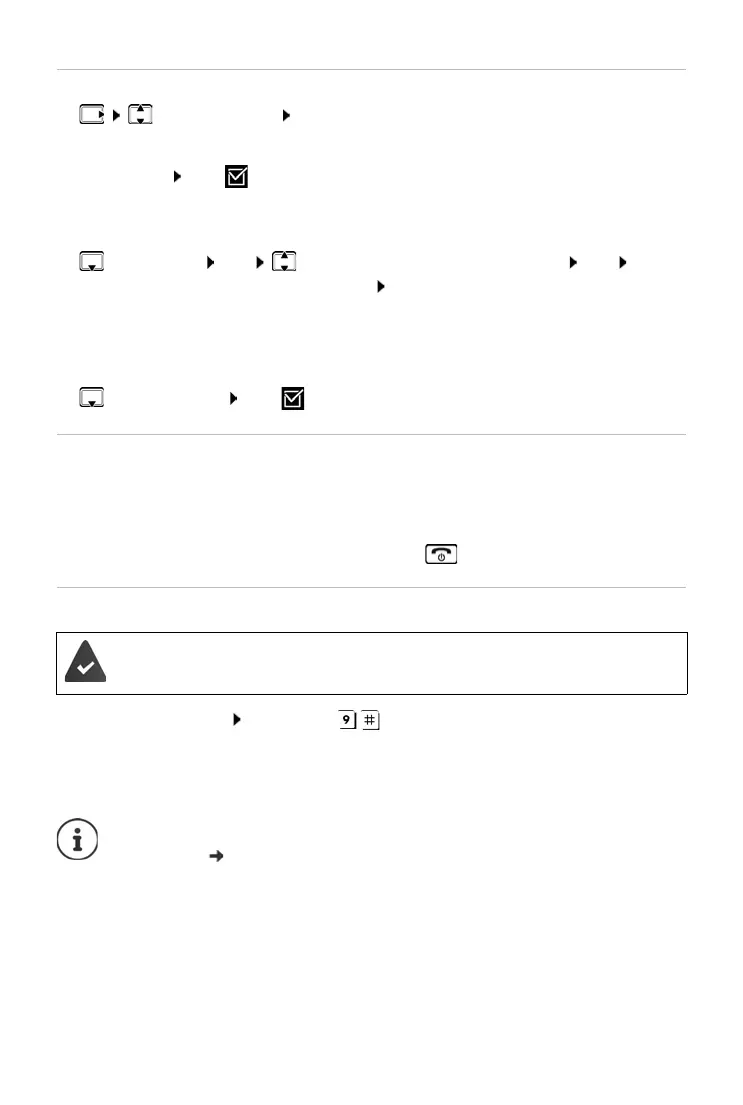
¤ Baby Monitor OK
Enable/disable:
¤ Activation OK ( = enabled) . . . if a phone number to call is already
entered, the baby monitor is enabled immediately
Entering/changing call number:
¤ Call Target OK Select Internal or External Call OK for
External Call,
enter phone number OK
Baby Monitor a
nd the number to call are displayed when the baby monitor
is enabled and in idle mode.
Activate/deactivate two-way talk:
¤ Two Way Talk OK ( = enabled)
Deactivate baby monitor / Cancel alarm
Deactivate the baby monitor remotely
¤ Accept alarm call Press keys
The baby monitor is deactivated and the handset is
in idle status. The baby
monitor settings on the handset (e.g. no ringtone) will remain activated
until you press the display key Off.
Deactivate the baby monitor:
¤ In idle status press the display key Off
Cancel the alarm:
¤ Press the End call key during an alarm
The alarm is forwarded to an external destination number.
The receiving phone supports tone dialling.
The baby monitor cannot be reactivated remotely.
Reactivate: p. 43



 To Next Page