Template Module, Version 1.2, 11.09.2018,
Call lists
Gigaset E370 / LUG_NF BE-NL en / A31008-M2815-M201-1-3F19 / call_list.fm / 11/23/18
30
Call lists
The telephone saves different types of calls (missed, accepted and outgoing calls) in lists.
List entry
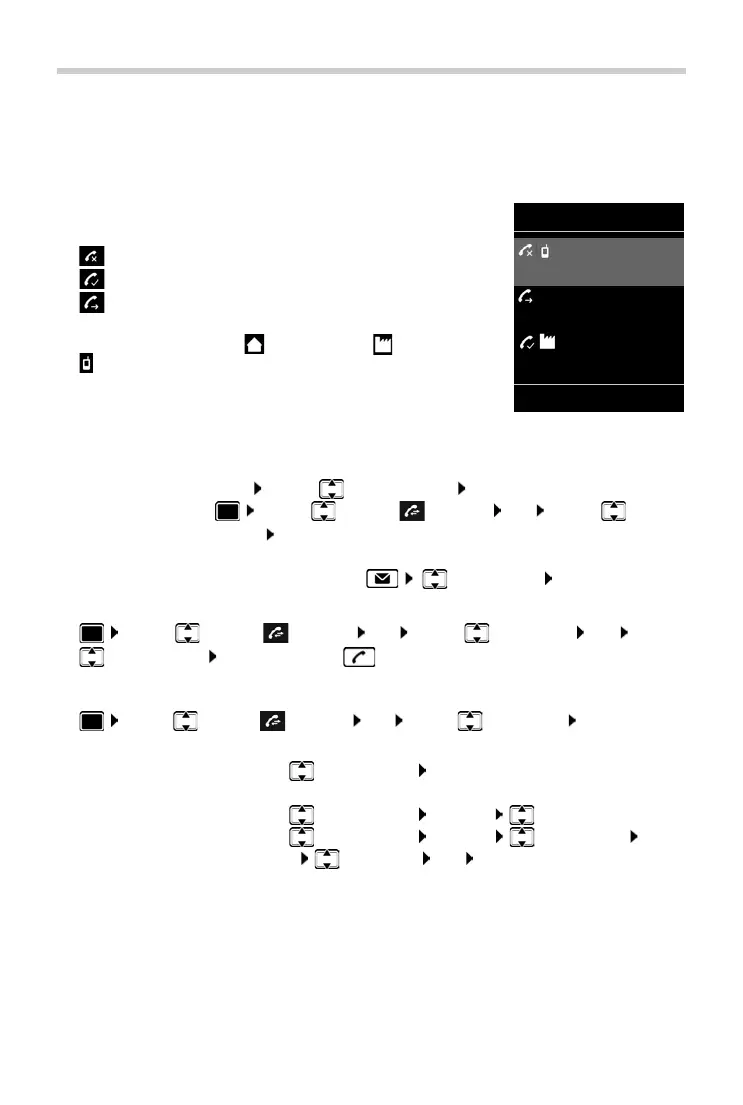
The following information is displayed in the list entries:
• The list type (in the header)
• Icon for the type of entry:
Missed calls,
Accepted calls,
Outgoing calls (r
edial list)
• Caller's number. If the number is stored in the directory, the
name and number type ( Phone (Home), Phone (Office),
Phone (Mobile)) are shown instead. In the event of missed
calls, the number of missed calls from this number is also shown
in square brackets.
• Date and time of call (if set)
Opening the call list
Calling back a caller from the call list
¤ . . . use to select Call Lists OK . . . use to select list OK . . . use
to select entry Press the Talk key
Additional options
¤ . . . use to select Call Lists OK . . . use to select list OK . . . possible
options:
Via the display key:
¤ Calls . . . use to select the list OK
Via the menu:
¤ . . . use to select Call Lists OK . . . use to select
the list OK
Via the Message key (missed calls):
¤ Press the Message key Missed Calls: OK
View an entry:
¤ . . . use to select entry View
Copy the number to the directory:
¤ . . . use to select entry Options Copy to Directory
Delete an entry:
¤ . . . use to select entry Options Delete entry OK
Delete list:
¤ Options Delete List OK Ye s
All calls
Frank
Today, 15:40
[3]
089563795
13.05.18, 18:32
Susan Black
12.05.18, 13:12
View Options
Example



 To Next Page