Template Module, Version 1.2, 11.09.2018,
Timer
Gigaset E370 / LUG_NF BE-NL en / A31008-M2815-M201-1-3F19 / applications_1.fm / 11/23/18
36
Timer
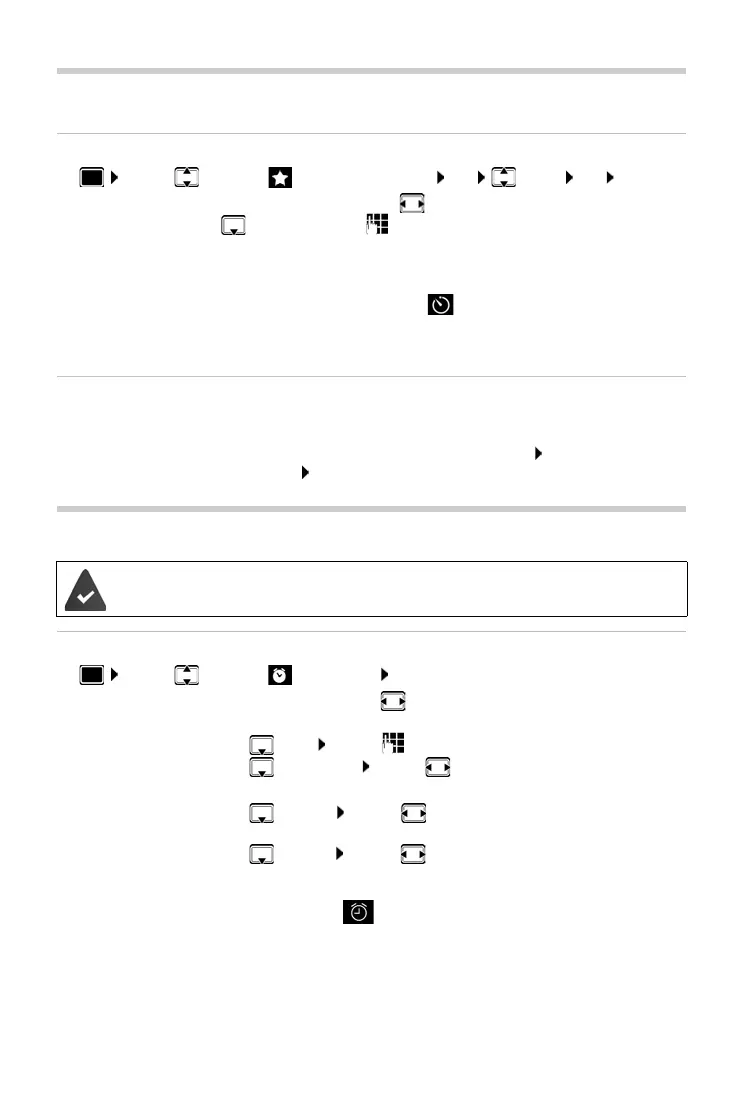
Setting the timer (countdown)
¤ . . . use to select Additional Features OK Timer OK . . . then
The timer starts the countdown. In the idle display, icon and the remaining hours and
minutes are displayed until one minute is left.
From this point, the remaining seconds are
counted down. At the end of the countdown, the alarm is triggered.
Disabling/repeating the alarm
Alarm clock
Activating/deactivating the alarm clock and setting the wake-up time
¤ . . . use to select AlarmClock OK . . . then
When the alarm clock is activated, the icon and the wake-up time are displayed in idle
display.
Enable/disable:
¤ Activation: . . . Select with On or Off
Set the duration:
¤ Duration . . . Use to enter the hours and minutes for the timer
Min.: 00:01 (one minute); Max.: 23:59 (23 hours, 59 minutes)
Save the timer:
¤ Save
Switch off the alarm: ¤ OFF
Repeat the alarm:
¤ Restart . . . the timer display is displayed again set another duration
as required S
ave . . . the countdown is restarted
Date and time have been set.
Switch on/off:
¤ Activation: . . . use to select On or Off
Setting the wake-up time:
¤ Time . . . use to enter hours and minutes
Set days:
¤ Occurrence . . . use to switch between Monday-Friday
and Daily
Set the volume:
¤ Volume . . . use to set volume in 5 increments or select
crescendo (increasing volume)
Set alarm:
¤ Melody . . . use to select a ringtone for the alarm
Save settings:
¤ Save


 To Next Page