Template Module, Version 1.2, 11.09.2018,
SMS (text messages)
Gigaset E370 / LUG_NF BE-NL en / A31008-M2815-M201-1-3F19 / applications_2.fm / 11/23/18
44
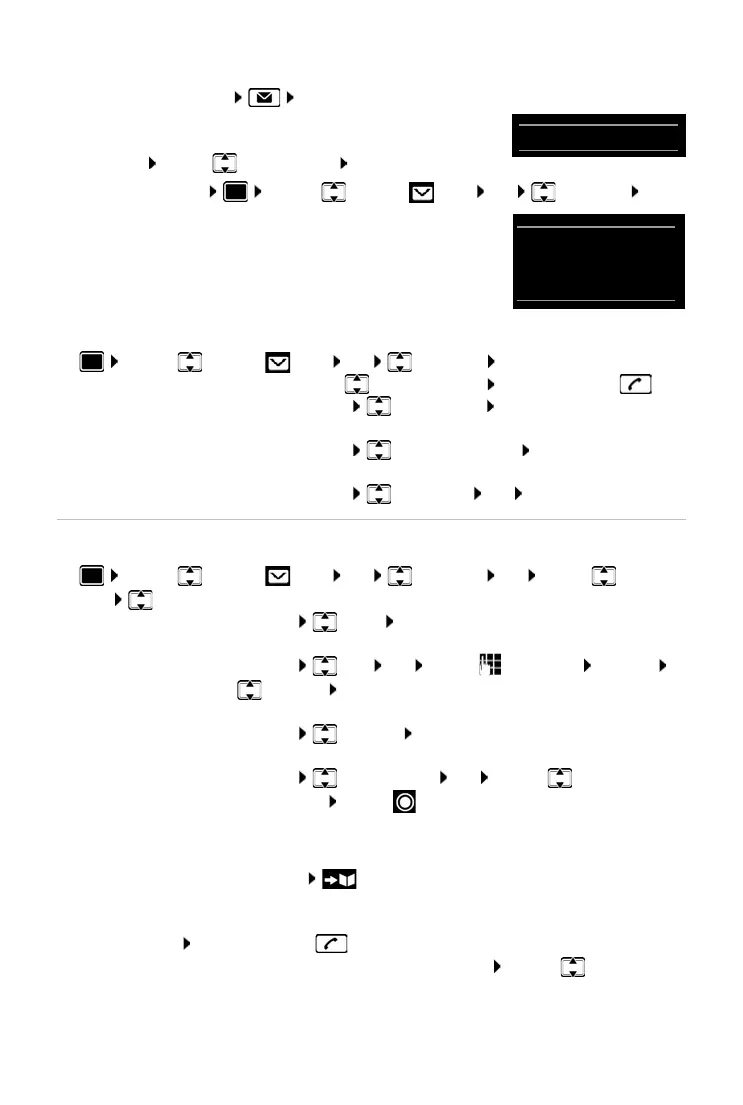
Open the SMS message list
• With the Message key: . . . the messages list is opened
The messages list shows the number of SMS messages it
contains: bold = new messages, not bold = read messages
Open list: . . . use to select SMS
: OK
Every entry in the list contains:
• the number or name of the sender,
• arrival date and time.
Functions of the incoming message list
Reading and managing SMS messages
Saving numbers from SMS text to the directory
If a telephone number in the SMS text is recognised, it is automatically highlighted.
• Save the number in the directory:
If the number is to also be used to send an SMS,
save the number including the local area
code (dialling code).
• Dial a number: Press the Talk key
• Select the next number, if an SMS contains multiple numbers: . . . use to scroll down
until the first number has disappeared from the display.
• Via the SMS menu: . . . use to select SMS OK Incoming OK
¤ . . . use to select SMS OK Incoming OK . . . possible options:
Call the sender of the SMS:
¤ . . . use to select an SMS Press the Talk key
Delete an entry:
¤ Options Delete entry OK
Save the number in the directory:
¤ Options Copy to Directory OK
Delete all entries in the SMS message list:
¤ Options Delete List OK Ye s
¤ . . . use to select SMS OK Incoming OK . . . use to select
SMS Read . . . possible options:
Answer SMS:
¤ Options Reply OK
Edit SMS text and send to recipient of your choice:
¤ Options Edit OK . . . use to edit text Options
Forward OK
Forward SMS to recipient of your choice:
¤ Options Forward OK
Display text in a different character set:
¤ Options Character Set OK . . . use to select
character set Select ( = selected)
0123727859362922
10/02/18 09:07



 To Next Page