Gigaset E370 / LUG_NF BE-NL en / A31008-M2815-M201-1-3F19 / extending.fm / 11/23/18
Template Module, Version 1.2, 11.09.2018
Operation with a PABX
53
Saving an access code (outside line code)
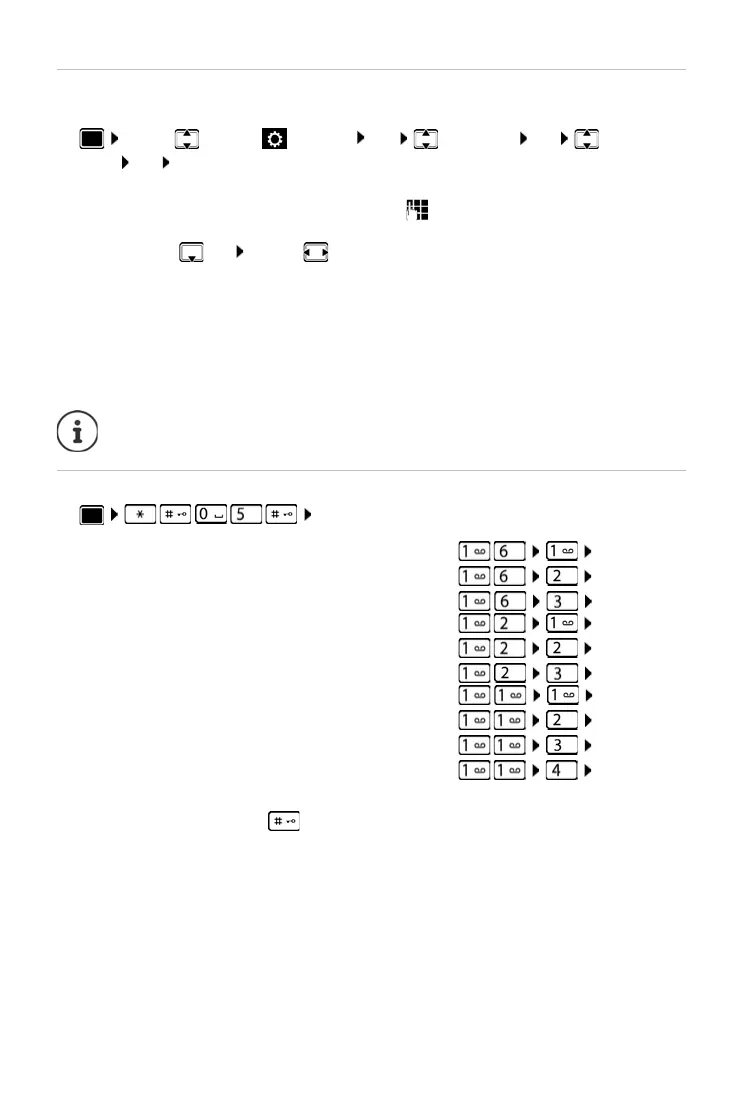
Setting the access code (e.g. "0") for dialling using the fixed line network.
¤ . . . use to select Settings OK Telephony OK Access
Code OK . . . then
Setting pauses
¤ . . . then
To enter dialling pause when dialling:
¤ Press and hold the hash key . . . a P appears in the display.
Fixed line network:
¤ Access external line with: . . . use to enter or change access code,
max. 3 digits
Rule:
¤ For . . . use to select when the access code should be dialled
Call Lists: The access code will only prefix numbers from a list (list of answered
calls, list of missed calls, SMS list).
All calls: The access code prefixes all numbers dialled.
Off: The access code is deactivated and does not prefix any telephone
number.
Save:
¤ Save
The access code never prefixes any SMS service centre numbers.
Pause after line seizure: 1 sec
3 secs
7 secs
¤ OK
¤ OK
¤ OK
Pause after Recall key: 800 ms
1600 ms
3200 ms
¤ OK
¤ OK
¤ OK
Dialling pause (pause after access code): 1 sec
2 secs
3 secs
6 secs
¤ OK
¤ OK
¤ OK
¤ OK



 To Next Page