Template Module, Version 1.2, 11.09.2018,
Using the handset as an alarm clock
Gigaset E560A / LUG US en / A31008-M2728-R301-1-7619 / applications_LUG.fm / 1/21/19
38
en fr es
Using the handset as an alarm clock
Activating/deactivating the alarm clock
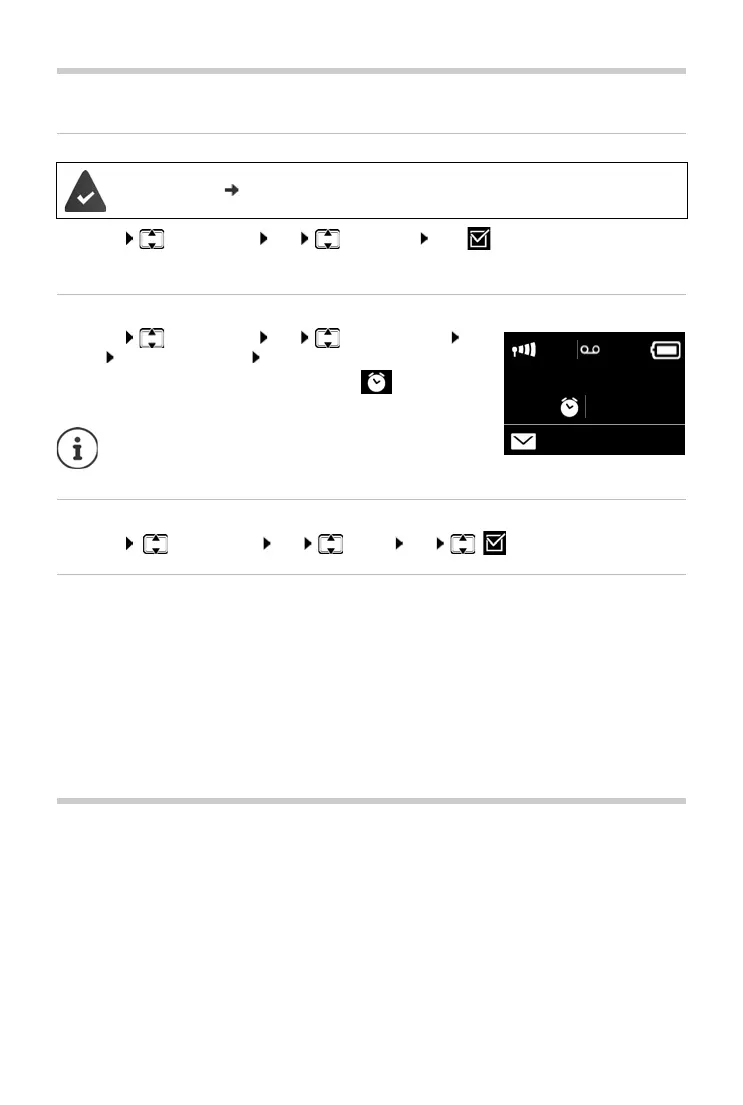
¤ Menu Alarm Clock OK Activation OK (=on)
After you activate the alarm clock, the menu for setting the wakeup time opens automatically.
Setting the wakeup time
¤ Menu Alarm Clock OK Wake-up Time
OK Enter wakeup time OK
If the alarm clock is activated, you will see the icon in the
display and the wakeup time after it.
Setting the alarm clock signal
¤ Menu Alarm Clock OK Signal OK (=on)
Switching off/repeating the alarm after an interval (snooze mode)
Prerequisite: An alarm call sounds.
¤ Deactivate until the next alarm call: Press Off.
Or:
¤ Snooze mode:
Press Snooze or any key. The wake-up call is deactivated and then repeated after 5 minutes.
Or:
Press nothing. The alarm call is deactivated after 60 seconds and then repeated after
5 minutes. After the fourth repetition, the alarm call is deactivated for 24 hours.
Baby monitor
When the baby monitor is switched on, the stored (internal or external) destination number is
called as soon as a defined noise level is exceeded in the vicinity of the handset.
In baby monitor mode, incoming calls are only signalled on the display (without ringtone). The
display backlight is reduced to 50%. Advisory tones are deactivated.
If you accept an incoming call, the baby monitor mode is suspended for the duration of the call,
but the function remains activated. The baby monitor mode is not deactivated by switching the
handset off and on again.
The time is set
( page 15).
The wakeup time is shown in the display only when all
calls in the call lists have been read and messages on
the answering machine have been listened to.



 To Next Page