Gigaset E560A / LUG US en / A31008-M2728-R301-1-7619 / settings_HS.fm / 1/21/19
Template Module, Version 1.2, 11.09.2018
Handset settings
43
en fr es
Adjusting the telephone
Handset settings
You can change the settings on your handset to suit your individual requirements.
Setting the date and time
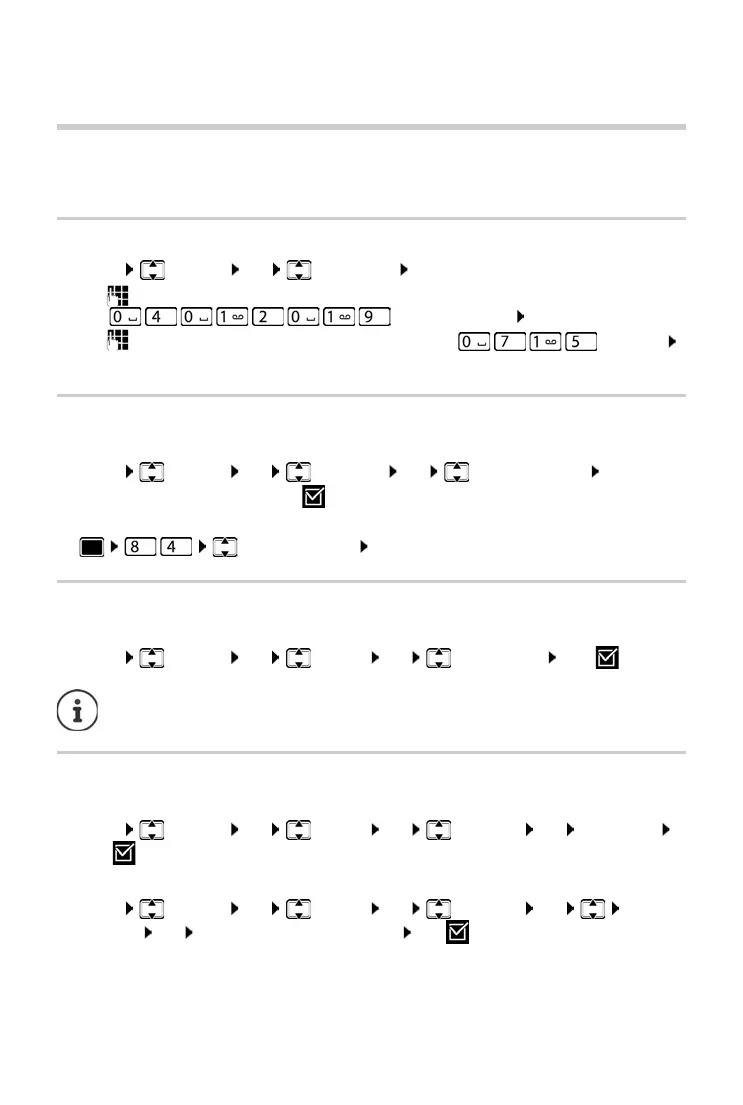
¤ Menu Settings OK Date / Time OK
¤ use to enter the month, day and year in 8-digit format,
e. g. for April 1st 2019. OK
¤ use to enter hours and minutes in 4-digit format, e.g. for 07:15
OK
Changing the display language
You can view the display texts in different languages.
¤ Menu Settings OK Language OK (Select language) OK
The current language is indicated by .
If you accidentally choose a language you do not understand:
¤ (Select language) OK
Setting jumbo font
You can improve the legibility of the digits when you dial.
¤ Menu Settings OK Display OK Big Dial Font OK (=on).
Changing the display lighting
Handset in the charging cradle:
¤ Menu Settings OK Display OK Backlight OK In Charger
OK (=on)
or off the charging cradle:
¤ Menu Settings OK Display OK Backlight OK Out of
Charger OK Standby timewill be reduced OK (=on).
When this function is deactivated, both the date and time are shown in idle status.



 To Next Page