【Function introduction】
Data and time settings.
【Operating instructions】
Select the wanted item, and click
or to set.
7.8 Archive Management
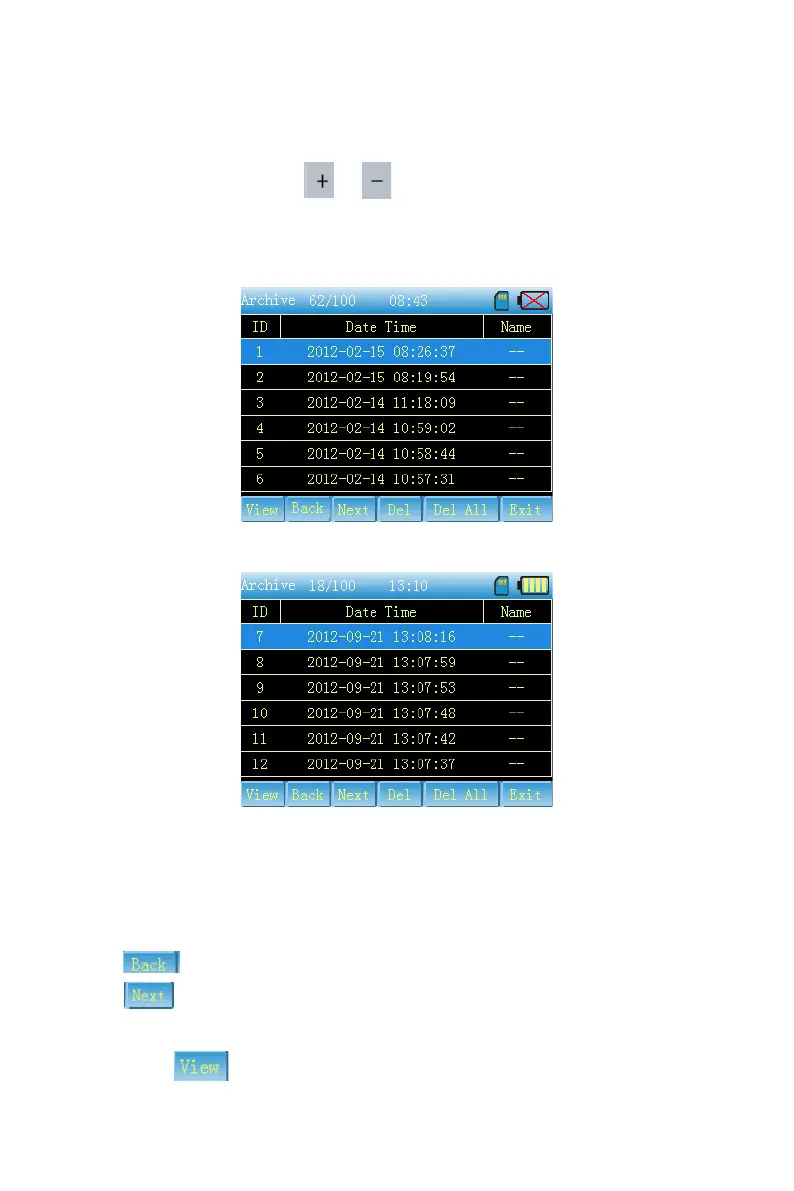
As Fig.7-24 and 7-25
Fig. 7-24
Fig. 7-25
【Function introduction】
Here you can look over all of the stored case, and can replay or delete them.
【Operating instructions】
Click the case directly or press [UP] [DOWN] to examine the case you want.
Gray
shows the current page is the first, otherwise it can be clicked to turn the page up.
Gray
shows the current page is the last, otherwise it can be clicked to turn the page
down.
Replay:click
or press [Confirm] on the panel to replay waves. Its interface is as



 To Next Page