Chapter 4 Operations
This chapter introduces the display screen and operating instructions, including the initial screen, default screen, system
menu, menu setup and data upload. Before operating the monitor, please refer to the related section for connecting the
accessories.
Note: The monitor you purchased may not cover all the mentioned functions according to its configuration.
4.1 Initial Monitoring Screen
To switch on the monitor, press and hold the " "
power key. When you hear a "beep", the LCD will display as shown
in figure 4.1, which means that the monitor has started successfully.
Figure 4.1 Startup screen
A short press of the power key " " will switch between power saving modes and full power mode. Power saving
modes mean the LED and LCD display become darker, the brightness has two levels.
A long press of the power key " " will give a black screen as the displays turn off and means that the monitor has shut
down successfully.
4.2 Default Screen
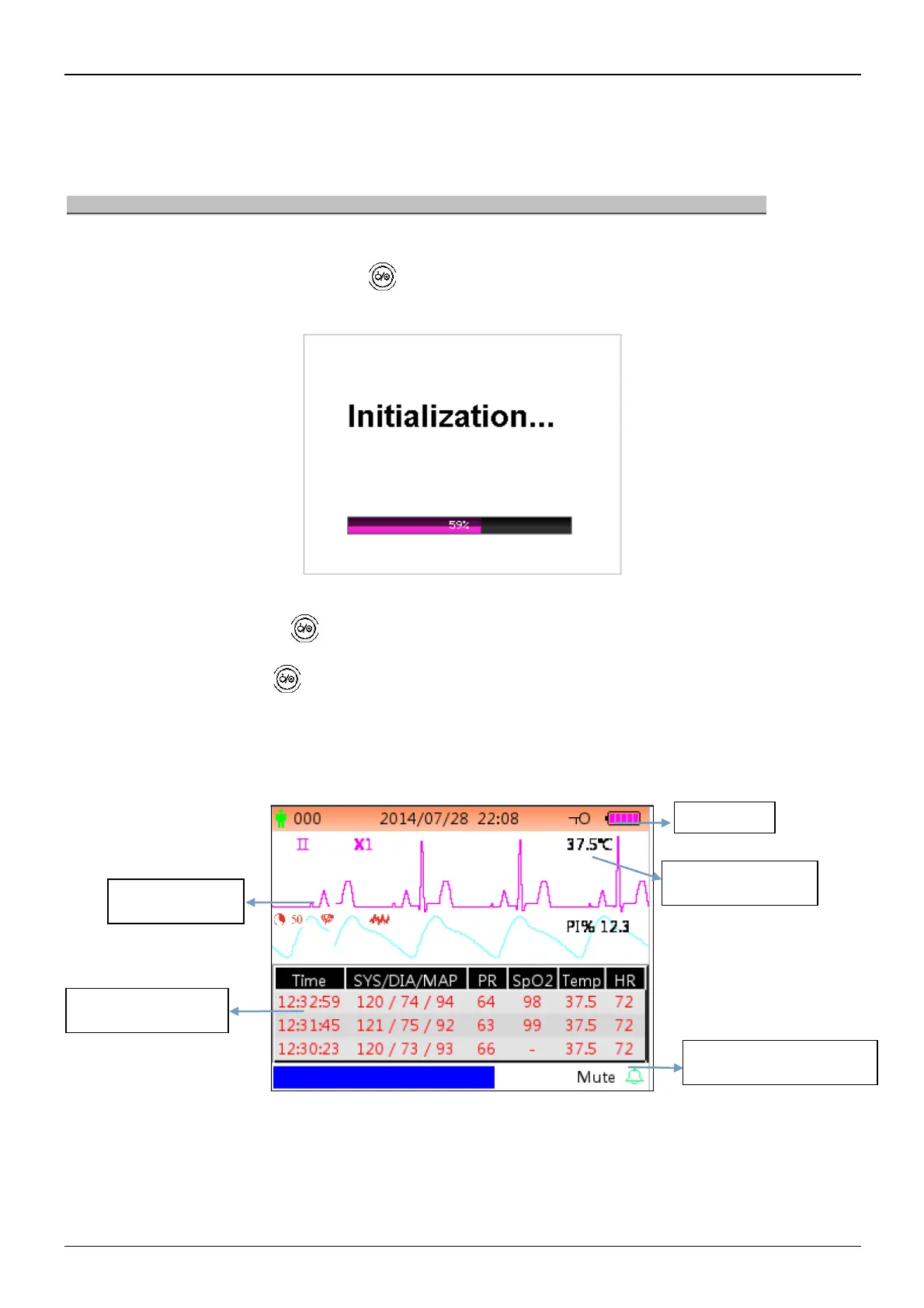
When the monitor is powered on, the default display screen is as shown in figure 4.2.
Figure 4.2A Default monitoring screen (monitor with ECG function)



 To Next Page