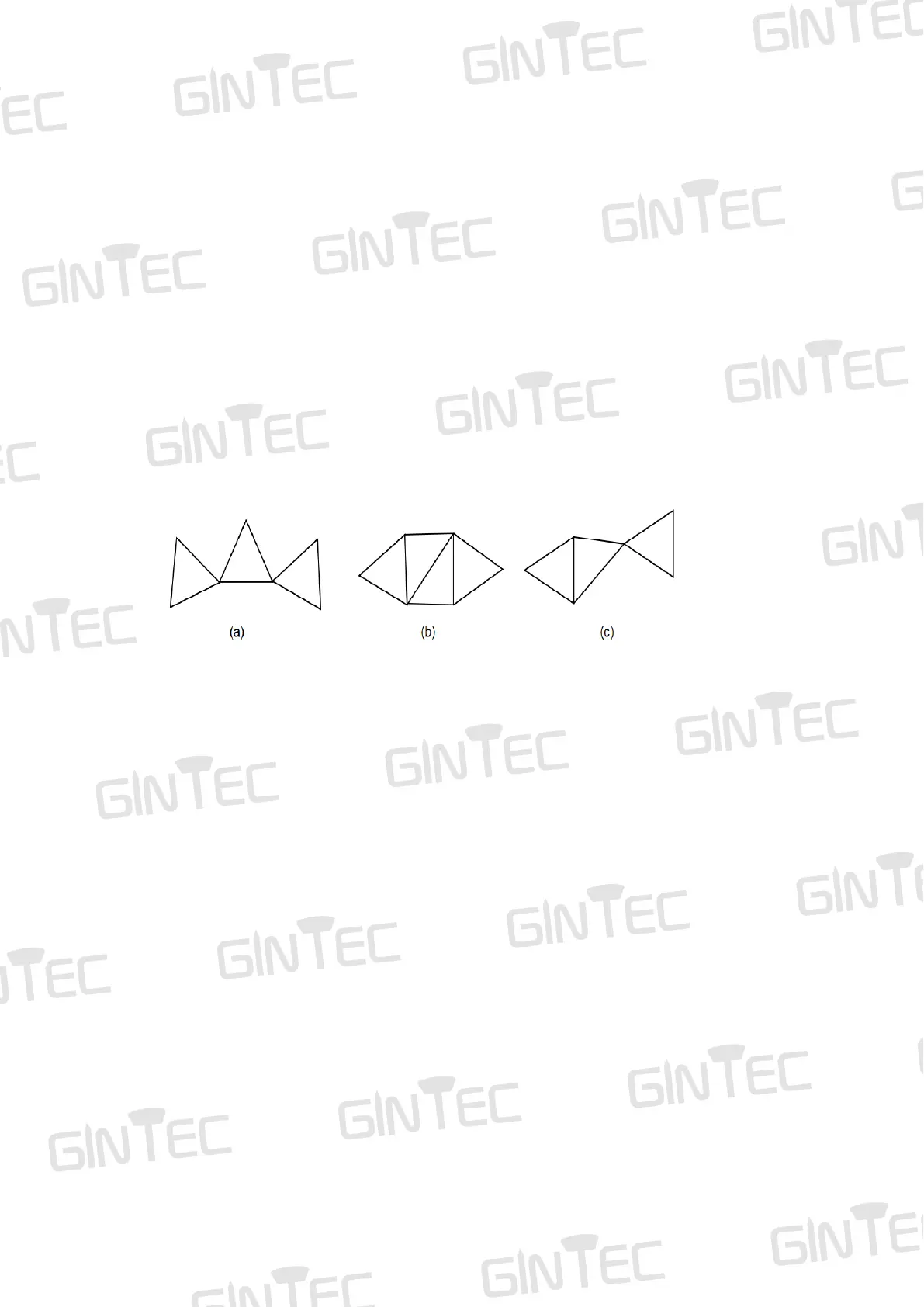
If there are too many points in one baseline network, you should connect these
synchronous cycles together and form the asynchronous pattern.
Asynchronous pattern can be connected via three ways as shown in Figure 4-10:
(a) Point connecting. Point connecting network is defined as a figure by connecting two
adjacent shapes by only one common point. The advantage of this type is high efficiency,
fast extending. But it cannot confirm the high precision surveying. Therefore, it is not
recommended in precise working.
(b) Side connecting. Side connecting network is defined as a figure by connecting two
adjacent shapes by their same side. It is widely used in the surveying field due to its
high precision.
(c) Point and side connecting. Because every type of network has its own advantage
and disadvantage, we can combine these types to achieve higher efficiency but lower
investment in time. Mixed connecting network is common in surveying work.
Figure 4-10 (asynchronous pattern)
4.3.2 Outdoor surveying
(1) Choose suitable points
Suitable points are essential to make sure whole surveying work goes smoothly and
efficiently. The points should be fixed only after you well analyze and collect full
information of the surveying area. Choose these points best suits your accuracy and
surveying purpose. When choose the point in static surveying, you should pay attention
to below:
a. The points should comply with your surveying purpose.
b. The points should also be easy-to-use for other surveying methods.
c. Convenient transportation. So, it’s easy for you to set up device.
d. Away from high power radio emission objects, make sure no magnetic field influence
nearby.
e. Away from large water area or mirror building, reduce the multi-path interface.
f. Good ground foundation, so the point can be saved enduringly.
g. Make marks after choose the points, including its position info and sketch of its
surroundings.
(2) Setting up devices
After choose the points, you set up the device on these points. Power on the device,
then you can set “Static Mode” via controller software or WEB UI. As shown in below



 To Next Page