You can define the point name and set interval frequency and input the antenna height
and others. Once working, you can observe the satellite signal status and record the
satellite data in device or in controller.
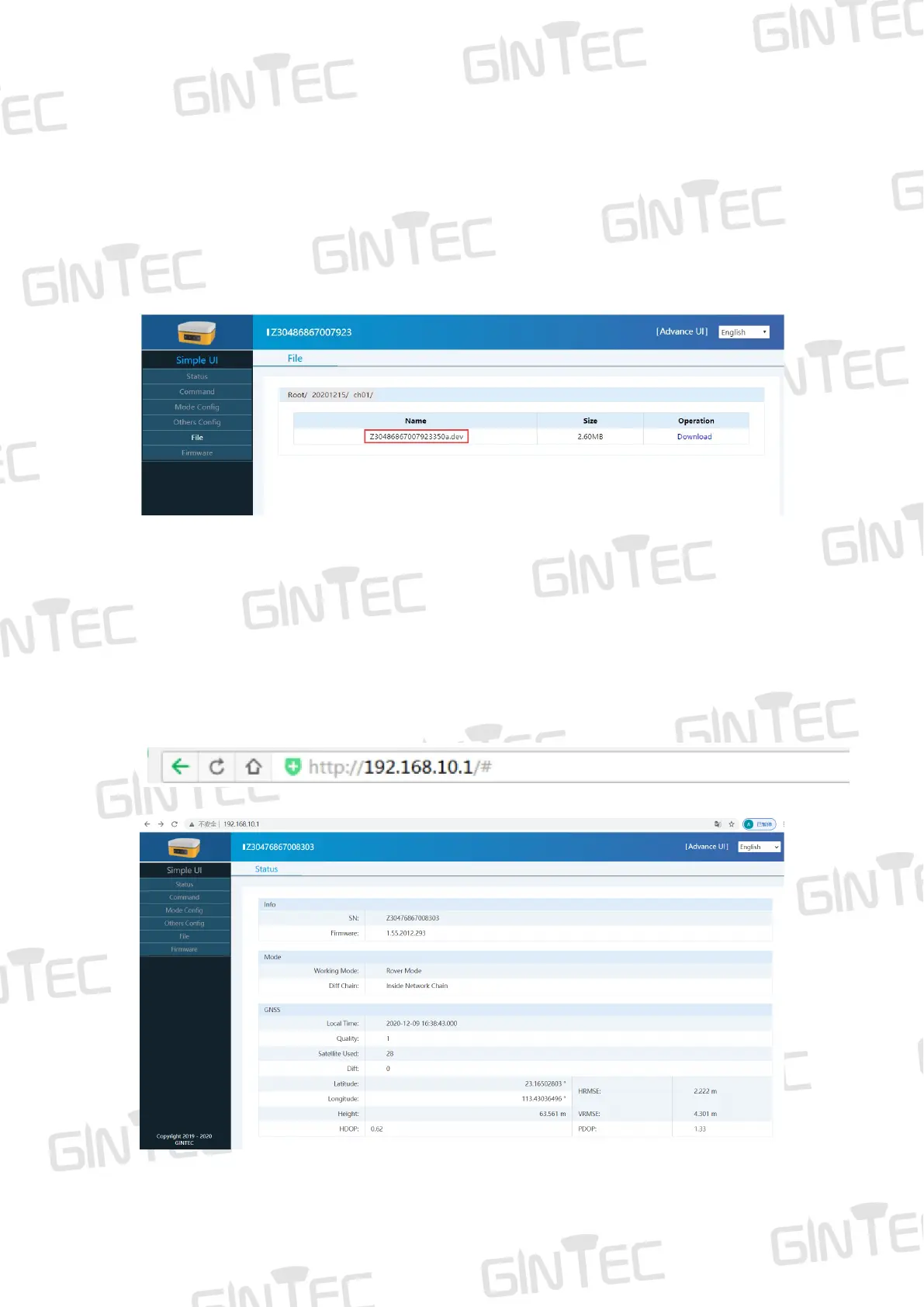
4.3.3 Download data
Connect G20M via WEB UI for data downloading. File name given should comply
with the notes of outdoor surveying made by yourself. Data file name includes station
name and days of the year. It is easy for you to distinguish.
5 WEB UI Control
5.1 Connect and register WEB UI
G20M can be a Hotspot. You can connect it with phone, controller, PC or other devices
through its Wi-Fi. The default Wi-Fi name is device S/N number, no password needed.
After connecting the Wi-Fi, input IP”192.168.10.1” into your web browser to turn it on.
Then you will enter the WEB UI interface, as shown in Figure 5-1.
Figure 5-1



 To Next Page