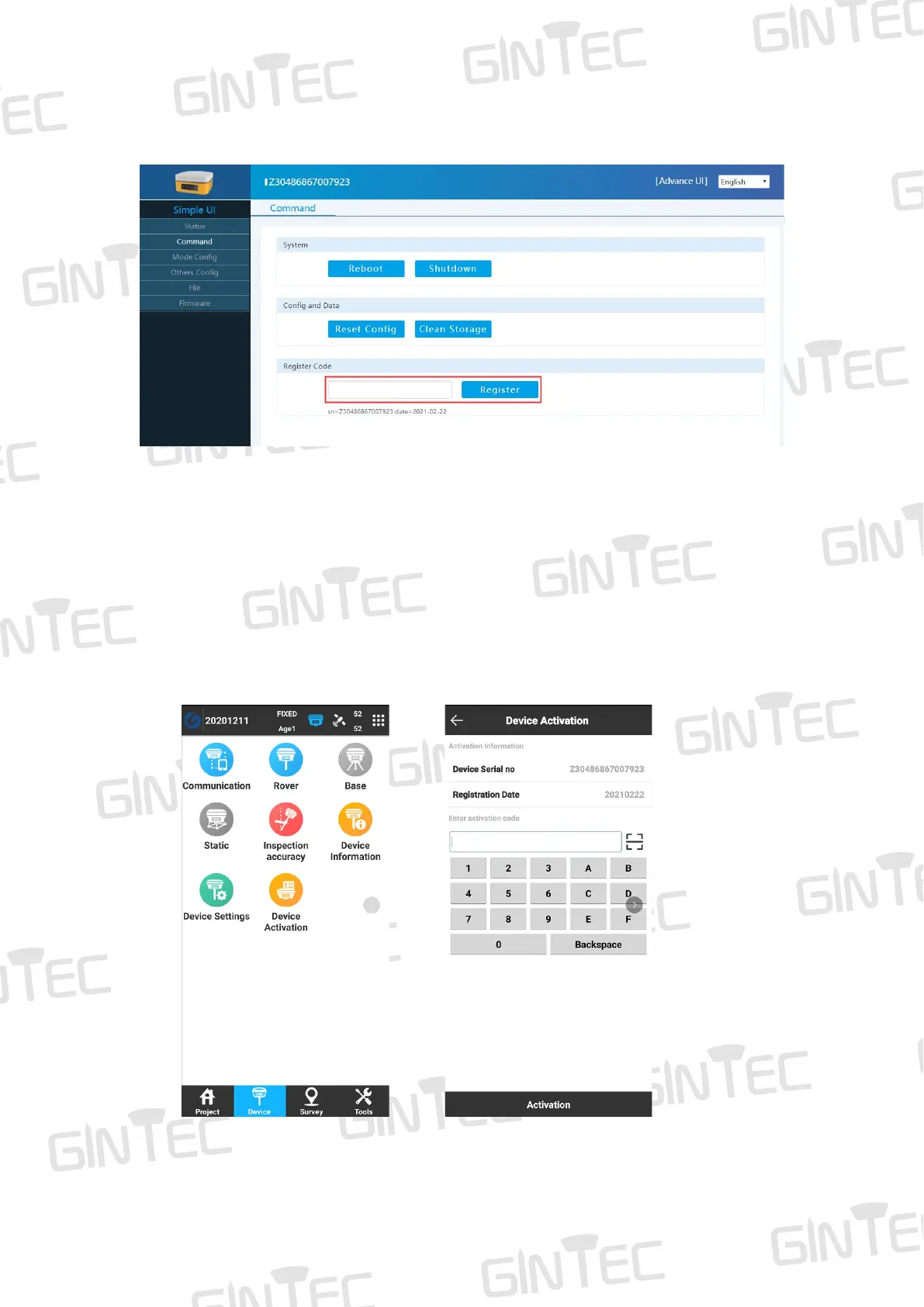
Figure 6-1
(2) Register via Controller
Connect G20M with controller (via Wi-Fi or Bluetooth). Find SurPad software in
controller interface, then click “SurPad”, it shows as Figure 6-2. Click “Device” you
can see “Device Register”, click it, then you can see the page to input the code as
Figure 6-3. After input the code, click “Registration”, then finish the registration.
Figure 6-2 Figure 6-3



 To Next Page