19
If the unit does not receive a signal from wireless controller for 7 minutes or press IFEEL button
again, this function turns off. The unit regulates temperature based on its own sensor and
settings.
3.3.13 ECO function
The setting temperature is set to 26℃.
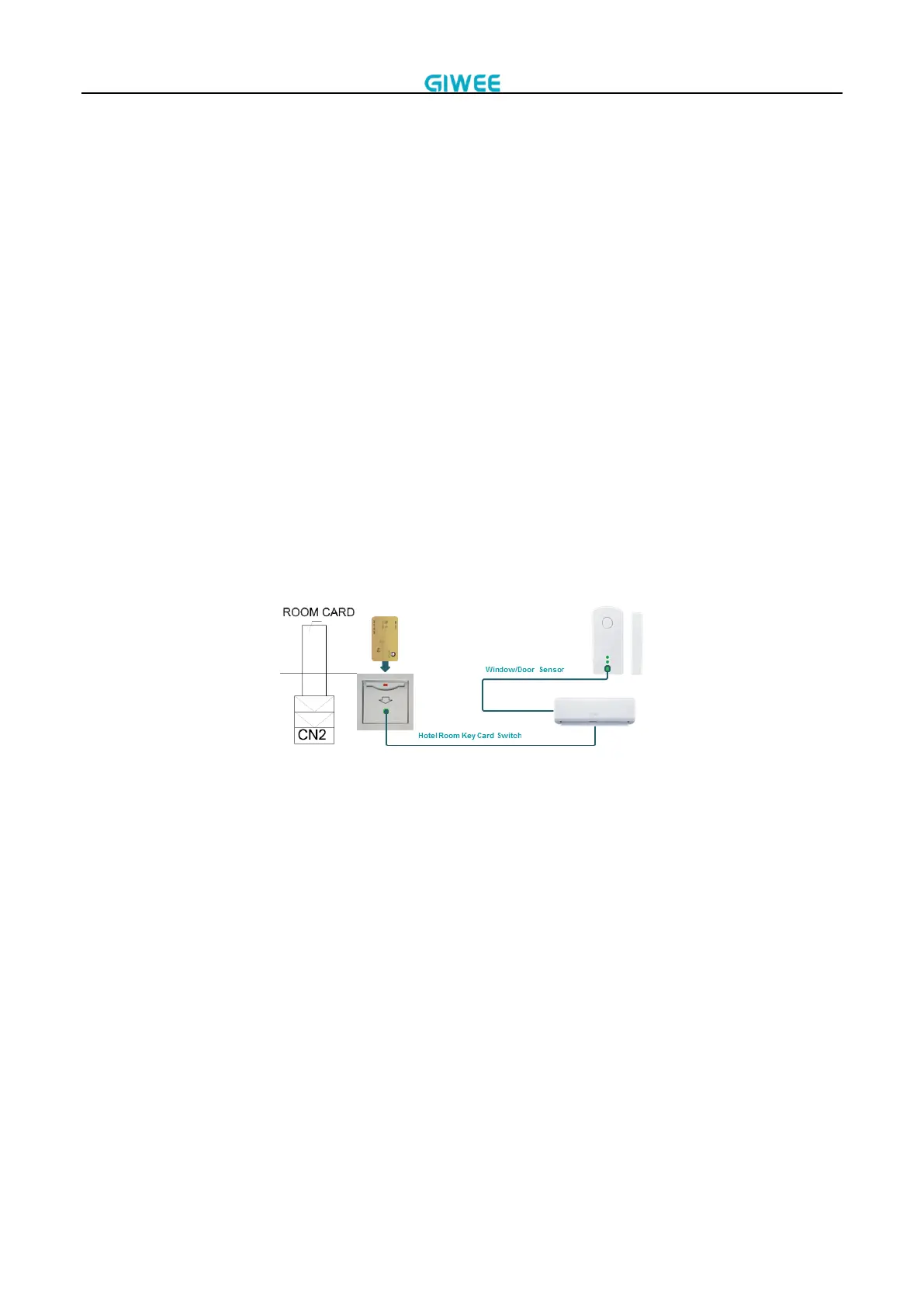
3.3.14 Room card function
There is a Remo_ctrl port in indoor unit PCB.
When this port is disconnected, the AC will stop and can’t start again. If send the turn ON signal
to unit, “HC” will be displayed in indoor unit for 10 seconds and then disappear.
When this port is connected, the AC can be turned ON and OFF normally. All functions are
available.
When the room card is unplugged, the air conditioner will automatically shut down. After the
room card is plugged in, it will automatically recover. If you operate the wireless controller or
wired controller while the room card is unplugged, if the restored state is the on state after the
room card is plugged in, the buzzer will sound once, otherwise it will not sound.
If room card function is not needed, please add a short circuit in this port.
3.3.15 Alarm output function
When the AC has a fault, the remote alarm port will output a 220V voltage; when the fault
disappears, the remote alarm port output a low level.
3.3.16 Auto restart function
The AC automatically stores the current settings (including ON/OFF status, running mode, fan
speed, setting temperature and swing).
In the case of a sudden power failure, AC will restore those setting automatically within 5
seconds after power returns. If AC receives the control signal within 5 seconds, it will run
according to new settings.


 To Next Page