- 5 -
1 X
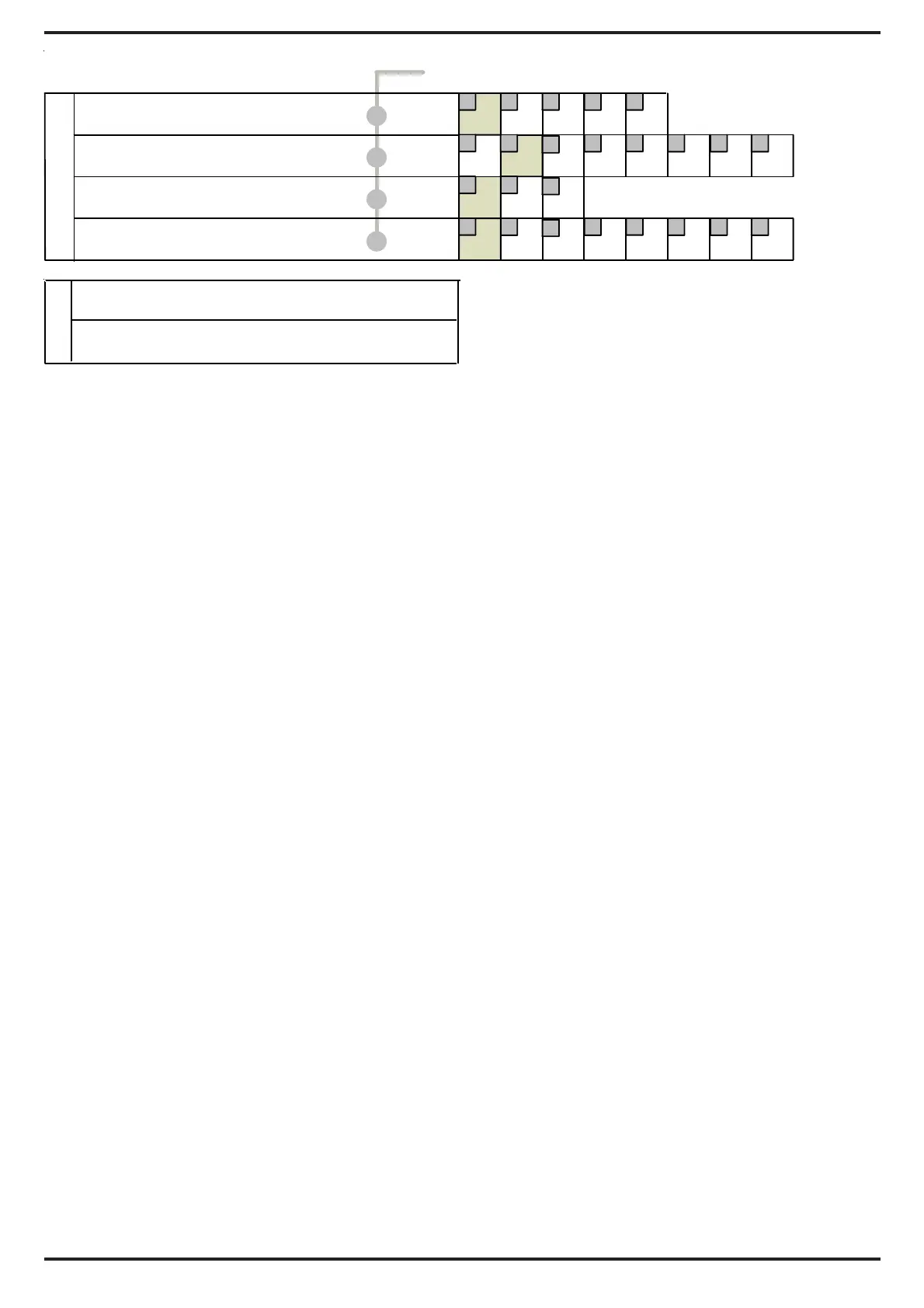
PROGRAMMING CHART
CUSTOMISING
All factory set parameters can be changed
to suit individual requirements. The
highlighted areas on the programming
chart show the factory settings which suit
most applications. Changes can be easily
made either before installation or on site.
Once changes have been made they are
stored in a non-volatile memory.
PROGRAMMING
To amend your existing 'Option' and 'Setting'
1) Press the program button on the detector
once for the number of the required 'Option'
(e.g. range-press twice)
2) Wait 4 seconds until the LED goes out.
3) Within 5 seconds press the button again
for the number of the required
'Setting'
(e.g 20 metres-press three times)
4) The LED blinks twice - the new setting is
saved
To amend any other options/settings repeat
steps '1' to '4'
EXAMPLE
To set the Range to 20 metres
a) Press twice to select Range
b) Wait until LED goes off (4 seconds)
c) Press three times for 20 metres
LUX ‘S’ OUTPUT ONLY:
a) 2 lux to 240 lux. = the approximate
light level at which the ‘S’ output is
activated.
b) 24 HOUR = will operate day and
night.
All other outputs operate day and night
irrespective of the ‘S’ output setting.
PULSE COUNT:
The range of the unit will decrease if there
is little difference in temperature between
the moving object and the background.
1 will give a fast response
2 gives better immunity with good
response
3 gives higher immunity to false
activations
The unit is not recommended for mounting
on metal clad buildings in direct sun as
excessive heat and haze ripple can give
rise to false activation’s In changing sunny/
cloudy conditions random activation’s can
occur.
TIME 'A' OUTPUT
This is the time in seconds that the 'A'
output will activate after detection. The
respective channel indicator will also light
for the time of the output. This output can
be selected on the Receiver to be normally
open in alarm condition or normally closed.
Six = flashout of above settings
Seven = reset GJD factory defaults
652
2
2
2
3
3
3
3
4
4
4
5
5
7 8
86 7
Press
Twice -set Range
Three -set Lux Level
Four -set Pulse Count
Five -set Time 'A'
1
1
1
1
8 15202535metres
2 5 15 30 60 120 240 24hr 'S'output
1 2 3 pulse count
0.4 1 2 4 8 25 30 60 seconds
then x
for
then x
for
then x
for
then x
for
OPTIONS
wait for indicator to go out


 To Next Page