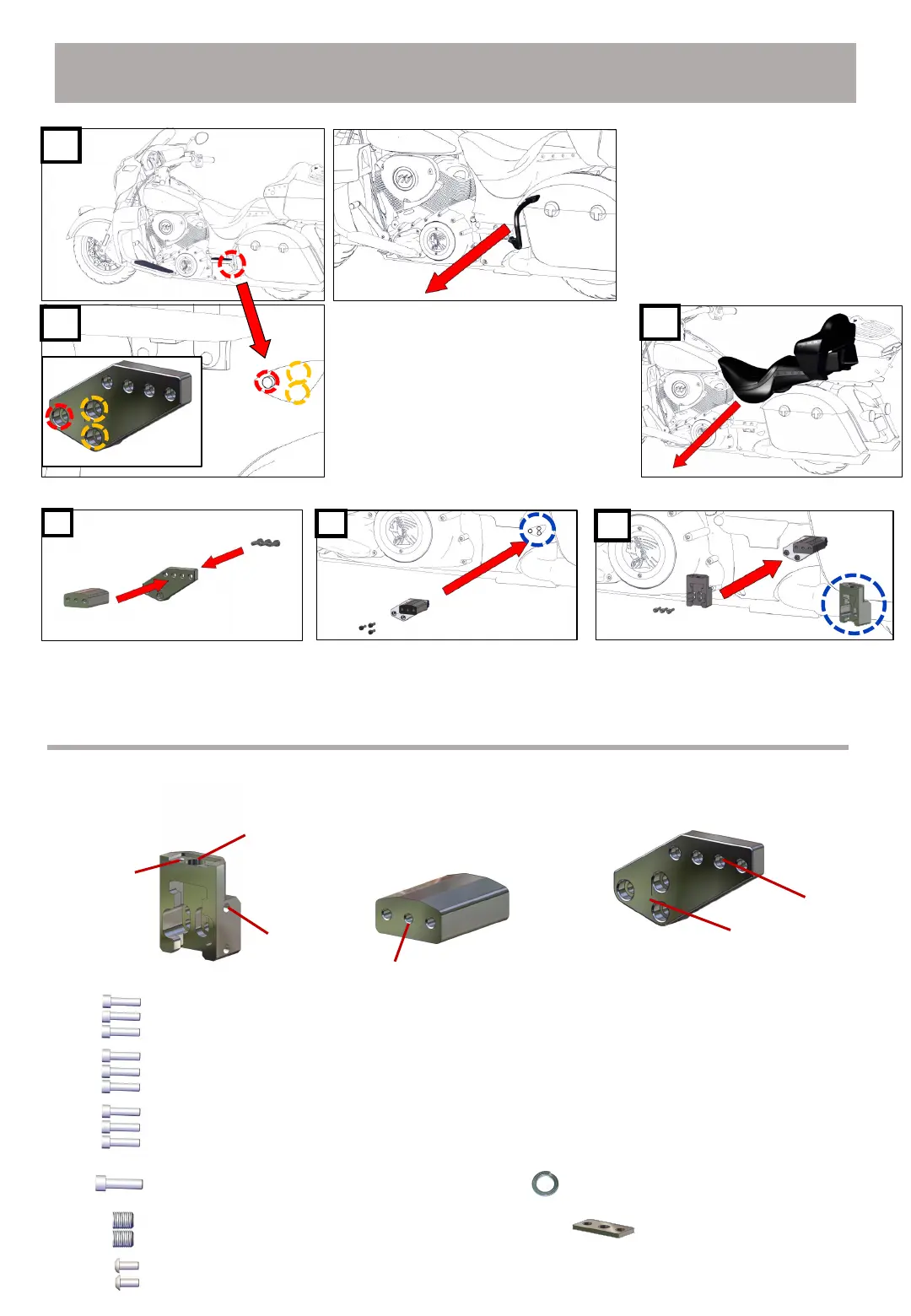
Bolt A: M8 35mm hex socket head Bolt
Bolt C: M8 25mm hex socket head Bolt
16
ⓐ
ⓓ
ⓒ
ⓔ
Bolt D: M10 55mm / hex socket head bolt +
Bolt E: M10 10mm hairless wrench bolt Bolt +
Bracket cover
Bolt F: M6 10mm round head bolt
Spring washer
ⓑ
Bolt B: M8 30mm hex socket head Bolt
ⓕ
Bracket parts
Mount bracketMiddle bracket
Sliding bracket
Use the bolt hole (red circle) where you removed
the bumper. To further secure the FLEX GEAR
bracket, use a drill and tap to drill additional holes in
the yellow hole locations on the motorcycle frame.
Install the bracket with a total of 3 bolts.
※ Required.
Remove the motorcycle's bumper to install the
FLEX GEAR in the motorcycle's bumper position.
Remove the seat of the motorcycle
Connect ‘Middle bracket’ and
‘Mount bracket’ using ‘Bolt B’.
Connect the assembled bracket
using ‘Bolt A’ to the location where
the motorcycle bumper was
removed.
Connect ‘Sliding bracket’ to ‘Middle
bracket’ using ‘Bolt C’.
※ Bracket modeling is subject to change due to design modification.
※ Bracket bolt dimensions are subject to change due to modeling
modifications.


 To Next Page