Page 11 of 14
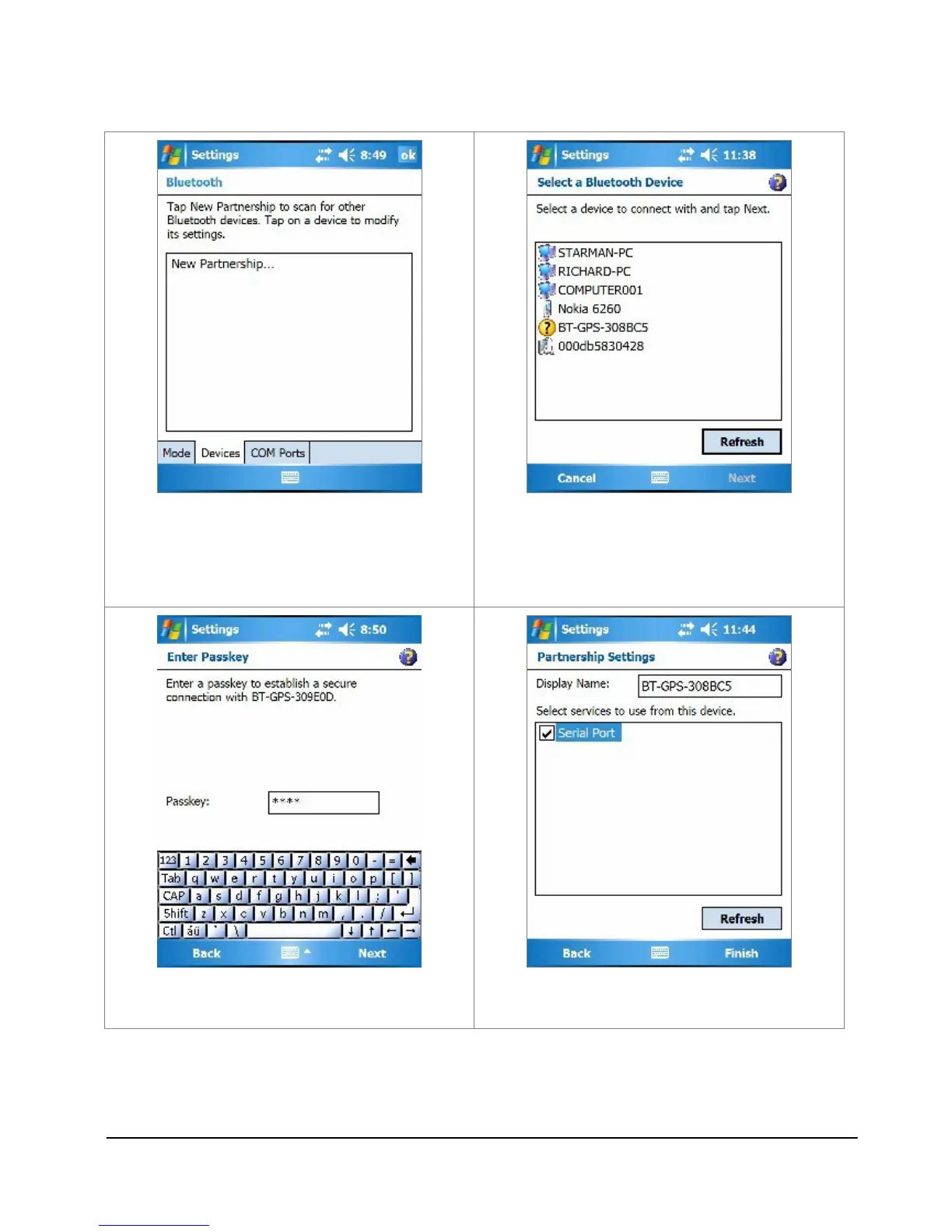
4. Tap the “Devices” tab, and tap
“New Partnership…”.
5. It will search for all the bluetooth
devices.
6. Select a device (for example
“BT-GPS-308BC5”) and tap Next.
7. Enter Passkey “0000” and tap Next.
8. Check “Serial Port” and tap Finish.



 To Next Page