Page 12 of 14
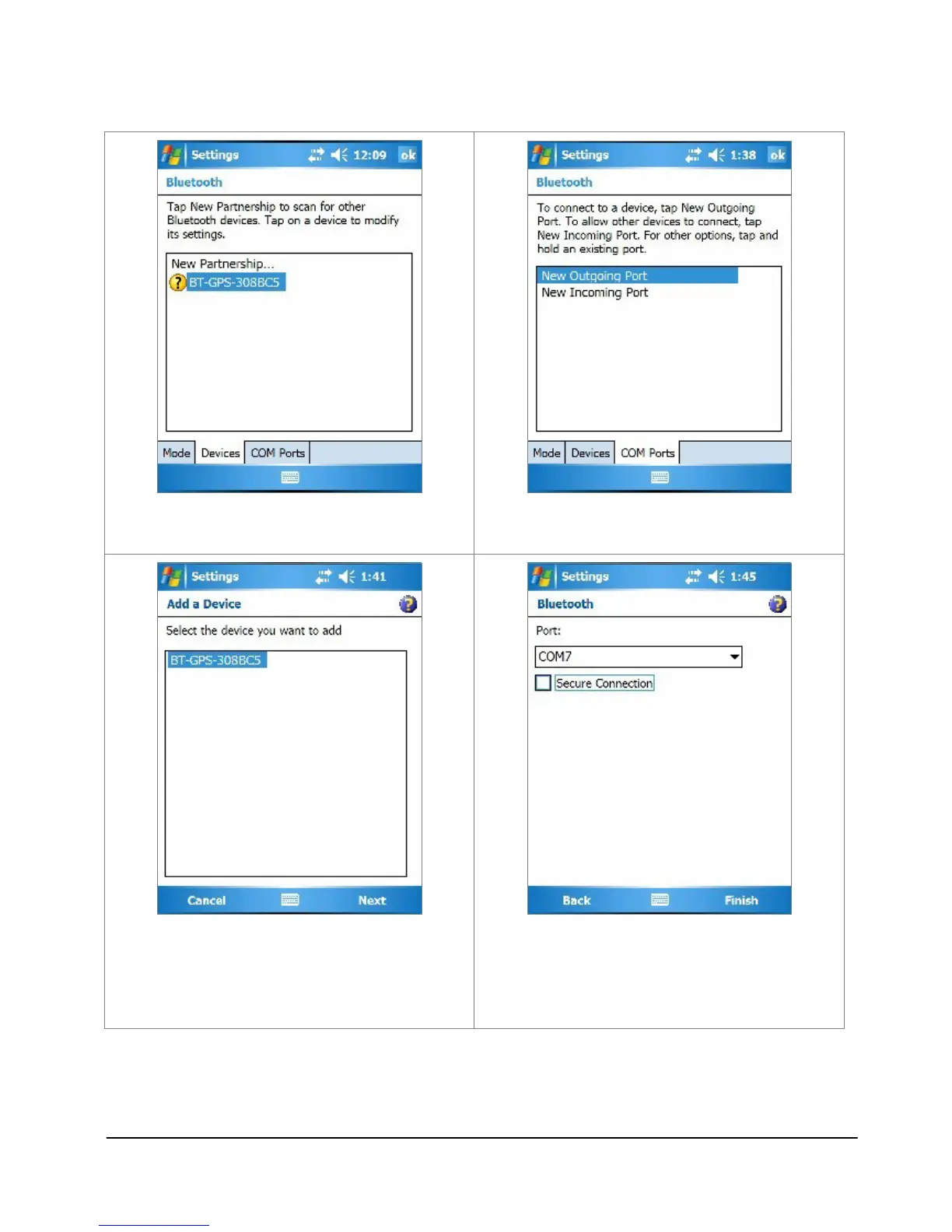
9. The device will be shown on the
list.
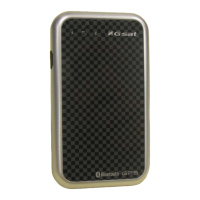
10. Tap the “COM Ports” tab, and
select “New Outgoing Port”.
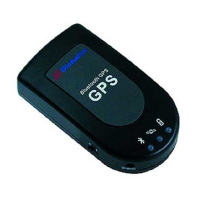
11. Select the device and tap Next.
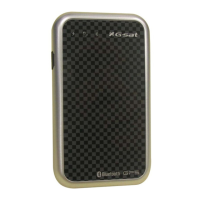
12. Uncheck “Secure Connection” and
from the drop down box select a
COM port nubmer (for example,
COM7), and then tap Finish.



 To Next Page