EasyManua.ls Logo

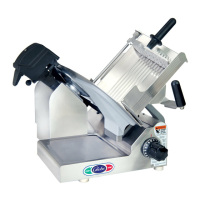
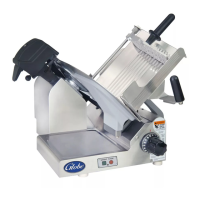
Globe ARBY’S 4913N - User Manual

Globe ARBY’S 4913N
24 pages
Print Icon
To Next Page IconTo Next Page
Loading...
ARBY’S
®
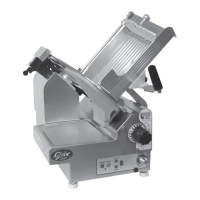
SLICER MODEL 4913N
This manual contains important safety instructions which
must be strictly followed when using this equipment.
For Service on Your Slicer
1. Visit our website at www.globeslicers.com
(select the Parts / Support drop down).
2. Or call the Globe Service Department at 937-299-8625 and ask for contact
information for your local service company.
OWNER & OPERATOR
INSTRUCTION MANUAL
Model #:
Serial #:
- IMPORTANT SAFETY NOTICE -
Visit our website for information on additional products available from Globe.
www.globeslicers.com
Slicers, Mixers, Countertop Cooking Equipment, Meat Choppers & Scales
WARRANTY REGISTRATION
SCAN THE QR CODE WITH YOUR MOBILE DEVICE OR GO TO
WWW.GLOBESLICERS.COM TO FILL OUT AND SUBMIT YOUR
WARRANTY REGISTRATION.
http://www.globeslicers.com/site/warranty.asp
2010
Model 4913N

Questions and Answers

  • A
    Amy NelsonJul 29, 2025
    What to do if my Globe ARBY’S 4913N Kitchen Appliances slicer will not start?
    • M
      mirandajuarezJul 30, 2025
      If your Globe Kitchen Appliances slicer won't start, there are several possible reasons: * The slicer might not be plugged in. In this case, plug it in. * The breaker at the power panel or box might have tripped. If so, reset the breaker. * The knife cover might be off or not properly installed. Make sure to install the knife cover.
  • K
    Katherine PhillipsAug 3, 2025
    Why my Globe Kitchen Appliances slicer produces ragged cuts and poor yield?
    • G
      George ThomasAug 3, 2025
      If you're experiencing ragged cuts and poor yield with your Globe Kitchen Appliances slicer, it could be due to several reasons: * The knife might be dull. Sharpen the knife, ensuring both the knife and stones are clean. * The knife might be chipped. Sharpen the knife or have a new one installed. * The knife-slicer table gap might be too wide (1/8''). Call for service to adjust the slicer table. * The knife might be too small (12'' or less). Have a new knife installed.
  • P
    philipmooreAug 7, 2025
    What to do if chute speed light is flashing on Globe Kitchen Appliances model 4913N 2 3 4?
    • S
      Steven Martin PhDAug 7, 2025
      If the chute speed light is flashing on your Globe Kitchen Appliances model 4913N 2 3 4, it could be due to these reasons: * The knife cover might be removed or not properly installed. Install the knife cover. * There might be a chute motor overload. Check for obstructions and lubrication. Clear any obstructions, lubricate the rails, unplug the slicer for 2 minutes, then plug it back in and restart. * The food chute might not be in the home position. Pull the food chute completely towards you and restart the slicer.
  • W
    wgonzalezAug 11, 2025
    Why is metal rubbing against the knife on my Globe Kitchen Appliances slicer?
    • Y
      yjenkinsAug 11, 2025
      If metal is rubbing against the knife on your Globe Kitchen Appliances slicer, consider these potential causes and solutions: * Knife cover: Ensure the knife cover is securely installed. * Food chute: Tighten or adjust the food chute. * End weight: Have the defective end weight replaced. * Slicer table: Call for service to adjust the slicer table.
  • S
    Sara HicksAug 16, 2025
    How to fix a hard to push food chute on Globe Kitchen Appliances slicer?
    • J
      James WagnerAug 16, 2025
      If you find it hard to push the food chute on your Globe Kitchen Appliances slicer, it's likely due to a lack of lubrication. Lubricate the slide rods thoroughly with Globe oil. Do not use vegetable oil!
  • S
    Scott ScottAug 20, 2025
    Why my Globe ARBY’S 4913N Kitchen Appliances slicer blade will not sharpen satisfactorily?
    • T
      Tristan HartAug 20, 2025
      If the blade on your Globe Kitchen Appliances slicer will not sharpen satisfactorily, consider the following: * The stones might be dirty, wet, or clogged with grease. Clean the stones with soapy water and a brush, and allow them to dry completely. * The knife edge might be dirty. Clean both the top and bottom of the knife edge. * The stones might be worn. Have the stones replaced.
  • D
    dustin13Aug 25, 2025
    What to do if the table on my Globe ARBY’S 4913N slicer will not operate?
    • M
      Meghan JonesAug 25, 2025
      If the table on your Globe Kitchen Appliances slicer will not operate, it is likely that the knife cover is off. Install the knife cover.

Summary

Owner and Operator Responsibilities

Safety Warnings and Symbols

Explains warning symbols and general safety guidelines for operator and equipment.

Key Components of the Slicer

Critical Slicer Safety Tips

General Safety Precautions

Essential safety rules to prevent serious personal injury during slicer operation.

Slicer Installation and Grounding

Unpacking and Initial Checks

Procedures for unpacking, checking for damage, and verifying all included items.

Slicer Installation Requirements

Guidelines for selecting a suitable location and properly leveling the slicer.

Grounding and Electrical Safety

Instructions for ensuring proper electrical grounding to prevent hazards.

Slicer Operating Procedures

Manual Slicer Operation

Step-by-step guide for operating the slicer in manual mode for specific food items.

Automatic Slicer Operation

Detailed instructions for using the slicer in automatic mode for consistent slicing.

Slicer Cleaning and Sanitizing

Disassembly and Initial Cleaning

Steps for safely disassembling the slicer and performing initial cleaning.

Cleaning Removable Parts

Instructions for cleaning and sanitizing all removable parts of the slicer.

Reinstalling Slicer Components

Guidance on correctly reassembling all cleaned and sanitized parts of the slicer.

Knife Sharpening and Maintenance

When and How to Sharpen

Guidance on identifying a dull knife and recommended sharpening frequency.

Preparing for Sharpening

Essential cleaning and preparation steps before performing knife sharpening.

Installing and Using the Sharpener

Instructions for correctly installing and operating the knife sharpener unit.

Post-Sharpening Cleaning

Procedures for cleaning and sanitizing the slicer and sharpener after use.

Slicer Inspections and Maintenance

Slicer Inspection Procedures

Guidelines for visually inspecting the slicer for damage, worn parts, or seals.

Lubrication Requirements

Instructions on periodic lubrication of slicer parts for smooth operation.

Achieving Optimal Slicing Performance

Troubleshooting and Service Guide

Spare Parts Identification

Part Locations on Slicer

Diagram showing the location of specific parts on the slicer.

Limited Warranty Details

Globe ARBY’S 4913N Specifications

General IconGeneral
BrandGlobe
ModelARBY’S 4913N
CategoryKitchen Appliances
LanguageEnglish

Related product manuals