EasyManua.ls Logo

Globe 4600N - User Manual

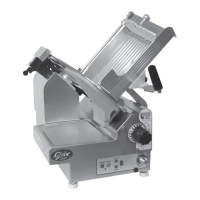
Globe 4600N
24 pages
Print Icon
To Next Page IconTo Next Page
Loading...
Instruction Manual for Globe N-Series Slicers
Models: 4600N and 4975N
This manual contains important safety instructions which
must be strictly followed when using this equipment.
For Service on Your Slicer
1. Visit our website at www.globefoodequip.com
2. Or call the Globe Service Department at 937-299-8625 and ask for contact
information for your local service company.
Model #:
Serial #:
- IMPORTANT SAFETY NOTICE -
Visit our website for information on additional products available from Globe.
www.globefoodequip.com
Slicers, Mixers, Countertop Cooking Equipment, Meat Choppers & Scales
WARRANTY REGISTRATION
SCAN THE QR CODE WITH YOUR MOBILE DEVICE OR GO TO
WWW.GLOBEFOODEQUIP.COM
TO FILL OUT AND SUBMIT YOUR WARRANTY REGISTRATION.
WWW.GLOBEFOODEQUIP.COM/SUPPORT/WARRANTY-REGISTRATION-FORM
Model 4600N
2010

Questions and Answers

  • L
    Lynn GrahamAug 16, 2025
    What to do if my Globe 4600N Kitchen Appliances slicer will not start?
    • H
      hbonillaAug 16, 2025
      If the Globe Kitchen Appliances slicer will not start, ensure it is plugged in. Also, check the power panel for tripped breakers and reset if necessary. Make sure the auto engage lever is in the manual position, and verify that the knife cover is properly installed.
  • V
    vharrisAug 19, 2025
    Why my Globe 4600N Kitchen Appliances slicer producing ragged cuts?
    • W
      wilsonjoshuaAug 19, 2025
      If you're getting ragged cuts and poor yield from your Globe Kitchen Appliances slicer, it could be due to a dull or chipped knife. Try sharpening the knife, ensuring both the knife and stones are clean. If the knife is too small or the knife-slicer table gap is too wide, call for service to adjust the slicer table or have a new knife installed.
  • J
    Julie WilliamsAug 22, 2025
    What to do if I notice metal rubbing the knife on my Globe Kitchen Appliances slicer?
    • J
      Jeffery WoodsAug 22, 2025
      If you're experiencing metal rubbing against the knife on your Globe Kitchen Appliances slicer, ensure the knife cover is securely installed. Also, tighten or adjust the food chute. If the end weight is defective, have it replaced. If the slicer table is the cause, call for service to adjust it.
  • V
    valentinealexanderAug 25, 2025
    How to fix ragged cuts and poor yield from my Globe Kitchen Appliances slicer?
    • J
      Jacob JeffersonAug 26, 2025
      If your Globe Kitchen Appliances slicer is producing ragged cuts and poor yield, the knife may be dull. Sharpen the knife, ensuring both the knife and stones are clean. If the knife is chipped, sharpen it or have a new one installed. If the knife-slicer table gap is too wide (1/8''), call for service to adjust the slicer table. If the knife is too small (12'' or less), have a new knife installed.
  • J
    Jennifer WeeksAug 27, 2025
    What to do if metal rubbing knife on Globe 4600N Kitchen Appliances?
    • A
      Ashley GilmoreAug 27, 2025
      If the metal is rubbing against the knife in your Globe Kitchen Appliances slicer, start by ensuring the knife cover is securely installed. Next, check the food chute and tighten or adjust it as needed. If the end weight is defective, it should be replaced. For issues with the slicer table, it's recommended to call for service to adjust it.
  • C
    Carolyn JohnsonAug 30, 2025
    How to fix ragged cuts on my Globe 4600N slicer?
    • A
      Anthony McintyreAug 30, 2025
      If you're experiencing ragged cuts and poor yield with your Globe Kitchen Appliances slicer, it may be due to a dull or chipped knife. Try sharpening the knife, ensuring both the knife and stones are clean. If the knife is chipped, sharpen it or have a new one installed. If the gap between the knife and slicer table is too wide (1/8''), or if the knife is too small (12'' or less), it is recommended to call for service to adjust the slicer table or have a new knife installed.
  • S
    Sean SmithSep 1, 2025
    What to do if chute speed light flashing on Globe 4600N slicer?
    • F
      Frank FreemanSep 2, 2025
      If the chute speed light is flashing on your Globe Kitchen Appliances slicer (model 3975N, model 3850N, 1 1 2 11 3 U), try moving the auto engage lever to the manual position and restart the slicer. Also, ensure the knife cover is correctly installed. If the issue persists, there may be a chute motor overload. Check for obstructions, lubricate the rails, unplug the slicer for 2 minutes, then plug it back in and restart.
  • P
    Peter LiuSep 4, 2025
    Why is metal rubbing the knife on my Globe Kitchen Appliances slicer?
    • J
      Jessica PhillipsSep 5, 2025
      If metal is rubbing against the knife on your Globe Kitchen Appliances slicer, ensure the knife cover is securely installed. Also, check and tighten or adjust the food chute. If the end weight is defective, have it replaced. If the slicer table is the cause, call for service to adjust it.
  • B
    Brittney BradySep 7, 2025
    What to do if hard to push food chute on Globe Kitchen Appliances?
    • N
      Nicholas ChavezSep 7, 2025
      If it's hard to push the food chute on your Globe Kitchen Appliances slicer, it likely needs lubrication. Lubricate the slide rods thoroughly with Globe oil. Do not use vegetable oil.
  • K
    kelly43Sep 10, 2025
    Why is the chute speed light flashing on my Globe Kitchen Appliances slicer?
    • C
      Christine WhitakerSep 10, 2025
      If the chute speed light is flashing on your Globe Kitchen Appliances model 4975N 1 2 3 4, first ensure the auto engage lever is in the manual position, then restart the slicer. Also, check that the knife cover is properly installed. Inspect for any obstructions and ensure proper lubrication. Clear any obstructions, lubricate the rails, unplug the slicer for 2 minutes, plug it back in, and restart. Finally, make sure the food chute is completely pulled towards you, in the home position, before restarting.

Globe 4600N Specifications

General IconGeneral
BrandGlobe
Model4600N
CategoryKitchen Appliances
LanguageEnglish

Related product manuals