EasyManua.ls Logo

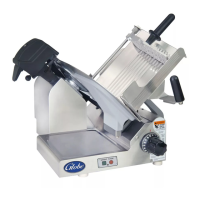
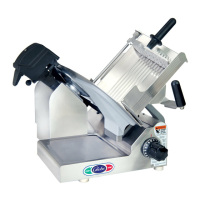
Globe 3600N - User Manual

Globe 3600N
26 pages
Print Icon
To Next Page IconTo Next Page
Loading...
Instruction Manual for Globe N-Series Slicers
Models: 3600N, 3850N, and 3975N
(Includes Frozen Slicers 3600NF & 3975NF)
This manual contains important safety instructions which
must be strictly followed when using this equipment.
For Service on Your Slicer
1. Visit our website at www.globefoodequip.com
2. Or call the Globe Service Department at 937-299-8625 and ask for contact
information for your local service company.
Model #:
Serial #:
- IMPORTANT SAFETY NOTICE -
Visit our website for information on additional products available from Globe.
www.globefoodequip.com
Slicers, Mixers, Countertop Cooking Equipment, Meat Choppers & Scales
WARRANTY REGISTRATION
SCAN THE QR CODE WITH YOUR MOBILE DEVICE OR GO TO
WWW.GLOBEFOODEQUIP.COM
TO FILL OUT AND SUBMIT YOUR WARRANTY REGISTRATION.
WWW.GLOBEFOODEQUIP.COM/SUPPORT/WARRANTY-REGISTRATION-FORM
Model 3600N
2010

Questions and Answers

  • D
    dennisthorntonAug 14, 2025
    What to do if my Globe 3600N Kitchen Appliances slicer will not start?
    • S
      Sharon WellsAug 15, 2025
      If the Globe Kitchen Appliances slicer will not start, ensure it is plugged in. Also, check the power panel for tripped breakers and reset if necessary. Make sure the auto engage lever is in the manual position, and verify that the knife cover is properly installed.
  • D
    Donna NielsenAug 17, 2025
    Why my Globe 3600N slicer producing ragged cuts?
    • J
      James EdwardsAug 17, 2025
      If you're getting ragged cuts and poor yield from your Globe Kitchen Appliances slicer, it could be due to a dull or chipped knife. Try sharpening the knife, ensuring both the knife and stones are clean. If the knife is too small or the knife-slicer table gap is too wide, call for service to adjust the slicer table or have a new knife installed.
  • A
    Angela WardAug 21, 2025
    What to do if metal rubbing knife on Globe 3600N?
    • L
      Lisa WebbAug 21, 2025
      If the metal is rubbing against the knife in your Globe Kitchen Appliances slicer, start by ensuring the knife cover is securely installed. Next, check the food chute and tighten or adjust it as needed. If the end weight is defective, it should be replaced. For issues with the slicer table, it's recommended to call for service to adjust it.
  • M
    Matthew HollandAug 25, 2025
    How to fix ragged cuts on my Globe Kitchen Appliances slicer?
    • S
      Shannon JacobsAug 25, 2025
      If you're experiencing ragged cuts and poor yield with your Globe Kitchen Appliances slicer, it may be due to a dull or chipped knife. Try sharpening the knife, ensuring both the knife and stones are clean. If the knife is chipped, sharpen it or have a new one installed. If the gap between the knife and slicer table is too wide (1/8''), or if the knife is too small (12'' or less), it is recommended to call for service to adjust the slicer table or have a new knife installed.
  • C
    Christine VazquezAug 28, 2025
    What to do if chute speed light flashing on Globe Kitchen Appliances slicer?
    • J
      Jennifer AguilarAug 28, 2025
      If the chute speed light is flashing on your Globe Kitchen Appliances slicer (model 3975N, model 3850N, 1 1 2 11 3 U), try moving the auto engage lever to the manual position and restart the slicer. Also, ensure the knife cover is correctly installed. If the issue persists, there may be a chute motor overload. Check for obstructions, lubricate the rails, unplug the slicer for 2 minutes, then plug it back in and restart.
  • D
    dthomasAug 31, 2025
    Why is metal rubbing the knife on my Globe 3600N slicer?
    • P
      Paul RichardsonAug 31, 2025
      If metal is rubbing against the knife on your Globe Kitchen Appliances slicer, ensure the knife cover is securely installed. Also, check and tighten or adjust the food chute. If the end weight is defective, have it replaced. If the slicer table is the cause, call for service to adjust it.
  • C
    Claire BellSep 3, 2025
    What to do if hard to push food chute on Globe Kitchen Appliances?
    • E
      Edward YoungSep 3, 2025
      If it's hard to push the food chute on your Globe Kitchen Appliances slicer, it likely needs lubrication. Lubricate the slide rods thoroughly with Globe oil. Do not use vegetable oil.
  • B
    Brian HunterSep 7, 2025
    Why is the chute speed light flashing on my Globe 3600N slicer?
    • J
      Jodi GreeneSep 7, 2025
      The chute speed light may be flashing on your Globe Kitchen Appliances model 3975N or 3850N due to several reasons. First, ensure the auto engage lever is in the manual position, then restart the slicer. Second, check that the knife cover is properly installed. Finally, a chute motor overload could be the cause. Inspect for any obstructions and ensure proper lubrication. If overloaded, clear any obstructions, lubricate the rails, unplug the slicer for 2 minutes, then plug it back in and restart.
  • B
    Brandi HernandezSep 10, 2025
    Why is the food chute hard to push on my Globe Kitchen Appliances slicer?
    • R
      Ricardo CollinsSep 10, 2025
      If the food chute on your Globe Kitchen Appliances slicer is hard to push, it is likely due to a lack of lubrication. Lubricate the slide rods thoroughly with Globe oil. Do not use vegetable oil!

Summary

Attention Owners and Operators

Globe Slicer Safety Tips

Installation and Proper Grounding

Operating Instructions

Manual Slicer Operation

Instructions for operating the slicer manually, including safety precautions and steps.

Automatic Slicer Operation

Instructions for operating the slicer automatically, including speed settings and safety.

Cleaning the Slicer

Slicer Disassembly for Cleaning

Steps for disassembling the slicer, including removing the food chute, sharpener, and knife cover.

Knife Sharpening Process

Performing the Sharpening

Detailed steps for using the knife sharpener, including safety precautions and plug/unplug procedures.

Inspections and Lubrication

Service and Troubleshooting Guide

Globe 3600N Specifications

General IconGeneral
BrandGlobe
Model3600N
CategoryKitchen Appliances
LanguageEnglish

Related product manuals