weBBoat 4G Plus
79
6.1 Wi-Fi SETTING
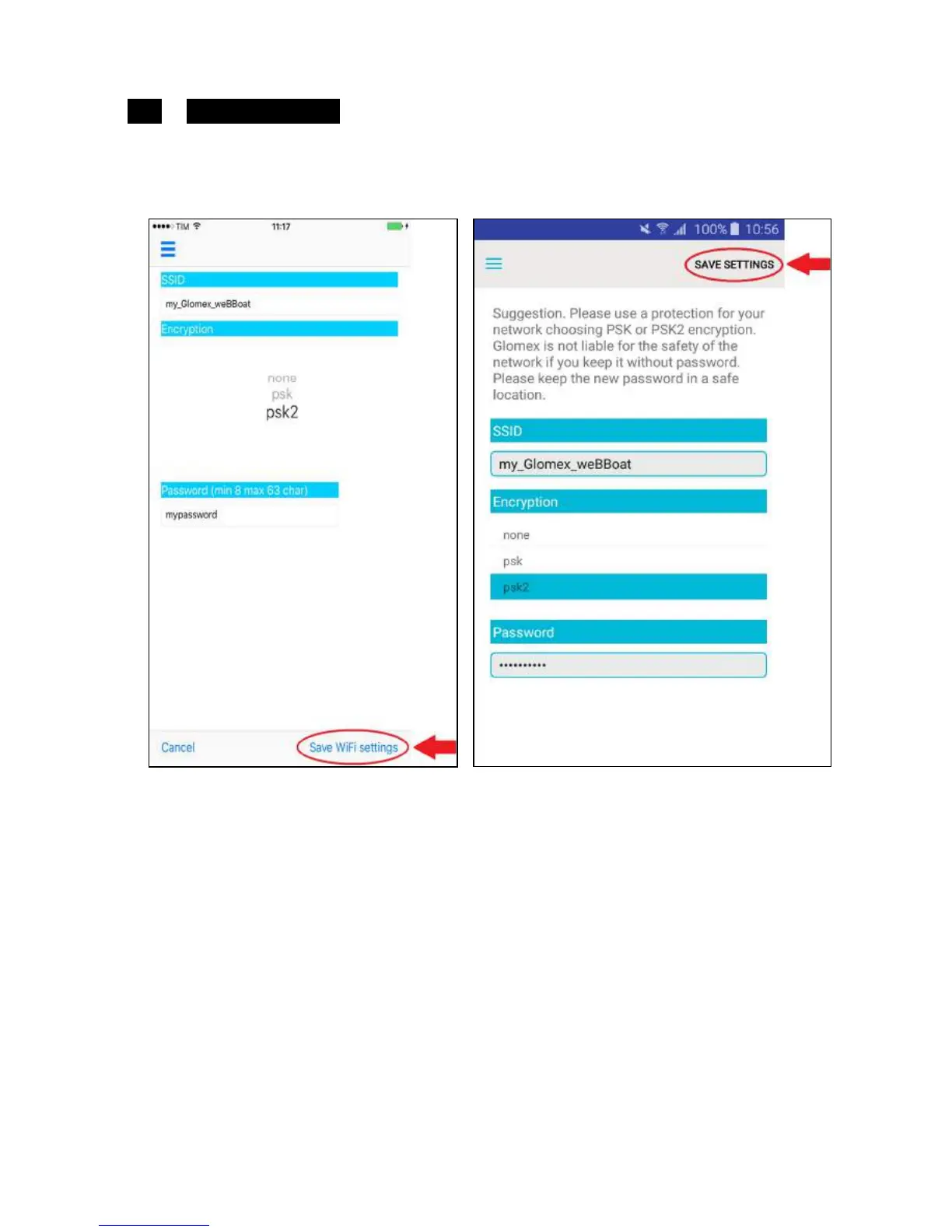
If you select this option, you can personalize the name of the Wi-Fi network
generated by weBBoat 4G Plus (SSID) and its password (we recommend
setting code psk2) (Fig. 30).
NOTE: do not use spaces or special characters in the name of the Wi-Fi
network and password.
Now press Save Wi-Fi settings in the iOS version or SAVE SETTING in the
Android version to save the new settings.
Press OK when prompted to restart the router.



 To Next Page