weBBoat 4G Plus
61
3.2 INSERTING THE SIM CARDS
NOTE: Insert the micro-SIM card(s) with weBBoat 4G Plus off.
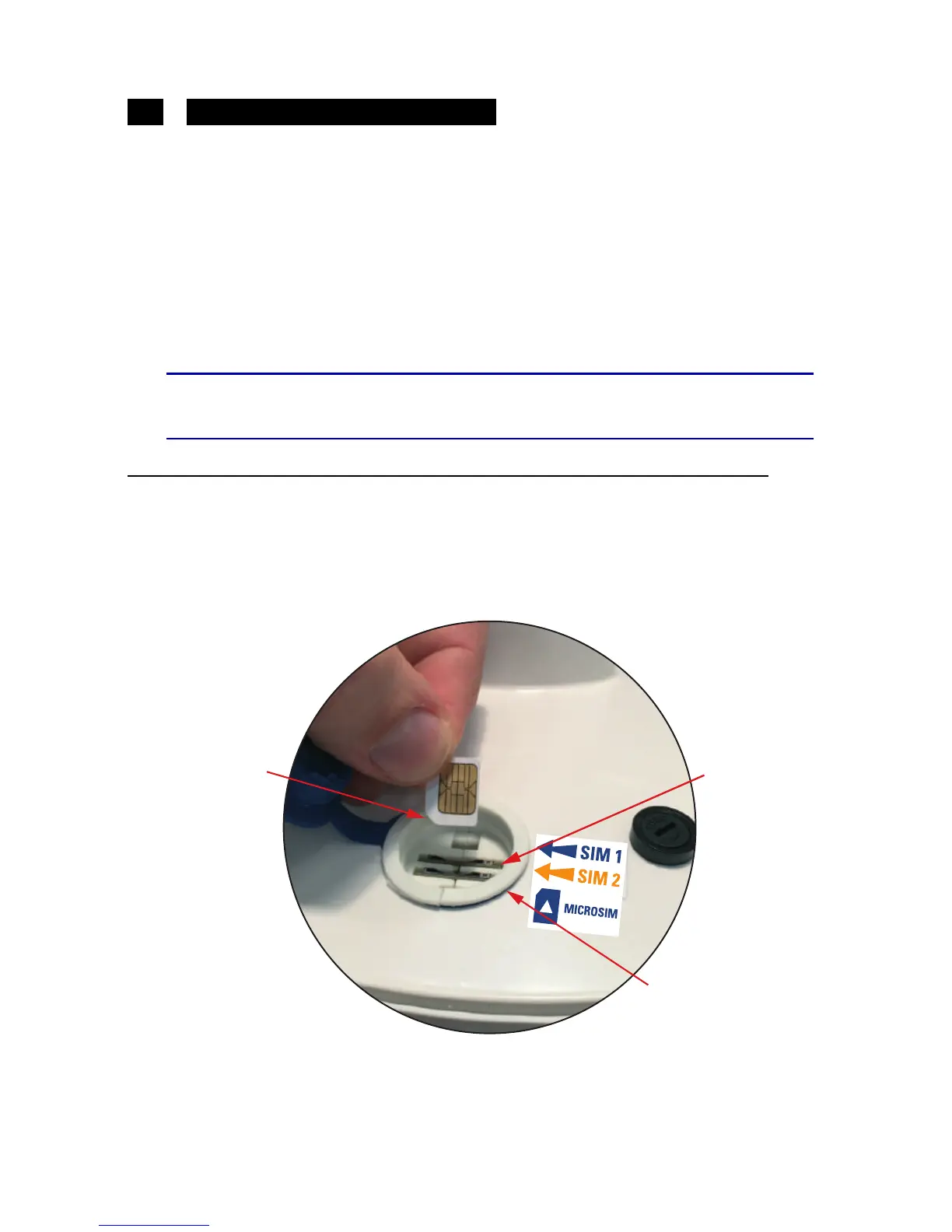
Insert the two Micro-SIM cards in the dedicated external slots with the
cut edge facing down and the contact facing outwards, as shown in
Fig.
12
.
NOTE: If you use weBBoat 4G Plus with a single Micro-SIM card, it must
be inserted in slot 1.
S
WARNING
SWITCH OFF weBBoat 4G Plus BEFORE INSERTING THE SIM
CARD.
IMPORTANT
: If the SIM card has a PIN, we recommend to remove the PIN
code request before inserting the SIM card into weBBoat 4G Plus. This can
be done via a mobile phone and varies according to the individual mobile
phones. Please check the steps in the instructions of your mobile phone, or
contact your carrier.



 To Next Page