weBBoat 4G Plus
85
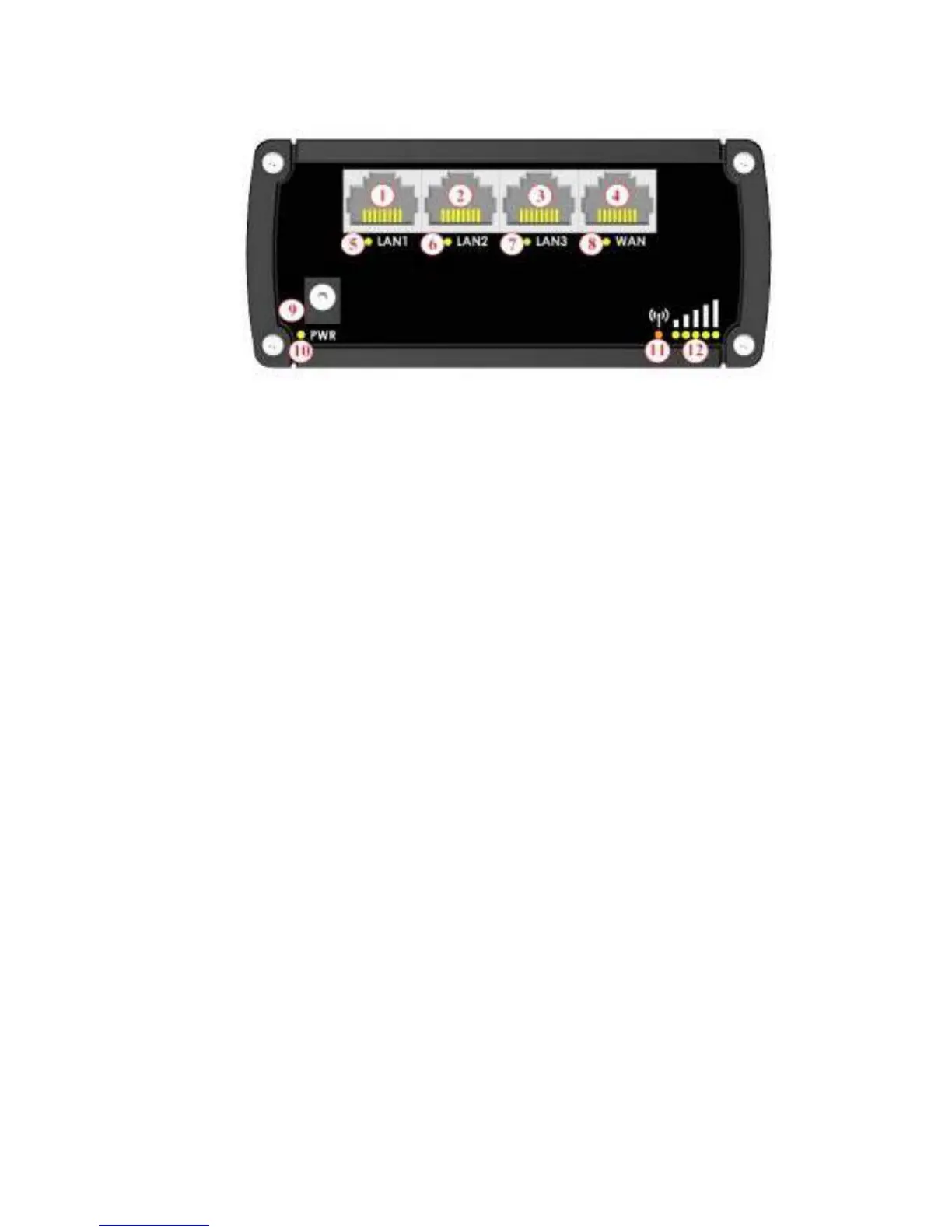
Key
1,2,3 LAN Ethernet ports
4 WAN Ethernet port
5,6,7 LAN LEDs
8 WAN LED
9 Power socket
10 Power LED
11 connection status LED (red= not connected / orange= 3G / green= 4G)
12 Signal strength indication LEDs
NOTES
To help the user determine how long the reset button has to be pressed, the
signal indicator (number 12 - Fig. 36) must be checked. Wait for all 5 LEDs
to turn on. Now the reset button can be released.
The beginning of the reset procedure is confirmed when all 4 LEDs of the
Ethernet ports (numbers 5, 6, 7 and 8 - Fig. 36) turn on at the same time.
The procedure completes in about 1 minute and is confirmed when the
Glomex_weBBoat Wi-Fi network is created.



 To Next Page