3
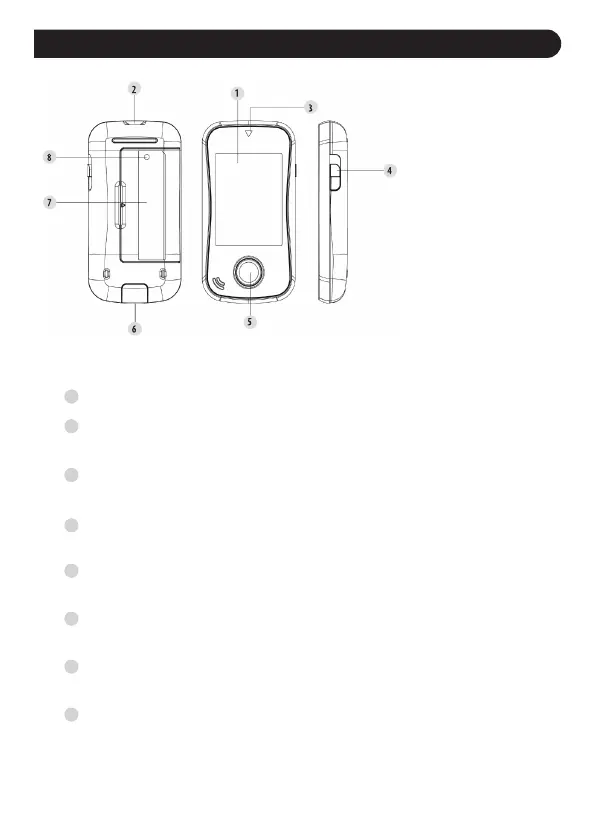
Display Screen
Test Strip Slot
Insert test strip here to switch the meter on for testing.
Strip Indicator Light
Light indicates the position of the test strip slot.
Test Strip Ejector
Eject the used test strip by sliding the button upwards.
Main Button (M)
Enter the meter memory and silence a reminder alarm.
Data Port
Download test results with a cable connection.
Battery Compartment
Uses 2x AAA batteries
SET Button (S)
Enter and conrm the meter settings.
1
2
3
5
4
6
7
8
Meter Overview
BACK FRONT SIDE


 To Next Page