Global Mainstream Dynamic Energy Technology Ltd.
- 21 -
User Manual
Powervortex 5200TL hybrid inverter
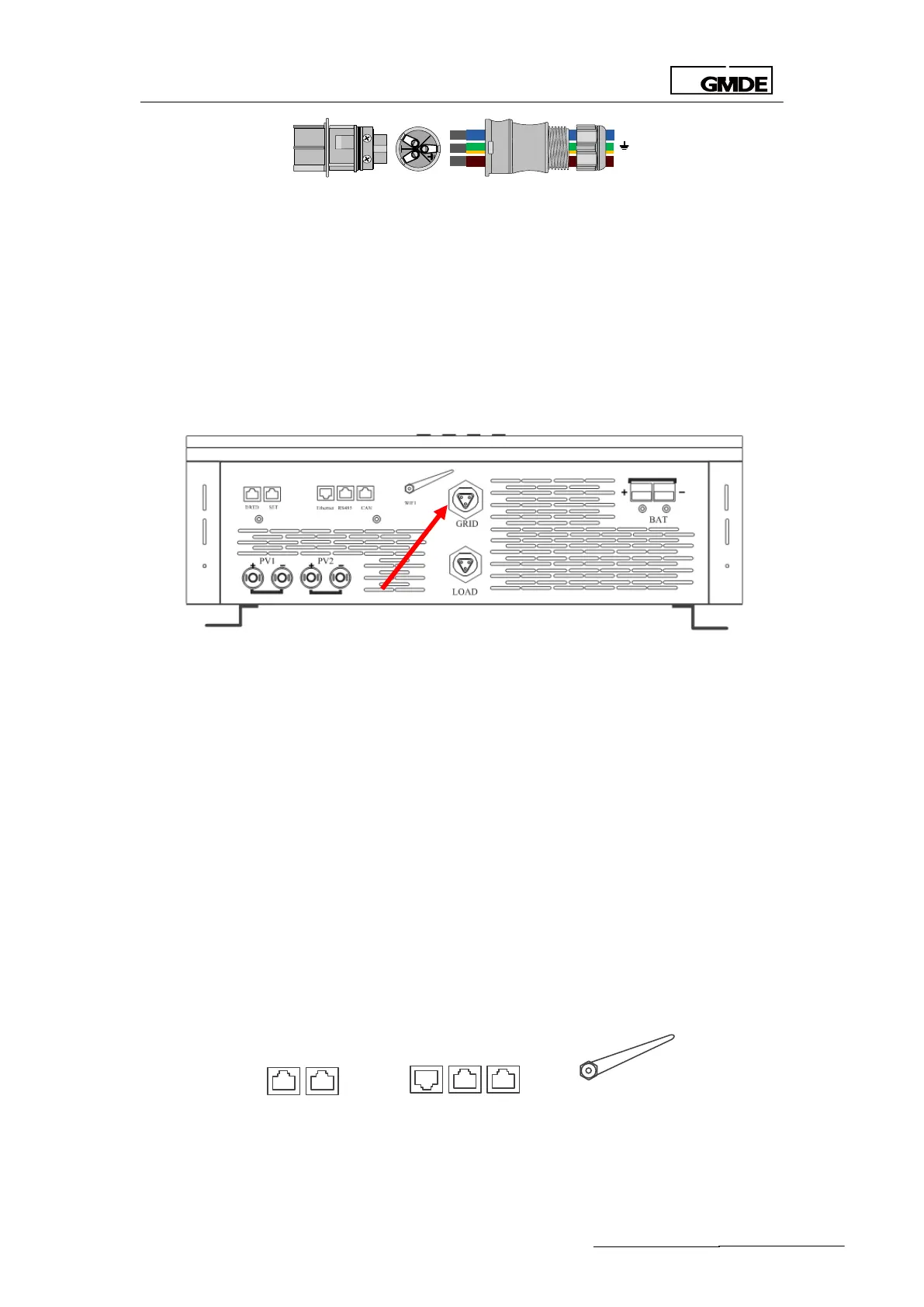
Figure 14 “AC GRID” AC output terminal-aviation plug
3. The female connector of the aviation plug has already been installed at the interface of the
hybrid inverter. The male connector could be found in the packing box.
Please find the recommended AC output cable size:
1. Do not use cables of which losses exceed 1%.
2. L (Power line), N (Neutral), G (PE): Ø 6mm 2
The detailed installation procedures of this AC output terminal is explained as following figures:
Figure 15 AC connection-“GRID” connection
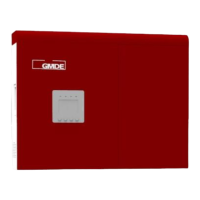
Similarly, the “LOAD” AC output terminal is also equipped with aviation plug. Insert male
connector from the important load into the female connector “LOAD” on the Powervortex
4600TL / 5200TL.
3.4.4 Communication Interface Port
Please refer to the following procedures of the communication connection.
Powervortex 4600TL / 5200TLprovidefour types of communication ports:
1. DRED: Inverter demand response modes
2. SET: for special setting according to Australia’s grid rules.
3. Ethernet (Reserved): for future extension of LAN, now the internet connection way is Wifi
RS485: to connect with the RS485 port on the battery packs and also for firmware update
CAN (Reserved)
WIFI
CANRS485Ethernet
SETDRED
Figure 16 Communication ports on the Powervortex 4600TL / 5200TL


 To Next Page