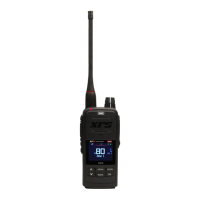
Your GME XRS-330C 80-channel CB radio is designed and manufactured in Australia and is the most advanced UHF Citizen Band radio available. It combines the very latest in
electronic hardware and software to produce an extremely compact mobile radio with innovative features and outstanding specifications and performance. The XRS Connect speaker
microphone with an OLED display and front-mounted speaker provides clear sound and total control from the palm of your hand. XRS Connect is the first UHF radio with an app to
configure and control the radio. Visit gme.net.au/GETXRS for more information.
IMPORTANT INFORMATION CONCERNING UHF CB RADIO
The use of the Citizen Band radio service is licensed in Australia by the Australian Communications and Media Authority (ACMA) Radiocommunications (Citizens Band Radio Station
Class Licence and in New Zealand by the Ministry of Economic Development New Zealand (MED)).
A General User Radio Licence for Citizens Band radio and operation is subject to conditions contained in those licenses.
The class license for users and equipment operating in the CB/PRS 477 MHz band was amended in 2011 to include 80 channels. This radio meets the 80 channel standard.
Further information and updates are available from the ACMA at www.acma.gov.au and the MED, Radio Spectrum Management at: www.RSM.govt.NZ
Emergency channels
The ACMA has allocated channels 5/35 for emergency use only. Channel 5 is the primary Simplex Emergency Channel. Where a Channel 5 repeater is available, you should select
Duplex on CH 5.
NOTE: Channel 35 is the input channel for the Channel 5 repeater therefore Channel 35 should also not be used for anything other than emergency transmissions.
Telemetry Channels
ACMA regulations have allocated channels 22 and 23 for telemetry-only applications and have prohibited the transmission of speech on these channels. Consequently, your radio has a
transmit-inhibit applied to channels 22 and 23. Currently, transmissions on channels 61, 62, and 63 are also inhibited and these channels are reserved for future use.
GENERAL OPERATION
Controls
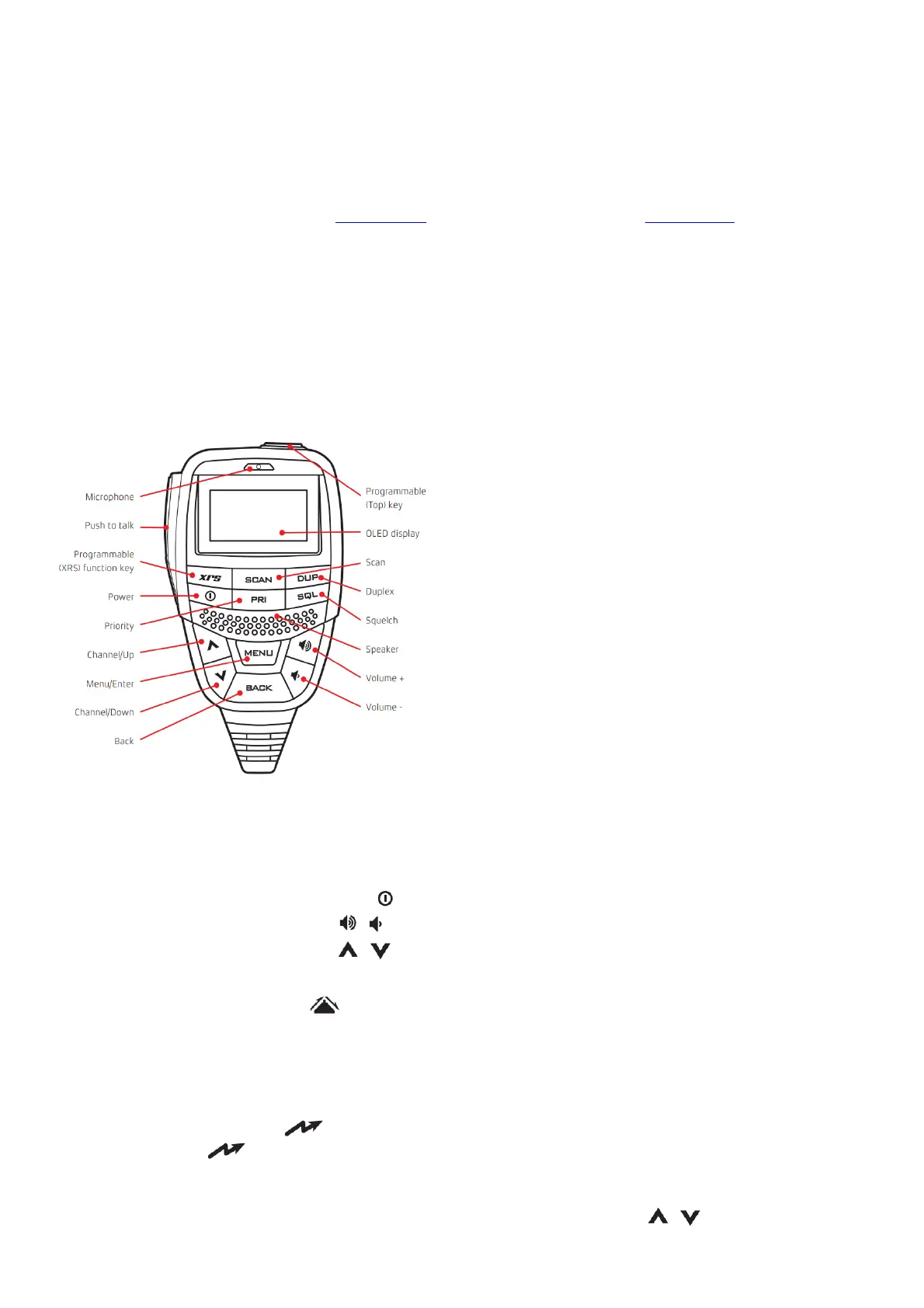
Summary of basic controls
For a detailed description please refer to the full instruction manual available from the GME website.
Receiving
Power:
Press and hold the key to turn the radio on or off.
Volume:
Press the or keys to adjust the volume.
Selecting Channels:
Press the or keys to select a channel.
Squelch: Press the SQL key to open or close the squelch.
Duplex Mode:
To enable or disable Duplex on a repeater channel, select the required repeater channel (1 – 8, 41 – 48) then press the DUP key.
The icon will appear whenever Duplex is enabled on the current channel.
Priority Channel:
To store a Priority channel, select the required channel then hold the PRI key. To recall a Priority channel press the PRI key. The
‘PRI’ icon is displayed whenever the Priority channel is selected.
Transmitting
IMPORTANT: Always listen to ensure the channel is free before transmitting.
To transmit, press the PTT on the microphone. The icon will appear. Hold the microphone about 3-5 cm from your face and speak at a normal voice level. Release the PTT
when you have finished talking, the icon will disappear.
Menu
The Menu provides access to all the settings, adjustments, and functions in the radio. All menu items are controlled using the MENU, , and BACK keys.
To access the menu, press the MENU key. Scroll through the list of menu items using the or keys. To select an item, press the MENU key. To step back through the menu, or to exit the
current screen, hold the BACK key.



 To Next Page