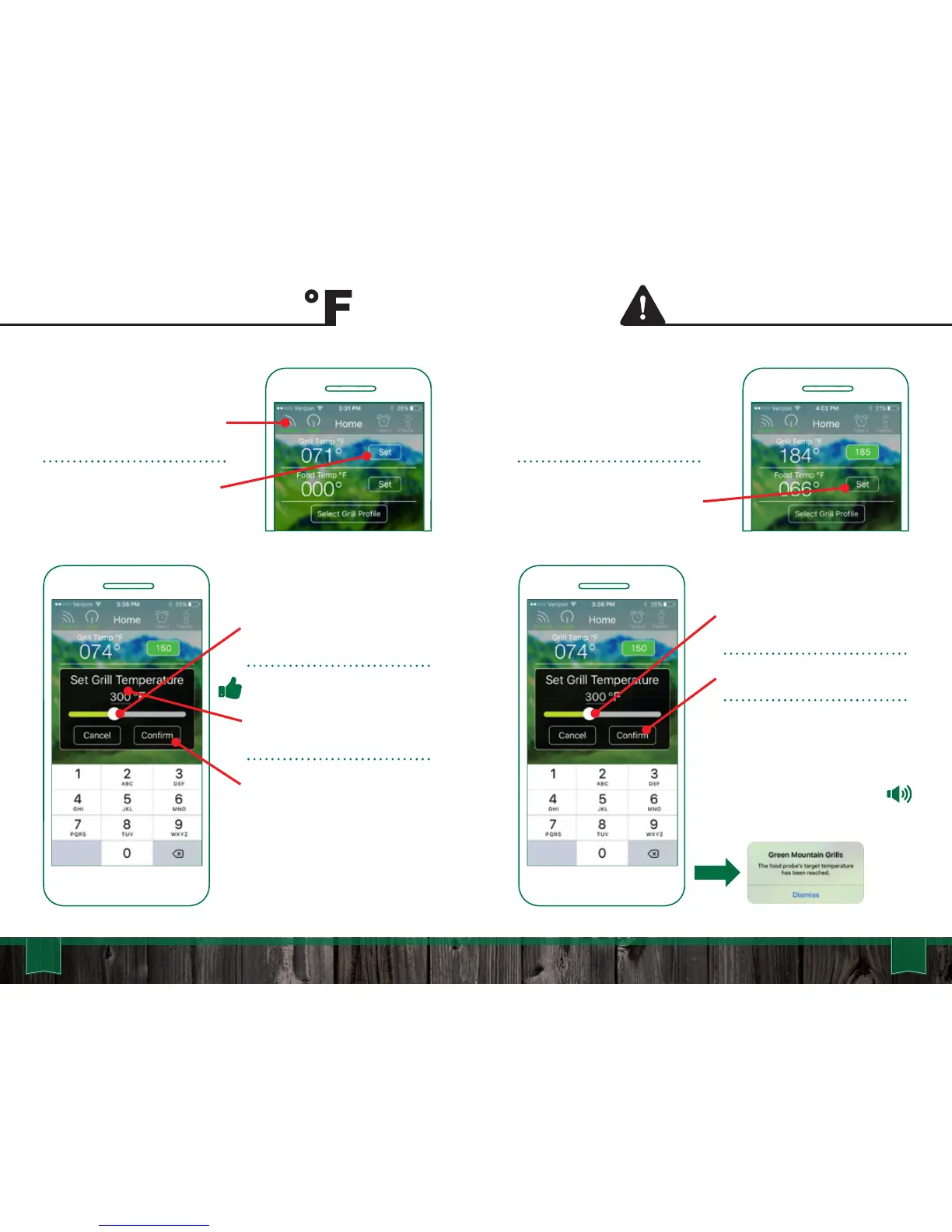
Move the slider to the desired
temp for your Food Probe Alert.
Press “Confirm” to set the alert.
The Food Probe Alert will now
trigger an audible alarm on the
grill when the set temp of the
food has been reached. If your
device is connected it will
receive an alert notification.
Track the internal temp of your
food with the GMG Food
Probe.
Set the Food Probe Alert by
pressing the “Set” button next
to the “Food Temp”.
55 56
App User Guide
Setting Grill Temp Food Probe Alert
To set the grill temp make sure
you are connected to your grill
and the power is on.
Press the “Set” button next to
the “Grill Temp.”
Move the slider to the desired
temp you would like to set.
Pro Tip: Tap the temperature
digits to reveal the keyboard
screen for a more precise
control.
Press “Confirm”. The grill will
now adjust to the new set
temp.



 To Next Page