59 60
App User Guide
Creating Profiles Creating Steps
1
2
3
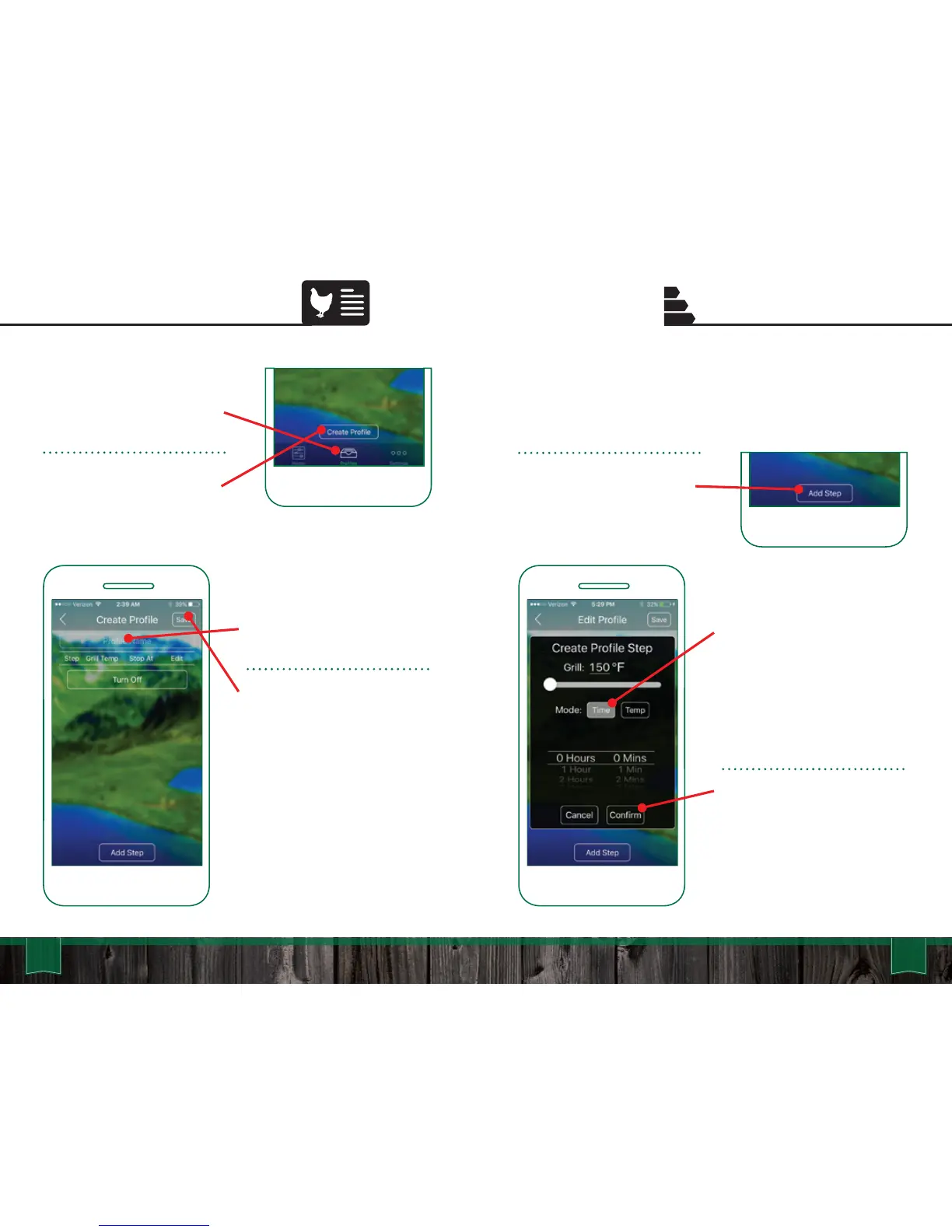
Select the “Profile Name” to
name your new Profile.
Press “Save” to confirm and
save your new Profile.
Go to the Profiles screen by
selecting the “Profiles” icon at
the bottom of your screen.
To create a new Profile press
the “Create Profile” button.
TIME TRIGGERED:
Each Step will maintain a
temperature for a specified
amount of time. When the
selected time has run out, the
next Step in the profile will
activate.
Press “Confirm” to save the
new Profile Step.
To add a new Step press the
“Add Step” button.
Steps allow you to automate temperature changes in a Profile.
You can select between temperature or time dependant Steps.
Temperature dependant Steps are dictated by the Food Probe.
Time dependant Steps use time to dictate the process.



 To Next Page