69 70
App User Guide
Updating Grill Firmware
Updating Grill Firmware
To update your grill’s firmware you will need to connect your grill to
your home WiFi network and download the update. Firmware
updates and application updates are separate. You will need to be
at least within 20 feet of your home network. Updating your
firmware typically isn’t necessary unless you are experiencing an
issue with the device.
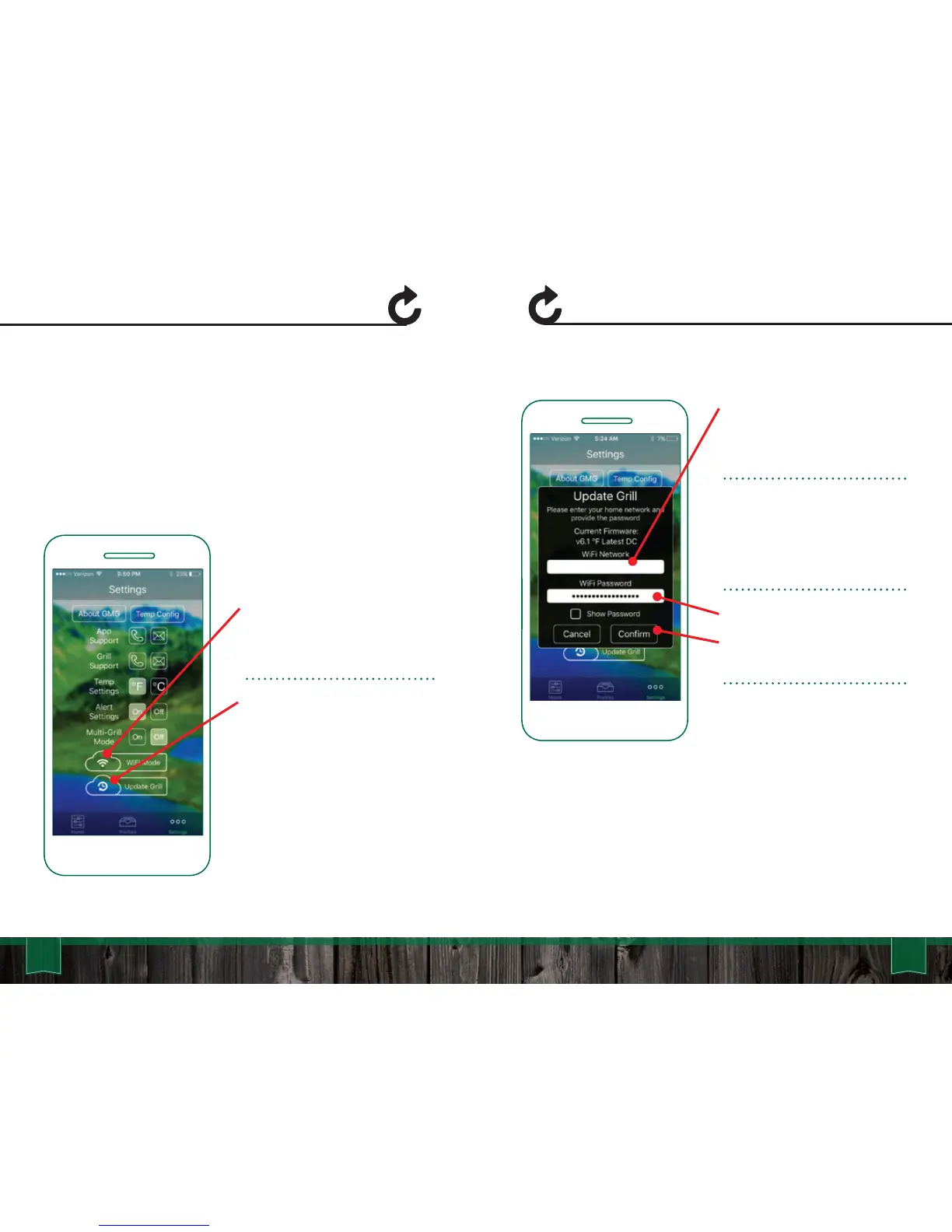
First make sure the grill is on,
and the LCD is displaying “off”.
Make sure you are not cooking
while you attempt the update.
Next select the “Update Grill”
button to begin the update
process.
First select the network you
would like to use to update
your grill. The network must
have a live network connection.
Android: Select the network
from the drop down menu.
iOS: Type in your network
(case sensitive).
Next enter the password for
your network and press
“Confirm”. This will begin the
update process.
Your grill will turn off its network
and attempt to connect to the
local network. It will then begin
to download the firmware.
YourNetwork



 To Next Page