73 74
App User Guide
Connecting to WiFiConnecting to WiFi
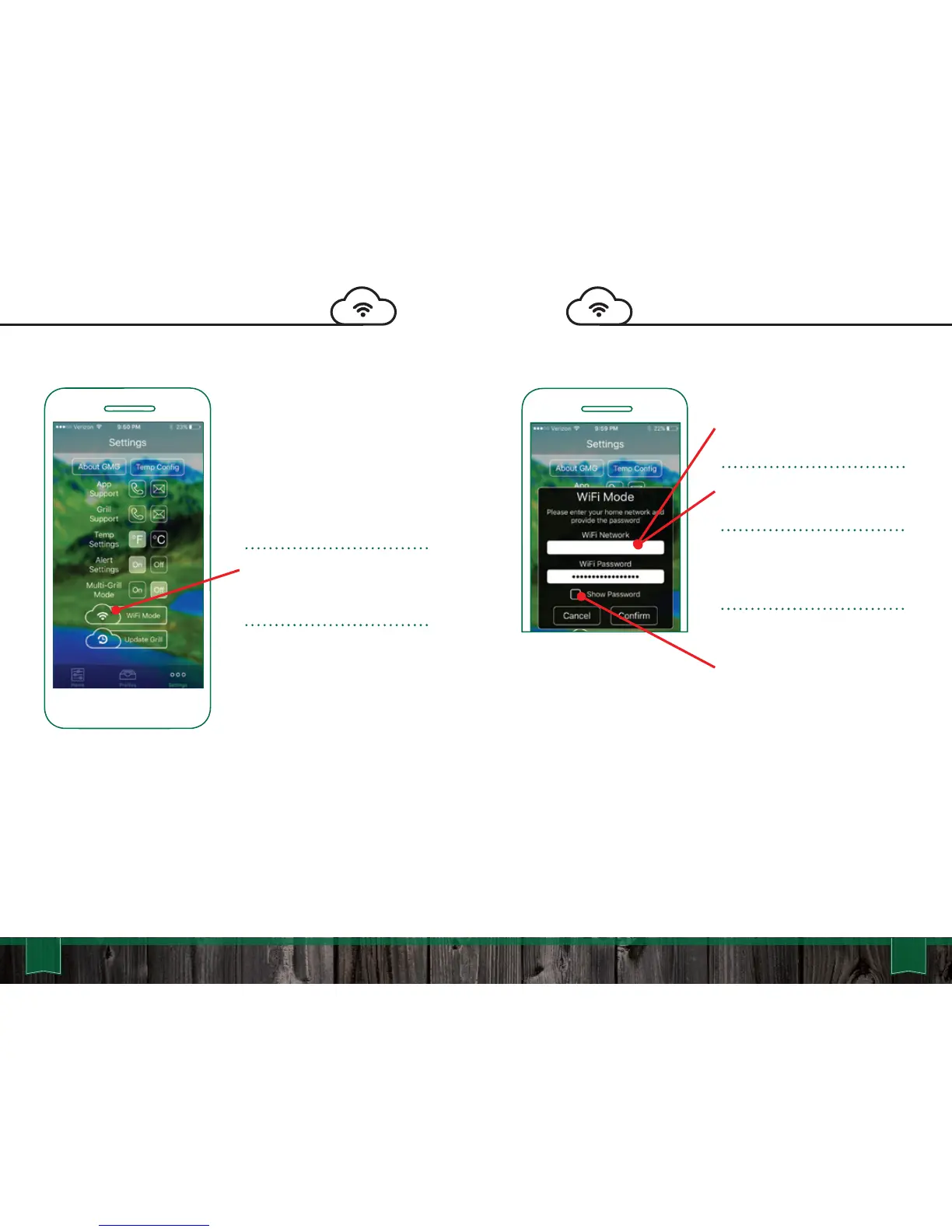
Android: Choose your network
from the drop down menu.
iOS: Type in your network
name (case sensitive).
Please be within 20 feet of your
home router on the initial
update.
Now that the network is
selected, enter your password.
You can select to “Show
Password” to display the
characters (passwords are
case sensitive).
Single Grill Mode: Connect to
your grill in the default “Point to
Point” mode on the GMG
network. Make sure the
“Connect Button” is active and
the app is reading the grill
temperature.
Navigate to the Settings tab
and select the “WiFi Mode”
button.
The next steps will connect
your GMG grill to your home
network.
YourNetwork



 To Next Page