75 76
App User Guide
Connecting to WiFi
Connecting to WiFi
If you try to connect too early,
you may receive a “No grills
detected” message. This
means that a grill was not
found during the searching
phase. Please try again, but
allow additional time for grills to
be found. If you continue to
have difficulty connecting,
please contact App Support.
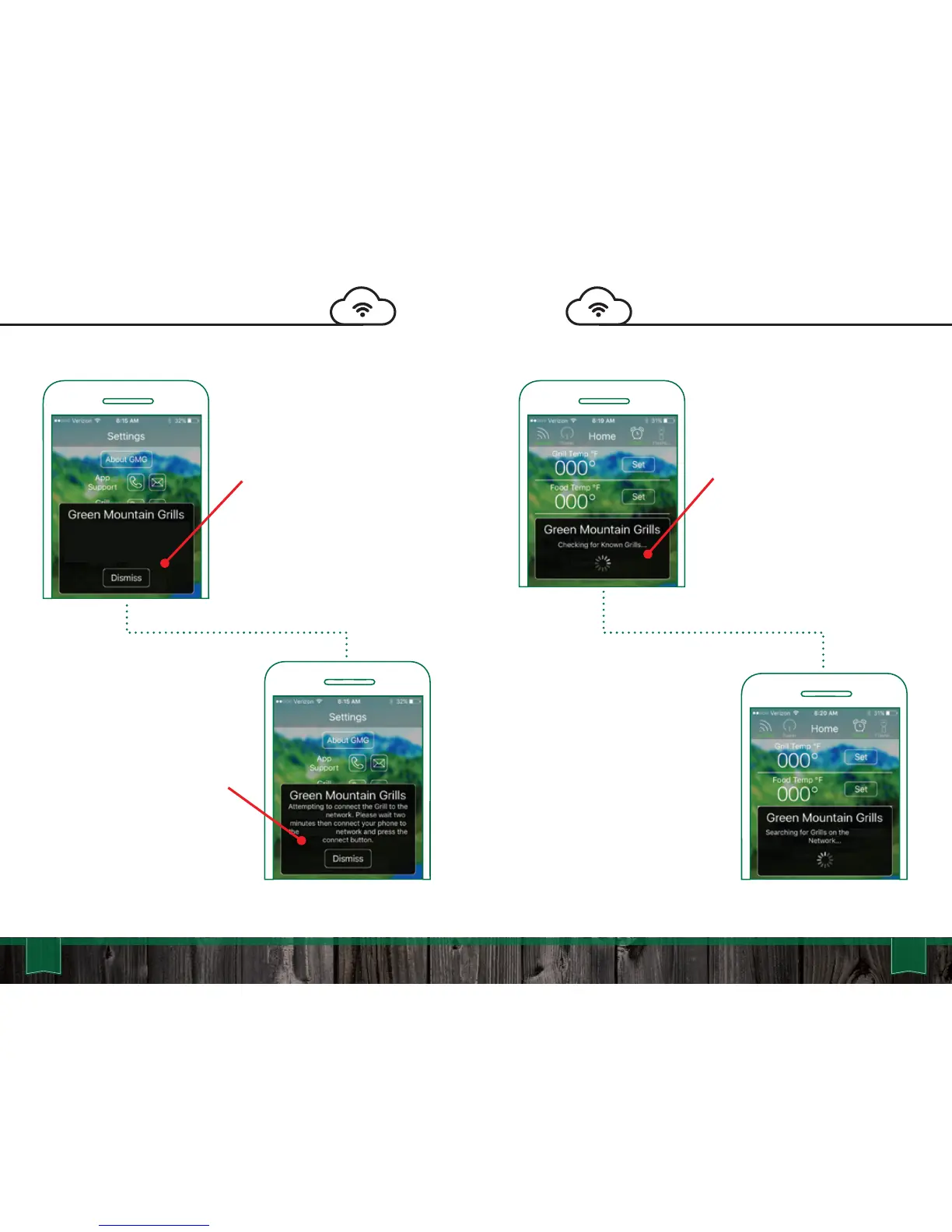
First, it will check for known
grills. Since you haven’t
connected before, it will not
find any. In the future, this will
speed up the process of
connecting
After the grill has been
connected to your home
network, connect your phone or
tablet to your home network as
well and press the “Connect”
button in the app. This process
has several steps and will show
various windows.
Next the app is going to search
for grills on the local network,
this step will start Broadcast
Mode and wait for a grill
response.
No Grills detected. Please make sure
the Grill is on and allow it two minutes
to connect to the Home WiFi.
‘YourLocal’
‘YourLocal’
‘YourLocal’



 To Next Page