77 78
App User Guide
Connecting to WiFi
Welcome to the future of BBQ!
Server Mode is designed for remote monitoring and grill control
when outside of the home WiFi network. Users can monitor the
grill while out running errands or just hanging out at home.
Capabilities:
• Turn On Grill (only from home WiFi network)
• Turn Off the grill
• Increase/Decrease Grill Temp
• Set Food Probe Temp
• Start/Stop a Food Profile
Notifications:
Users will get notifications when:
• Target temperature hits on the grill or Food Probe
• When a Profile Step or Profile is complete
• Low Pellet Alarm is activated
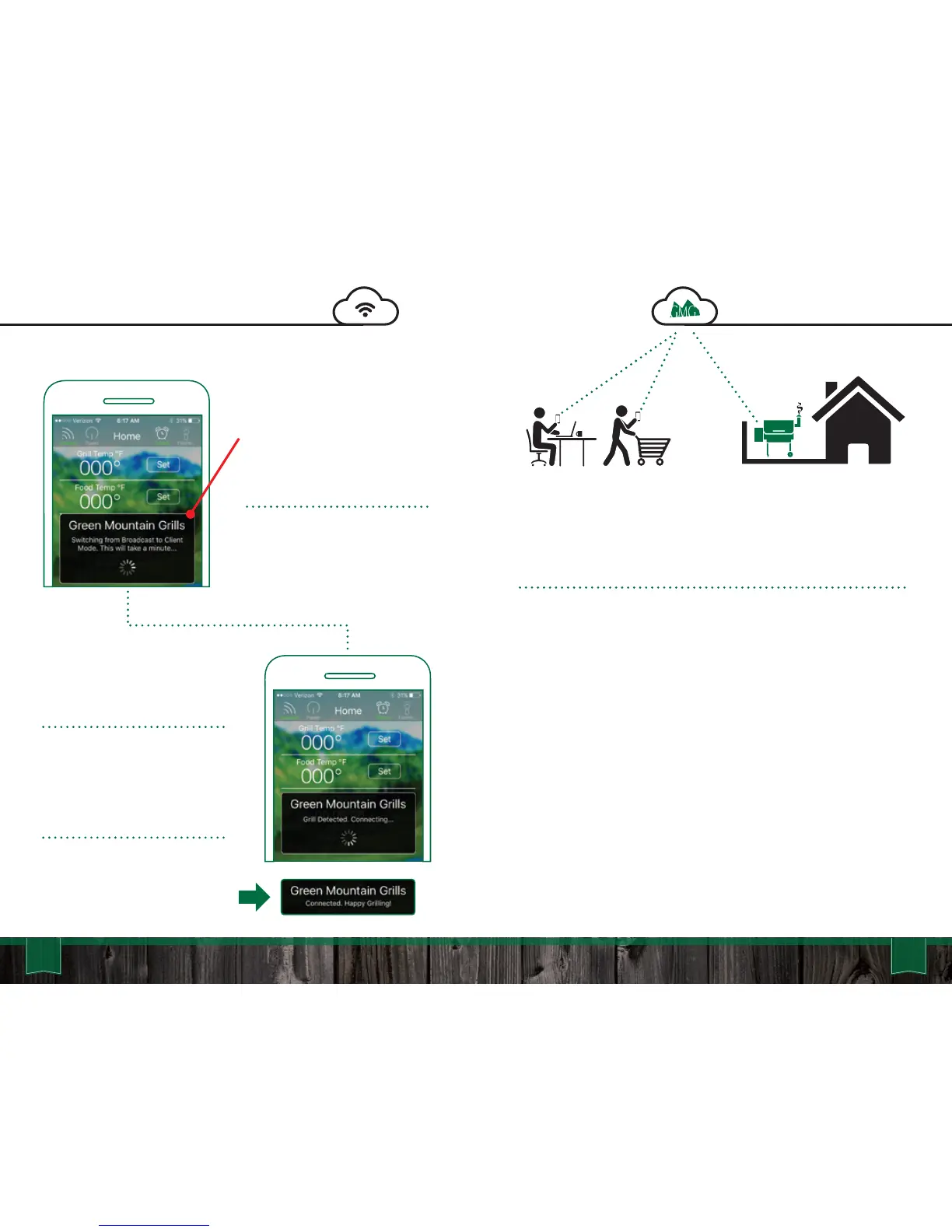
Now that the grill is in
Broadcast Mode, the next step
is to switch it to the Client
Mode. This step requires the
grill to briefly disconnect and
reconnect to the router with a
new configuration, which takes
around a minute.
*Note: This step only occurs either the
first time you connect, after turning the
grill on or after switching it over to a
home network for the first time. Future
connections will be much faster as
long as the grill is left on.
We are almost there, the grill
has been detected and the app
is now attempting to connect.
The dialogue should disappear
and the dialogue will display
“Connected, Happy Grilling!”
Temperature readings should
be coming shortly thereafter.
Congrats! Your grill is now
connected over local WiFi.
Server Mode



 To Next Page