Technology for safety
6
D1000 series - Intrinsically Safe Isolators
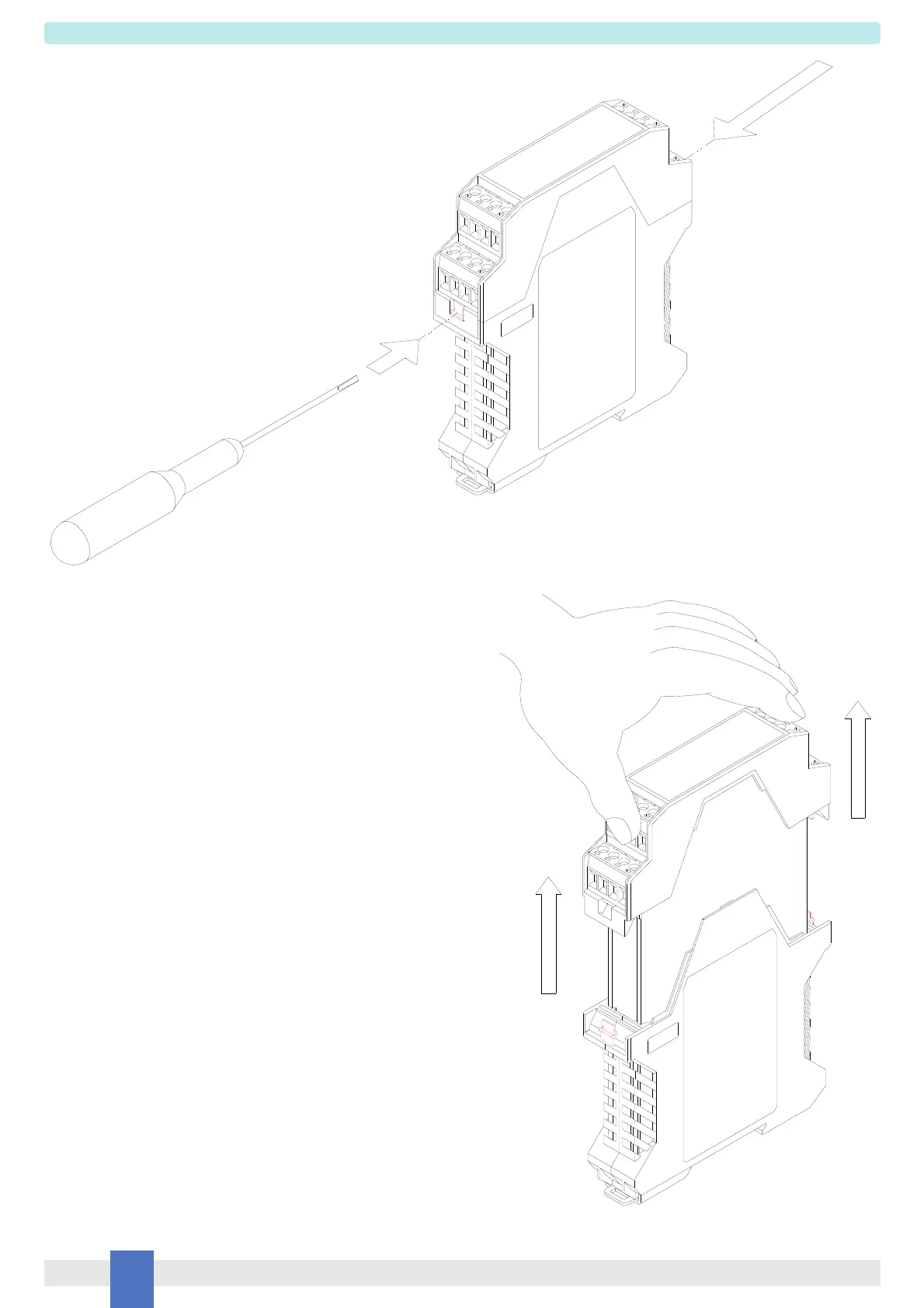
Front Panel and PCB Removal
Slowly pull out Front Panel and PCB.
The PCB will slide on the enclosure
dedicated guides.
Front panel and PCB can be
plugged out by applying a slight
pressure on both sides using a tool.


 To Next Page