11
· Slide the “Record” switch forward.
· The rear LED turns blue or red, depending on camera model
(GPS x solid, otherwise ashing)
· Camera beeps as soon as recording starts:
once if GPS x is acquired, or twice if not
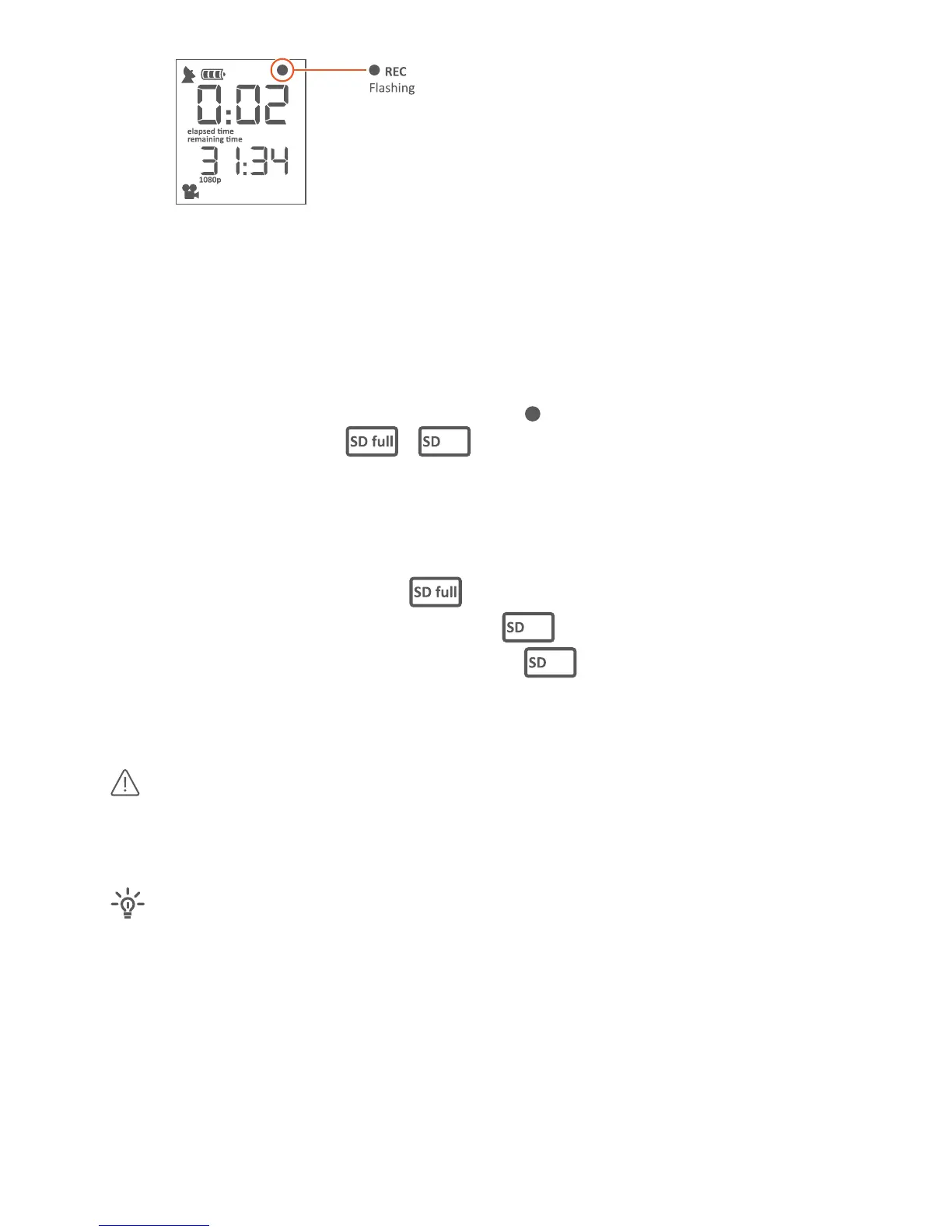
· In the upper right of the display the dot ( ) starts ashing.
· If there is an error, the
/ ashes
· Further, if there is an error, the beeper sound connously,
the rear LED ashes very fast in blue or red
(depending on camera model) and
the error is shown in display – while “Record” switch forward
- microSD card is full (
SD FULL),
- microSD card is not available (
No SD)
- microSD card needs formang (
SD ERR)
· You will see recording/elapsed me in upper display and remaining me
in lower display
Camera defaults to video mode Full HD 1080p (1920x1080),
30fps. Camera will sll record video even if camera has not obtained a GPS
x. Video will then not allow showing posion on the map.
Your camera also records the GPS data the enre me your
camera is powered on, e.g. to share your GPS track– even while not
recording a video. You can retrieve the GPS track from the Camera to your
Computer using gobandit STUDIO – as well as switch o this feature if you
don’t require this.



 To Next Page