19
Therefore select desired video resoluon and frame rate prior to changing
FOV.
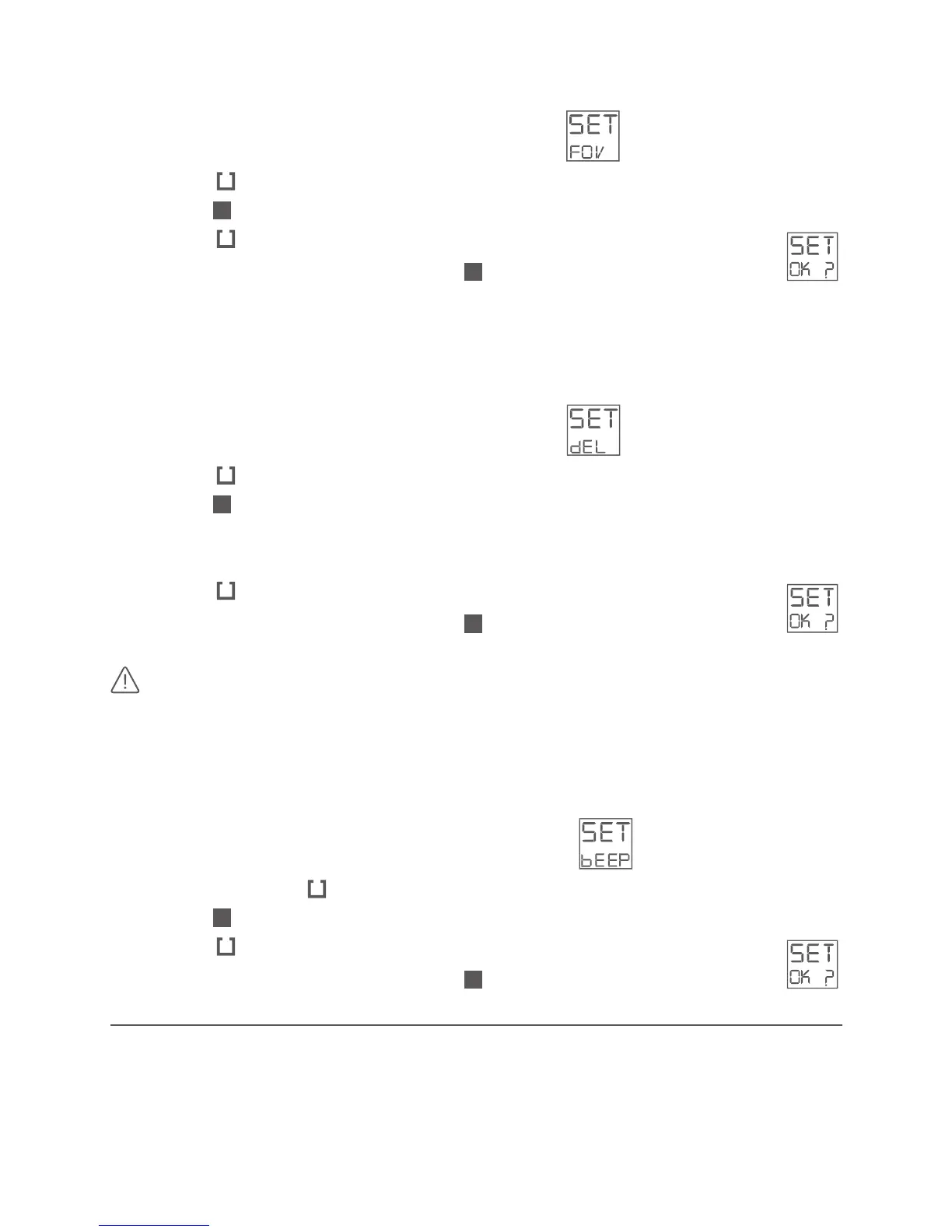
· Select the sengs menu SET – toggle to FOV:
· Press the buon shortly
· Push the buon quickly and toggle through the available eld of view’s.
· Press the buon shortly to select desired eld of view
· Conrm your choice by pushing the buon shortly – display shows:
You can delete the last recorded video le or format your microSD card in
your camera.
· Select the sengs menu SET – toggle to DEL:
· Press the buon shortly
· Push the buon quickly and toggle through the available acons:
LST (deleng last video le)
or FORM (format microSD card and delete all les)
· Press the buon shortly to select desired acon
· Conrm your choice by pushing the buon shortly – display shows:
Formang the microSD card deletes all les (i.e. videos,
pictures, GPS tracks) on your microSD card.
You can set the beeping sound to be silent for stealth or courtesy.
· Select the sengs menu SET – toggle to BEEP:
· Press and hold the buon for a minimum of 3 seconds
· Push the buon quickly and toggle between: 0N and OFF.
· Press the buon shortly to select desired mode (on or o)
· Conrm your choice by pushing the buon shortly – display shows:
PHOnE COnnECTIOn
The gobandit LIVE Camera has Wi-Fi® onboard. Using an iPhone or other
Smartphones and the gobandit MOBILE app “camera gb”, you can preview



 To Next Page