14
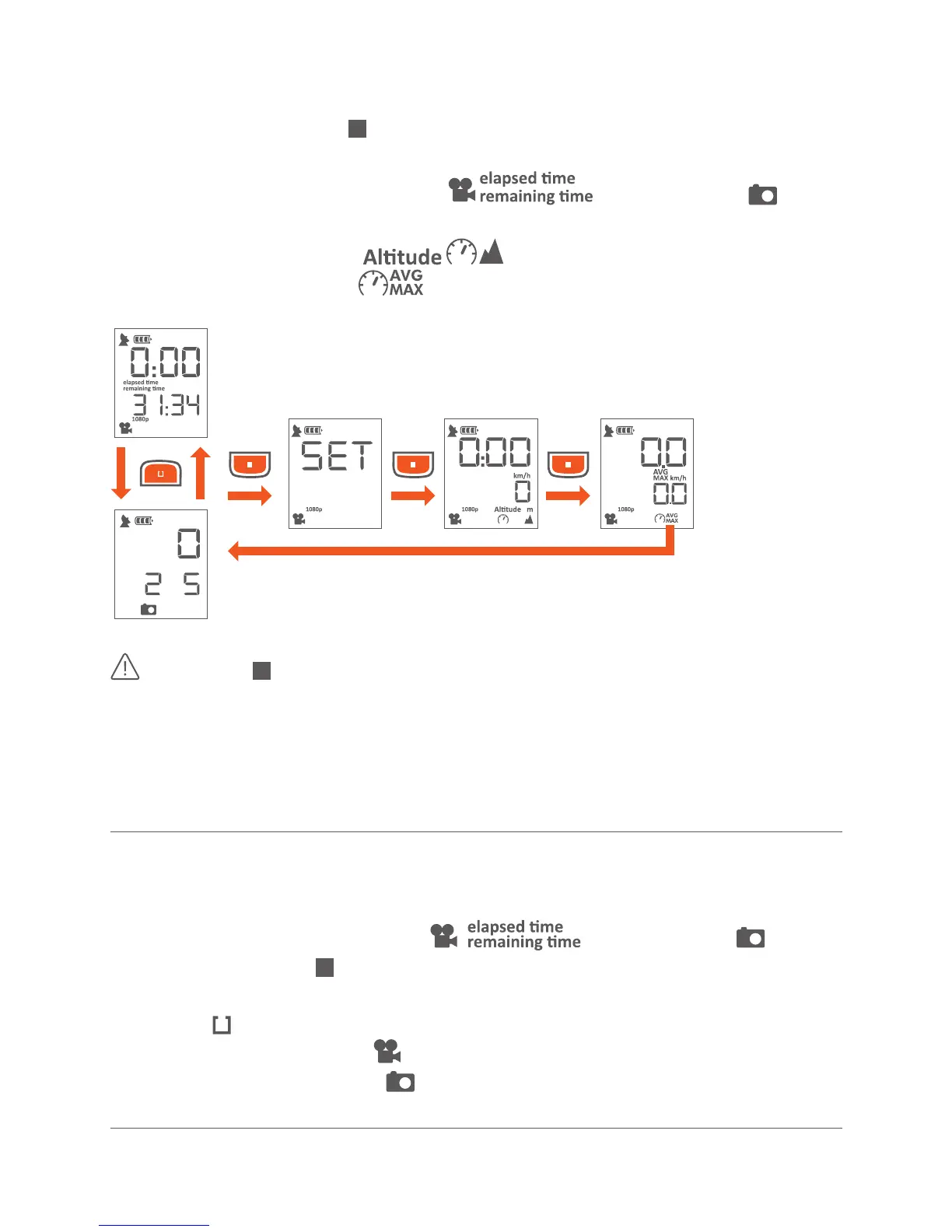
MODE BUTTOn / DISPLAY MODES
Push the Mode buon ( ) shortly to toggle trough the available display
modes:
· Elapsed me and remaining me
/ Picture mode
· Sengs Menu (SET)
· Current Speed / altude
· Average and max speed
The buon also works as a power buon when held down for
a minimum of 3 seconds.
If you have linked gobandit cered ANT+® accessories, like a Heart Rate
Belt to a gobandit LIVE camera, further display modes may be displayed,
e.g. showing bpm (beats per minute).
· Make sure display mode shows / Picture mode
otherwise push the buon shortly and toggle trough the available
display modes
· Push the buon quickly and toggle trough the available modes:
• Video Mode ( ) – default mode
• Picture Mode ( )



 To Next Page