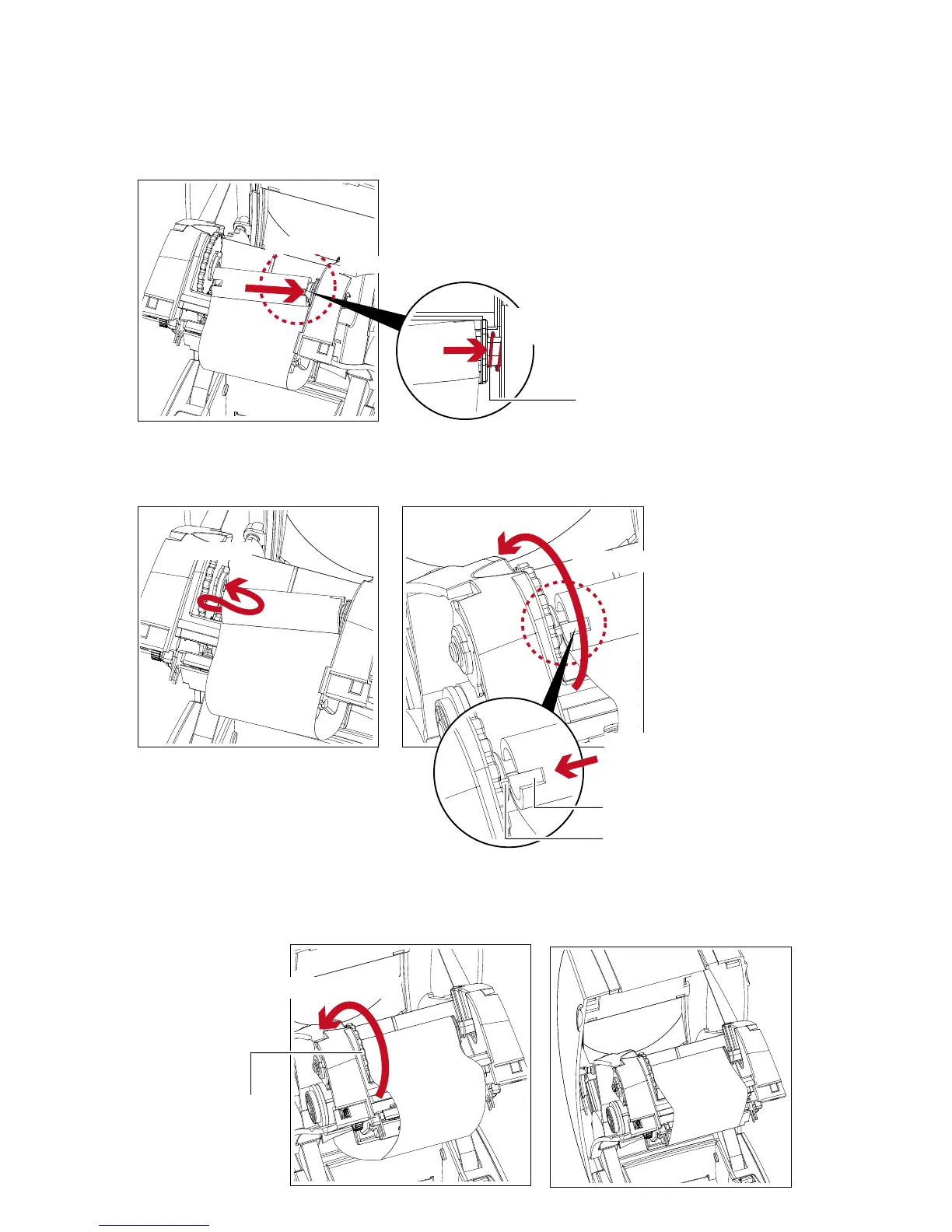
2. Place the right-hand side of empty ribbon core first.
Right side
Push the empty ribbon core
to tighten the spring of the holder
SPRING OF HOLDER
Align the empty ribbon core to the holder
3. Then place the left-hand side of the empty ribbon core.
Turn the ribbon wheel to align the notch of empty ribbon core to the spoke.
Left side
SPOKE
NOTCH OF RIBBON CORE
Align the notch of empty ribbon core
to the spoke
Rotate backward
4. Turn the ribbon rewind wheel to tighten the ribbon until it has no wrinkles.
The ribbon loading is completed once the ribbon supply module and ribbon rewind module are assembled
correctly.
RIBBON REWIND WHEEL
Rotate backward



 To Next Page