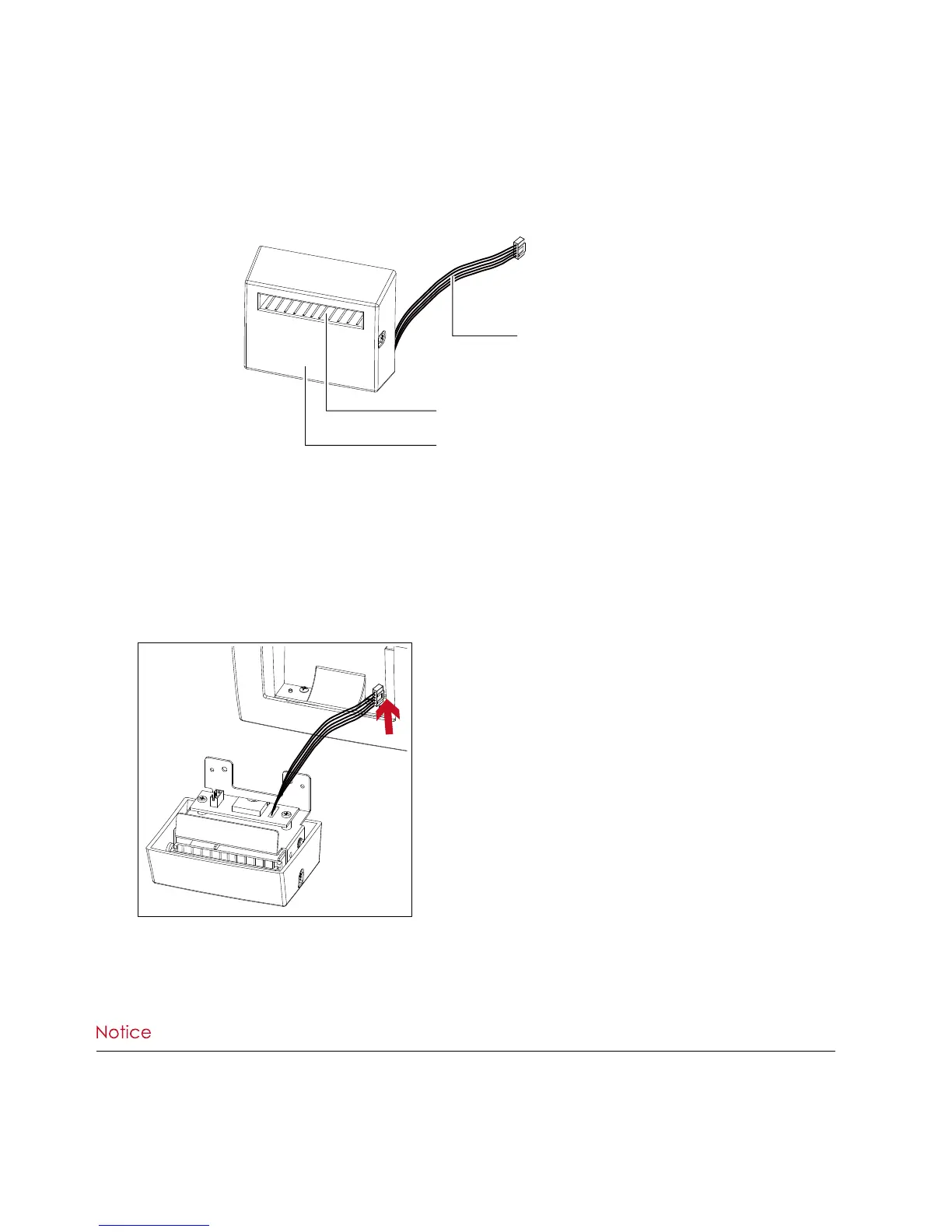
The Overview Of The Cutter
****Remember to switch off the printer before installing the cutter.
****Do not use to cut adhesive labels! Glue residue will be left on the cutter blade and impair its functioning. The
cutter has a blade life of 1000,000 cuts when using paper weighing 120g/m², and of 500,000 cuts when using
paper weighing 120g/m² - 170g/m².
****You can cut paper with a max. width of 60mm.
****With the cutter installed, set the stop position in Qlabel to 30, and the E value to 30.
Preparation Steps
Please see the Section 5.1 Preparation Steps to complete the preparation steps before installing the cutter.
Installing The Cutter
1. Pass the connection cable through the slot of the printer.
COVER
CONNECTION CABLE OF CUTTER
FEED-OUT SLOT



 To Next Page