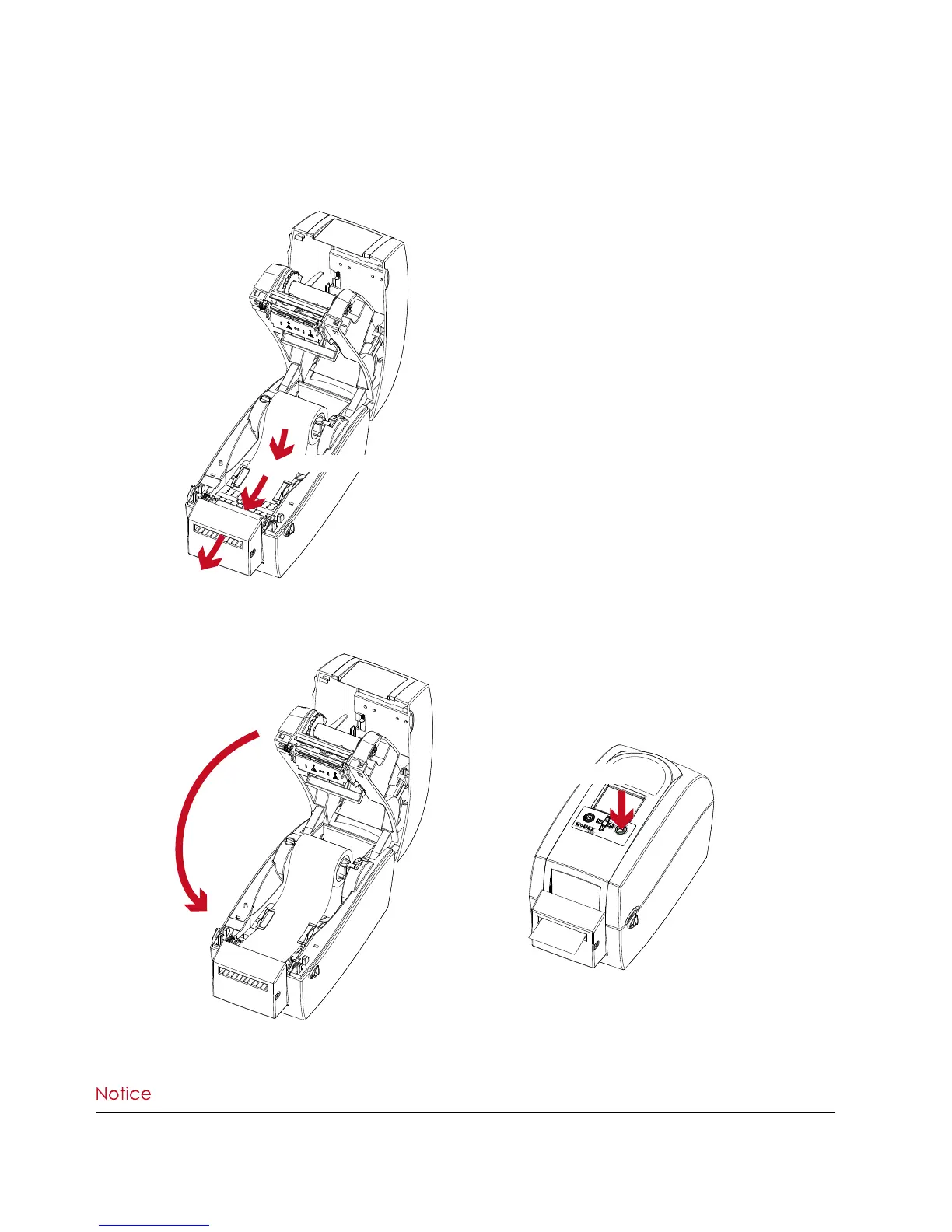
2. Close the top cover and printing mechanism. To finish, press the FEED button to set the label position.
****We advise against using inside wound label stock.
****Labels should be at least 30 mm high. When using the printer with the cutter, you should set the stop position
(^E) to 30.
Installing the Label Roll Module on the Printer
1. Pass the labels through the guides and the cutter.
Through the label guides
Through the cutter
Close the top cover
Press the FEED button



 To Next Page