EN
To install the batteries
Lift o the battery compartment cover from the rear of the remote control. Insert 2 x 1,5V AAA size
batteries in accordance with the diagram in the battery compartment. Take care to observe the
correct polarity.
Remote control operation
To operate the device with the remote control, point the remote handset at the remote sensor
on the front panel and press the appropriate button on the remote handset.
The remote works best within a range of 6 ~ 7 meters from the front panel and on an angle
of 30 degrees. Bright sunlight or room light conditions can interfere with the remote control.
If the remote operation is unsatisfactory or stops working entirely, rst try replacing the remote
batteries, then try reducing the room lighting conditions.
GETTING STARTED
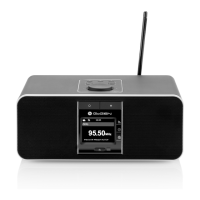
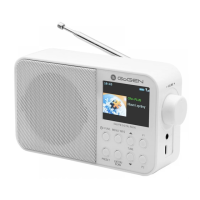
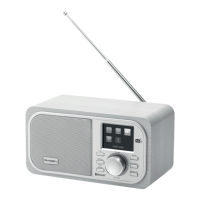
Connect the power adaptor to the back of device and plug it into power socket. Pull out the rod
DAB/FM antenna for DAB and FM reception.
Connecting the headphones
Turn the volume down before using the headphones. Inset the headphone plug (standard 3,5 mm) into
the headphone socket.
GENERAL DEVICE FUNCTIONS
Power on/off
Press the button to switch on the device. Press the same button again to switch the device
back to Standby mode. The time, WiFi connection status and any active alarm times display on the
screen.
Menu operation
Press and hold the INFO/MENU button to open the menu. On the menu, rotate
the VOLUME/OK knob move along the entries. Press the VOLUME/OK knob to conrm.
Press the BACK button to step back or exit the menu.
Mode selection
Press MODE to select modes. Rotate the VOLUME/OK knob to select mode. Press the VOLUME/OK
knob to conrm.
Volume
Rotate the VOLUME knob to adjust the volume.
Presets
To store a radio station to the presets, press and hold the PRESET button, the display shows the
[Save to Preset] screen. Select one of the 20 presets, and press the VOLUME/OK knob to conrm.
To select a preset, press the PRESET button, the display shows the [Recall from Preset] screen.
Select one of the listed preset stations, press the VOLUME/OK knob to conrm.
NOTE: When a preset station is playing, it shows [ 1], [ 2], etc. at the bottom of the display.
Now playing information
While stream/DAB/FM is playing, the screen shows some information about the station, press the
INFO/MENU button to view.
Press the VOLUME/OK knob to view the picture or information in the full-screen size.


 To Next Page