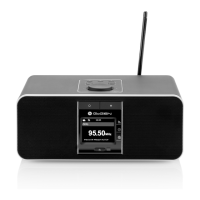
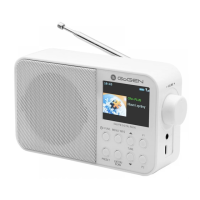
Need help?
Do you have a question about the Gogen IR 237 BTDAB and is the answer not in the manual?
Overview of the physical components of the GoGEN IR 237 BT DAB radio.
Detailed list of the device's operational buttons and their functions.
Guide on how to install batteries in the remote control.
Instructions on how to operate the device using the remote control.
Steps for connecting headphones to the device.
How to switch the device on and off.
How to navigate through the device's menu system.
How to select different operating modes.
Instructions for adjusting the volume.
How to store and recall radio presets.
How to view information about the current playback.
Guide to changing the default language during first installation.
How to set and synchronize the device's time and date.
Steps for connecting the device to a wireless network.
How to access and play internet radio stations and podcasts.
How to play music files from a USB drive.
How to add, view, and delete tracks from your playlist.
Options for repeat and random playback of music.
How to find available DAB radio stations.
How to choose a station from the list.
Accessing settings like pruning invalid stations, DRC, and station order.
How to search for FM radio stations.
Configuring FM scan and audio settings for better reception.
Instructions for connecting a phone via Bluetooth.
How to disconnect a paired mobile phone from the device.
How to set up or modify wake-up alarms.
Managing alarm sound, snooze, and standby behavior.
How to set the automatic turn-off timer for the device.
Guide to controlling the device via the UNDOK smartphone app.
How to adjust audio sound with various EQ modes.
Settings for audio quality when streaming content.
Options for connecting and managing wireless networks.
Viewing and deleting saved wireless networks.
Resetting all saved network configurations.
Manually setting time/date or enabling auto-updates.
Setting the auto-standby time for the device.
Changing the device's display language.
Resetting all user settings to default values.
Checking for and installing device software updates.
Starting the initial setup process.
Viewing software version and Radio ID.
Accessing the product's privacy policy details.
Adjusting display backlight timeout and levels.
Guidelines for safely cleaning the device.
Troubleshooting steps for when the device fails to power on.
Solutions for when the device produces no audio output.
Steps to resolve issues establishing a network connection.
How to address static or hiss when listening to FM radio.
Troubleshooting for poor or intermittent DAB radio signal.
Resolving problems with the alarm feature not working correctly.
Guidance for system freezes or general malfunctions.
Addressing issues caused by interference or performing resets.
Detailed technical data for the GoGEN IR 237 BT DAB system.
List of items included in the product package.
Important safety precautions for using the product.
Information on proper disposal of electrical and electronic equipment.
EU declaration of conformity for the radio equipment.
 General
| Bluetooth | Yes |
|---|---|
| Display | LCD |
| Presets | 20 |
| Headphone Jack | Yes |
| Power Supply | Battery/AC Adapter |

 To Next Page