Use a tip of a pen (or other fine tip object) to press the button in fully. It
will reset your device back to the manufacturer default. Also, if the
malfunction occurred or it can’t be recognized by a computer, try resetting.
Resetting will not delete recorded files.
1. The device supports external high speed micro-SD card memory
2GB~128GB (128GB format: FAT32). It is removable and interchangeable.
2. When space is insufficient, the green LED blinks very fast and the vibrating
alerts “Z...” continuously for approx 3 seconds, device will start data saving
Note: 128GB default format: EXFAT, please format the memory as FAT32
format by your computer or camera etc equipments before using.
Connecting to PC/Laptop
or Mac EN
1.2 Operating system: Windows XP, Win7, Win8, Win10, Vista 7/8, Mac OS
1.4 Minimum 1GB of free hard disk space
2. How to playback with PC, Mac, iPad
2.1 Moving out the memory to playback with PC, Mac, iPad.
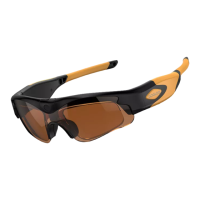
a. The video-glasses are equipped with an external micro SD card slot for
up to 128GB HS memory(128GB format: FAT32). The micro SD card
memory is removable and interchangeable.
b. User can move the memory card into card reader/adapter to PC/Mac
and TV etc to playback or move into mobile phone/iPad etc device to
c. To remove the SD card (when the glasses are turned off!!), shortly
press the card. It would exit from the card slot.
d. The directory for saving video file is *Disk\ DCIM\.
Note: In order to avoid damaging the glasses, please make sure to switch to
the “power off” mode before removing the SD card.
This is real hardware decoding item, full HD 1080P, the data transmission
is high. For more quality video,
• Moving out the memory card from the video-glasses to playback is
• Please copy the recording files from memory card to PC to playback.
• It needs real high speed micro-SD card(TF card) U1 level or above.
• Please be sure there is enough virtual memory to support playing.


 To Next Page