9
WI-FI CONNECTION
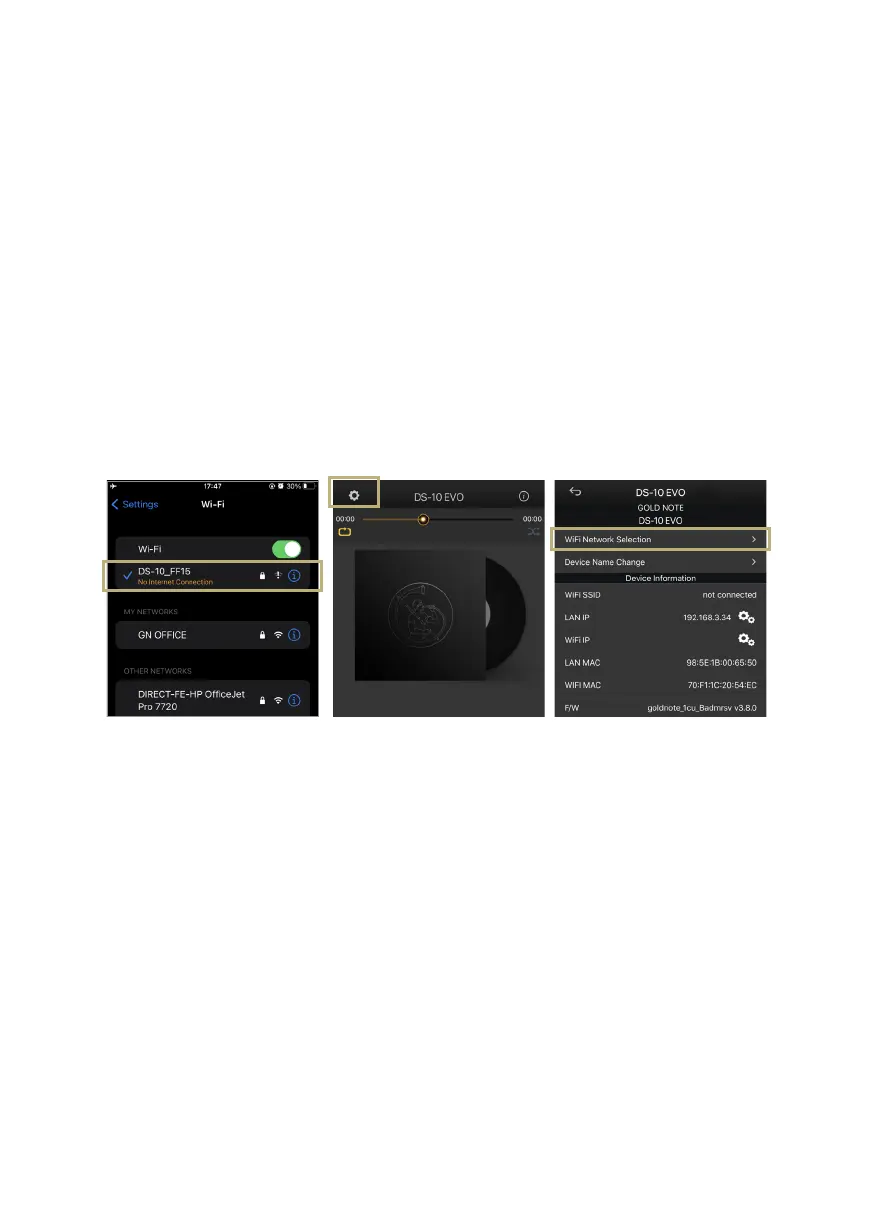
1 Turn ON the Wi-Fi on your mobile device
and find DS-10_XXXX.
2 Connect to DS-10_XXXX using
“password” as the password.
3 Launch GN Control and go to DEVICE
SETUP > DS-10 > Wi-Fi Network
Selection.
Turn ON the Wi-Fi and connect
to DS-10_XXXX
Launch GN Control and go to
DEVICE SETUP > DS-10 > Wi-Fi
Network Selection.
Select the Wi-Fi you want the DS-
10 EVO to connect to.
4 Here are listed the Wi-Fi networks
available, select the one you want the
DS-10 EVO to connect to.
5 The DS-10 EVO is now connected to the
selected Wi-Fi network.
6 Connect your mobile device to the same
network used by DS-10 EVO.



 To Next Page