QUICK START
TURNING ON AND OFF PH-10 (STANDBY)
SELECTING FUNCTIONS AND CHANGING VALUES
On PH-10 every function is selected and adjusted from the front panel using the SKC Knob and the display. Browsing the menu
is quick and easy and allows instant changes on the go while the music is playing.
Every adjustment will affect the device and the playback soon as it is applied and in real time within a couple of seconds (PH-10
will mute the playback while applying the adjustment).
The SKC Knob can be rotated [to browse the menu and adjust values] and pressed [to select a function and confirm the
adjustment].
To select a function, simply rotate the SKC Knob clockwise or anticlockwise: the display will show the SELECTION FRAME: as you
rotate the SKC Knob you will see the SELECTION FRAME browsing the functions on the menu and now you can place the
SELECTION FRAME on the function you want to adjust.
Use the MASTER SWITCH on the rear panel to power PH-10:
the STATUS LED will turn ON to indicate that PH-10 is in
Standby.
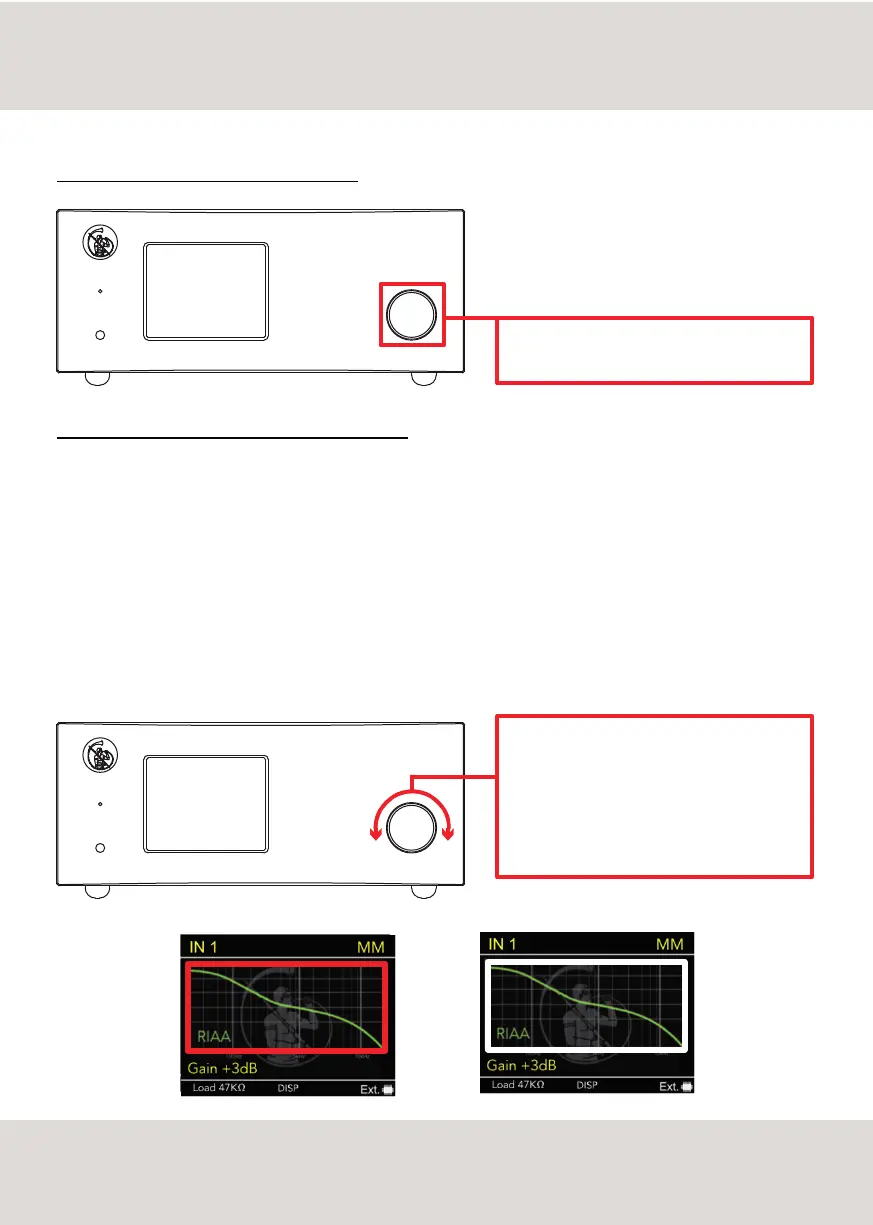
Press the SKC KNOB for 3 seconds to turn ON or OFF
(standby mode) the PH-10.
Press once the SKC Knob to select the function - the
SELECTION FRAME will turn RED - and now rotate the
SKC Knob to set the desired value.
Press the SKC Knob once again to apply the
adjustment - the SELECTION FRAME will turn back to
WHITE.
6



 To Next Page