LiteRider PTC_GP162_Owner’s Manual Rev C_022114
IV. ASSEMBLY
Arm Installation
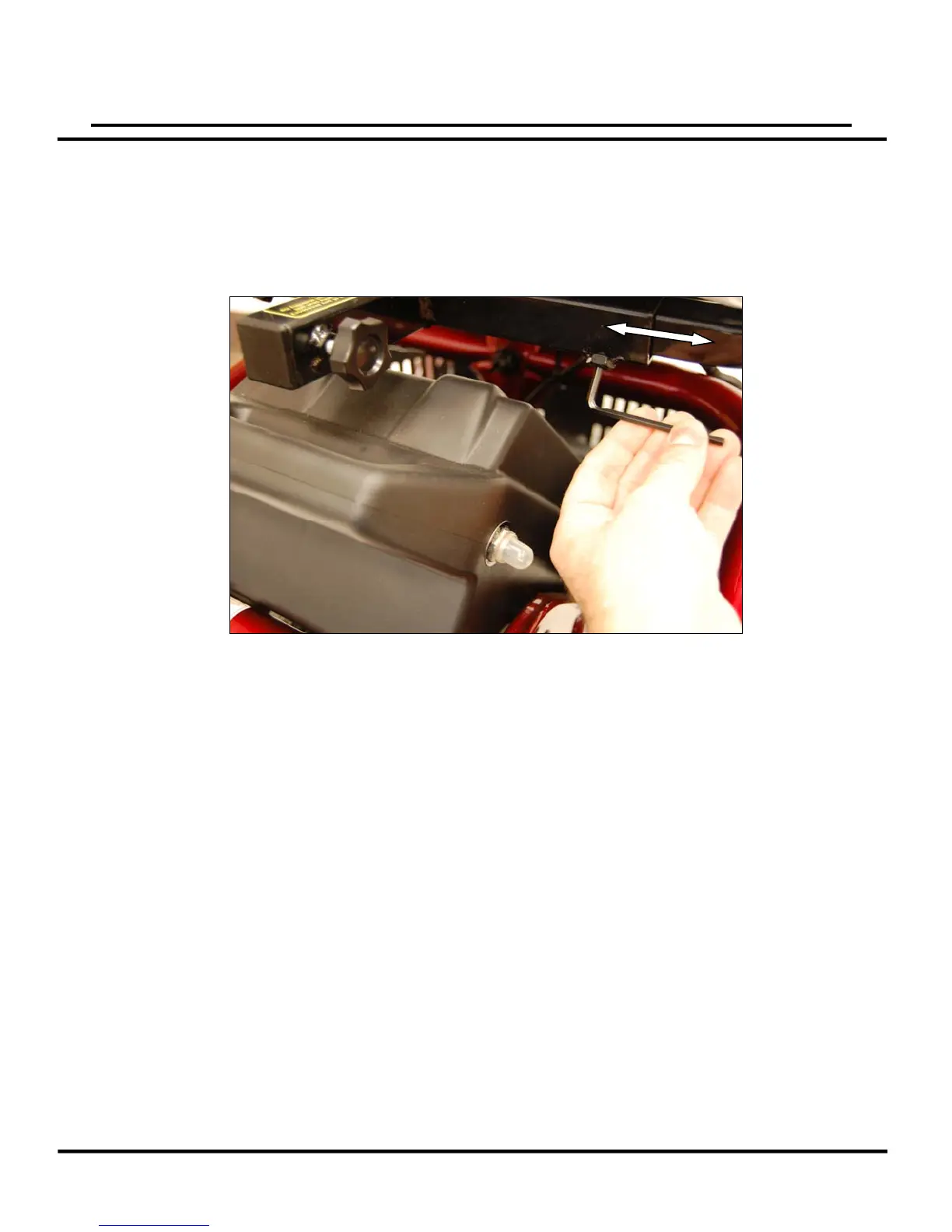
1. Loosen the arm width adjustment screw from the arm receiver tube at the bottom rear of
the seat frame with a 4mm Allen wrench. See figure 5.
2. Insert the arm into the arm receiver tube, so that the arm pad faces toward the front of
the unit.
3. Adjust the width of the arm.
4. Tighten the arm width adjustment screw to secure the arm in place.
5. Repeat steps 1 – 4 for the opposite side.
Seat Belt Installation (Optional Equipment)
1. Use a 4mm Allen wrench to remove the arm width adjustment screw from the arm
receiver tube at the bottom rear of the seat frame. See figure 5.
2. Insert one of the screws provided with the seat belt through one of the seat belt anchors,
reinsert the screw into the receiver tube, and tighten to secure.
3. Repeat steps 1 and 2 for the opposite side of the seat belt.
14
Figure



 To Next Page