VIII. Recipes
GOLDSTEIN Vision combi-steam ovens offer the use of pre-set
programs to prepare a large number of dishes. expert chefs have
prepared for you typical recipes for food preparations so that all the
quality and sanitary standards and HACCP norms are met.
Special attention was paid to the maximum use of the combi-
steam oven features, maximum extraction and quality of dishes when
designing the programs.
A team of Goldstein expert chefs drew inspiration from everyday
experience of chefs in gastronomic establishments and created a
group of programs, which contain most of the common needs of all
types of gastronomic establishments so that the operation of the
combi-ovens was less complicated.
Great advantage of the combi-steam ovens is the possibility to
use pre-set programs so that the final product complies with the
gastronomic establishment, national, regional and local customs and
taste and experience of the chefs.
Matter of fact of the Goldstein combi-steam ovens is the
possibility to create own programs and their consequent changes with
the maximum use of the combi-steam oven’s features, entry of
created programs into typical groups so that the experience,
inventions and creativeness of the chef is used when creating
gastronomic and culinary specialties. It is up to the chef’s imagination
and experience which technology, steps or functions they use.
The program creation is not limited by number of steps and
enables the use of all available functions and procedures. It is possible
to define typical groups of dishes for created programs, where
programs can be stored, moved, deleted or changed and added
further steps.
You can use your USB flash stick when working with „Recipes“
section. You can choose recipes or categories and copy these to your
USB or to your combi steamer.
It is also possible to store most often used programs to
“Favorites” and use the option of quick access to the most important
and favorite programs.
The advantage is also the “Last ten” where the last ten used
programs are stored for quick use in everyday practice.
“Programs” allows you to use the combi-steam oven in its
maximum capacity, with ease of operation and enables the products
to be prepared repeatedly to the highest quality.
1. Using the „Recipes“ section
Press “Recipes” on the initial screen
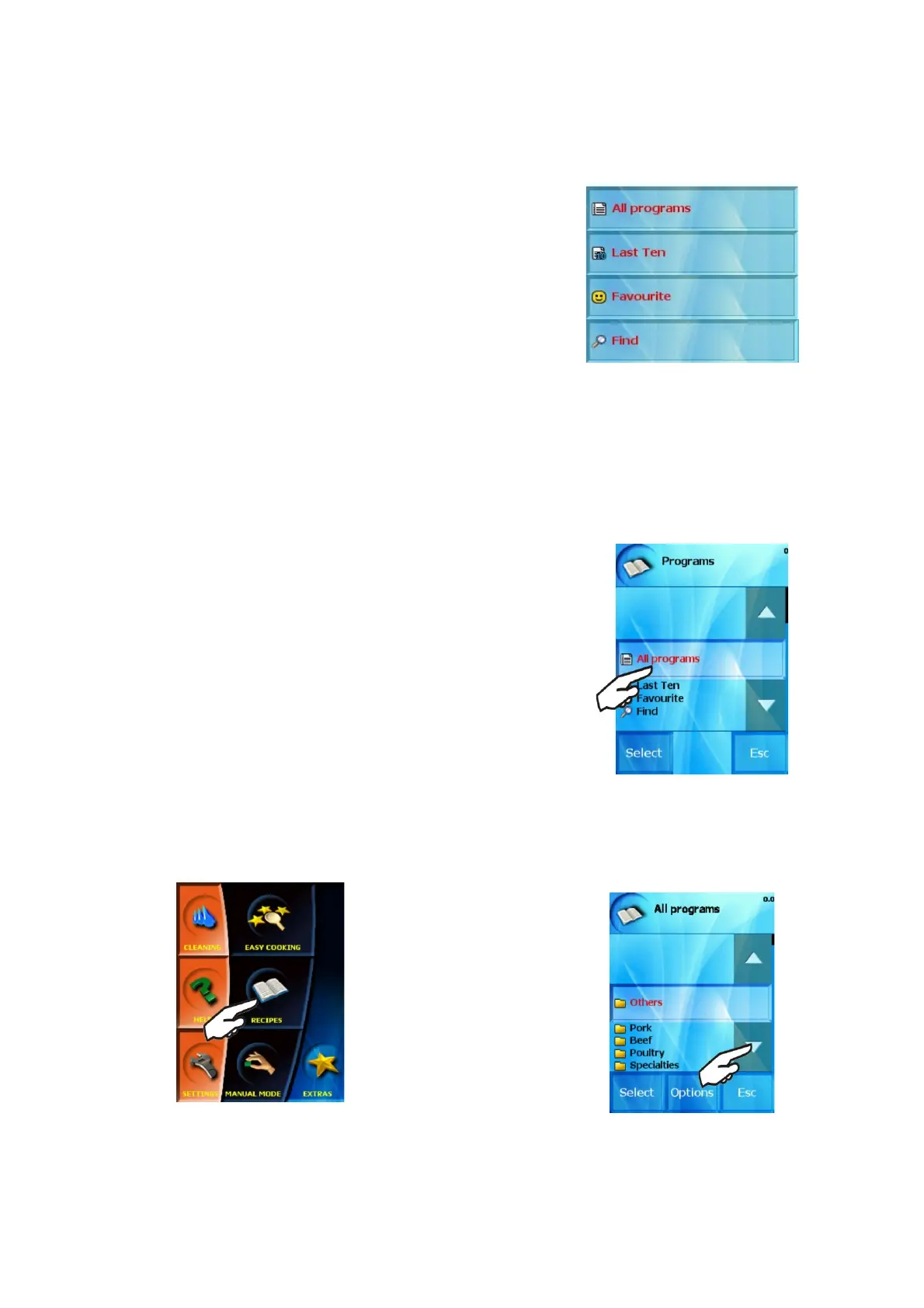
The screen shows the initial offer of the “Recipes” section, which
you can use to set prepared and created programs:
1.1 „All programs“ option
Allows you to use pre-set programs, which are in chronological
order according to typical food groups or according to the way of
preparation.
Basic operations with programs
When pressing this button the food group (folder) option appears,
where individual programs are sorted. The groups may vary according
to the types of dishes or way of preparation.
If choose for example “Pork meat”
15
OPERATION MANUAL FOR GOLDSTEIN VISION COOKING CENTRES


 To Next Page