• steam generation of a boiler with self-cleaning automatic
mechanism, or with spraying technology (the water is led to
the ventilator and then sprayed onto the heating devices).
• hygienic cooking compartment
• two-way ventilator rotation provides ideal evenness
• the equipment is controlled by a microcomputer with
memory
• perfect illumination of the inside of the cabinet – halogen
light with automatic shut off after 2 minutes
• automatic safety device with service diagnostic systém
• continuous temperature regulation of the condensed water
(max. 60˚C)
• acoustic signal of end of cooking process
• built-in shower for cleaning the inside of the combi-steam
oven
• panoramic door with double glass
• heat sensor
• HACCP data recording
• possibility to analyze HACCP data on PC
• option to create and archive programs on PC
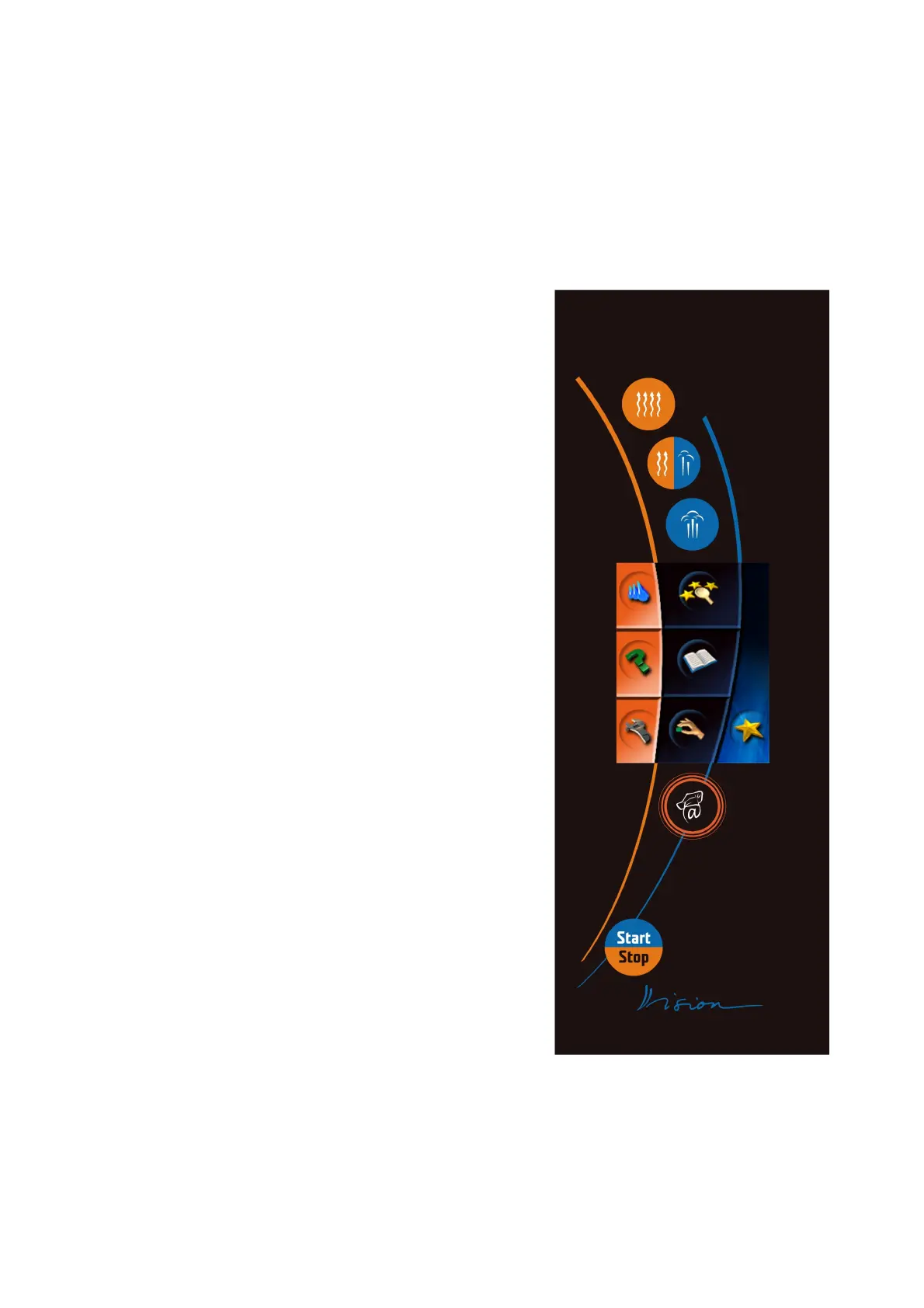
Description of the control panel
The combi-steam oven is fitted with touch-screen control panel.
Individual functions are selected in an easy way – by gentle “tapping”
on a desired symbol on the display, or relevant button of the desired
way of food processing.
In the upper part of the panel, above the display, there are three
buttons for selection of the cooking mode, in the area bellow the
display, there are buttons “VISION AGENT” and “START/STOP”.
Combi-steam oven control panel
7
OPERATION MANUAL FOR GOLDSTEIN VISION COOKING CENTRES


 To Next Page