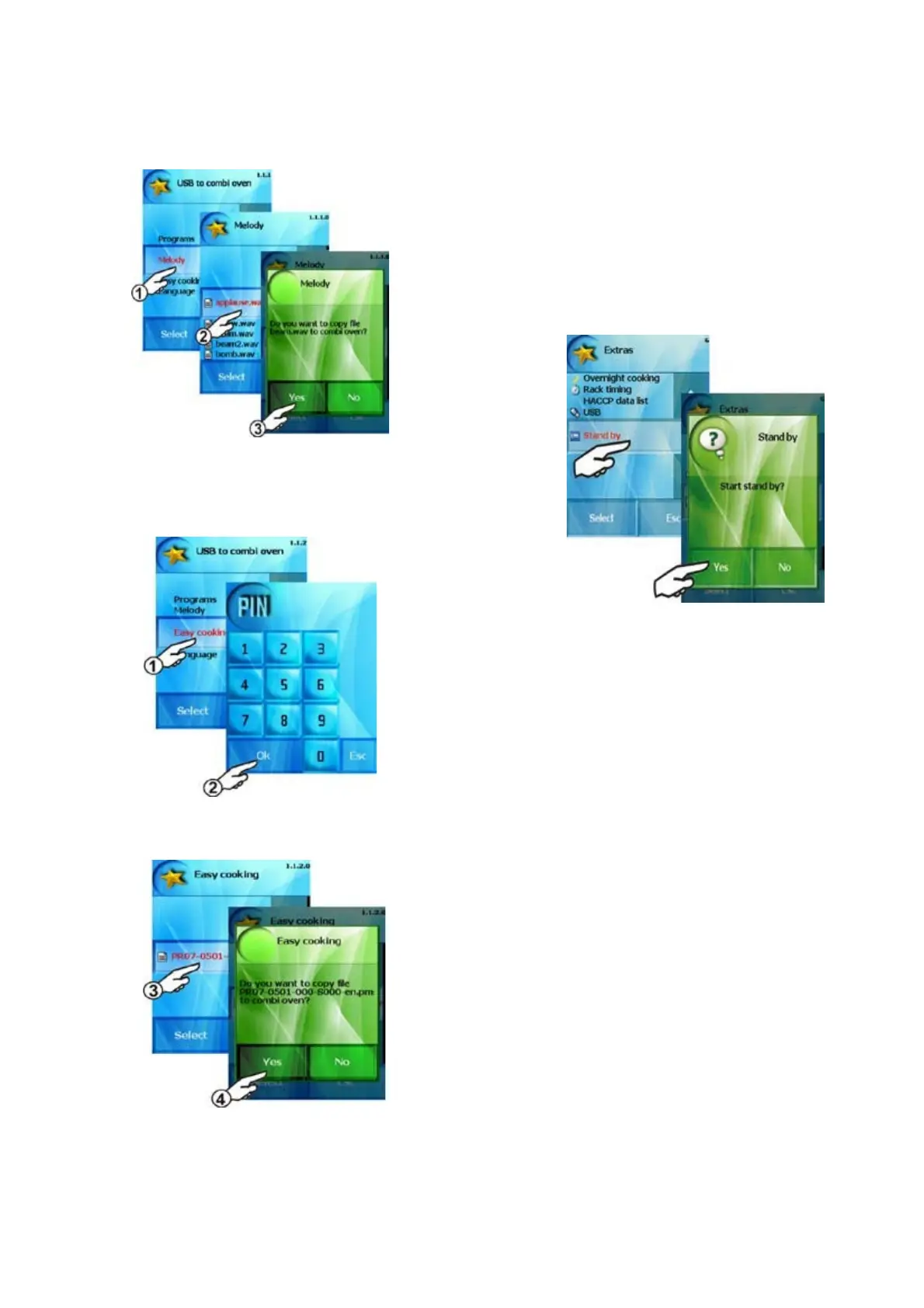
c) „Easy cooking“
This option allows you to upload cooking programs for Easy
cooking function. This option is only accessible after entering PIN
code 6006.
From the menu on the USB select the desired file and confirm the
selection.
Easy cooking programs will be uploaded into the combi-steam
oven.
6. “Stand by” option
You can make asleep your combi steamer by „Stand by“ function.
You can do it either press „Stand-by button“ in „Extras“ menu or
hold the „START“ button for 3 sec.
By holding the „START“ button for 3 sec. you wake up the combi
steamer again.
32
OPERATION MANUAL FOR GOLDSTEIN VISION COOKING CENTRES


 To Next Page