4
2. Getting Started
A. Power ON/OFF
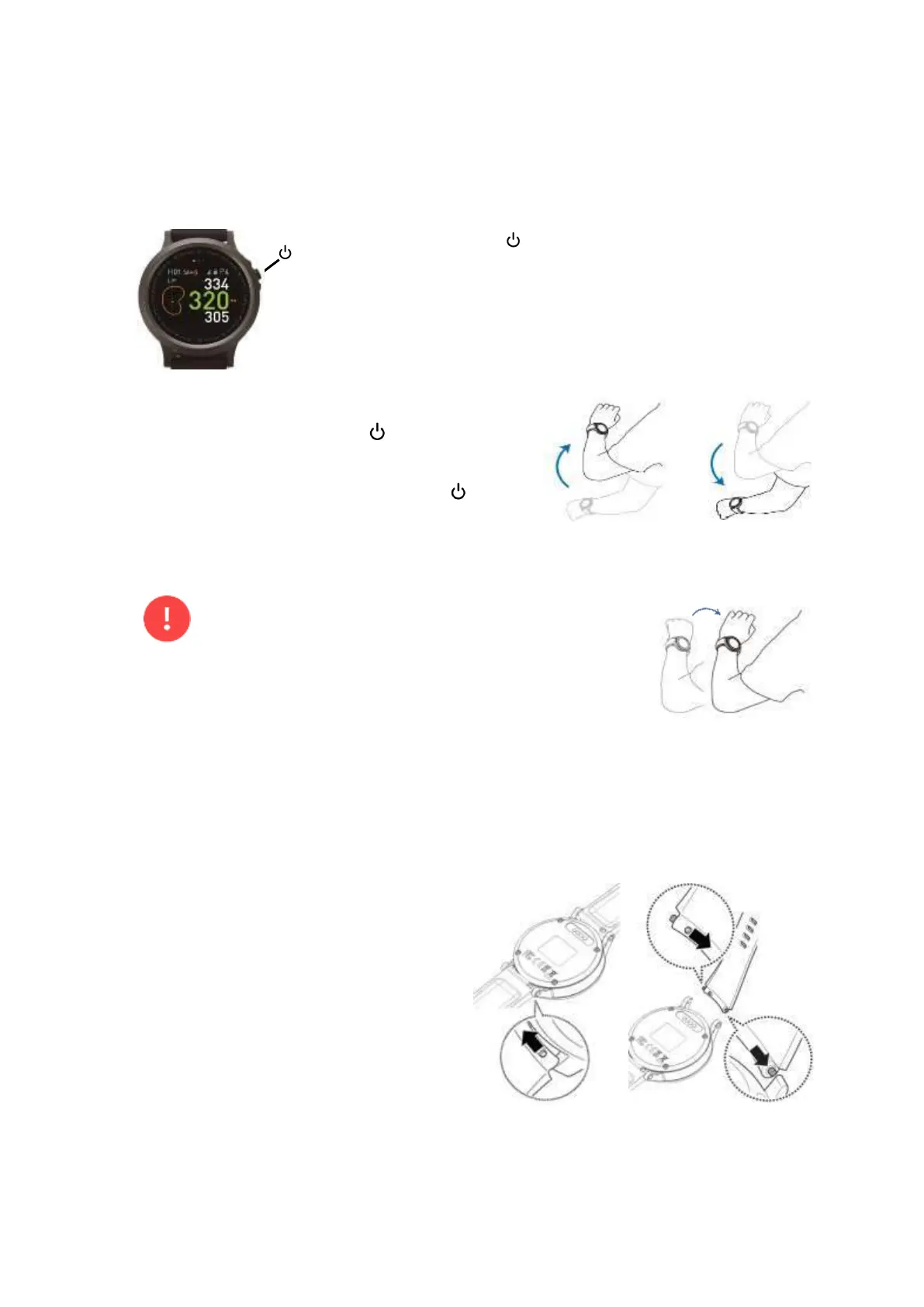
Press and hold button for 3 seconds to power the WTX ON/OFF
B. Turn the Screen On or Off
To turn on the screen, press button, or use the
wake-up gesture. For more information, see section
4.2.6. To turn off the screen, press button
or lower your arm.
•
Even though you raise your arm, the screen may not turn on
or as soon as it turns on, it may turn off. In this case, it’s
recommended that you raise the back of your hand a little bit
in order to turn on the screen at once.
•
The screen turns off if the WTX is not used within a specified period which is set at
Settings → Display → Screen time out.
C. Replace the Watch Strap
Removing the Old Strap
Slide the strap’s spring bar inwards and
separate the strap from the WTX
Installing a New Strap
Insert one end of the spring bar into the
case lug’s pinhole, slide the spring bar
inwards, and connect the strap.



 To Next Page