5
D. Charging
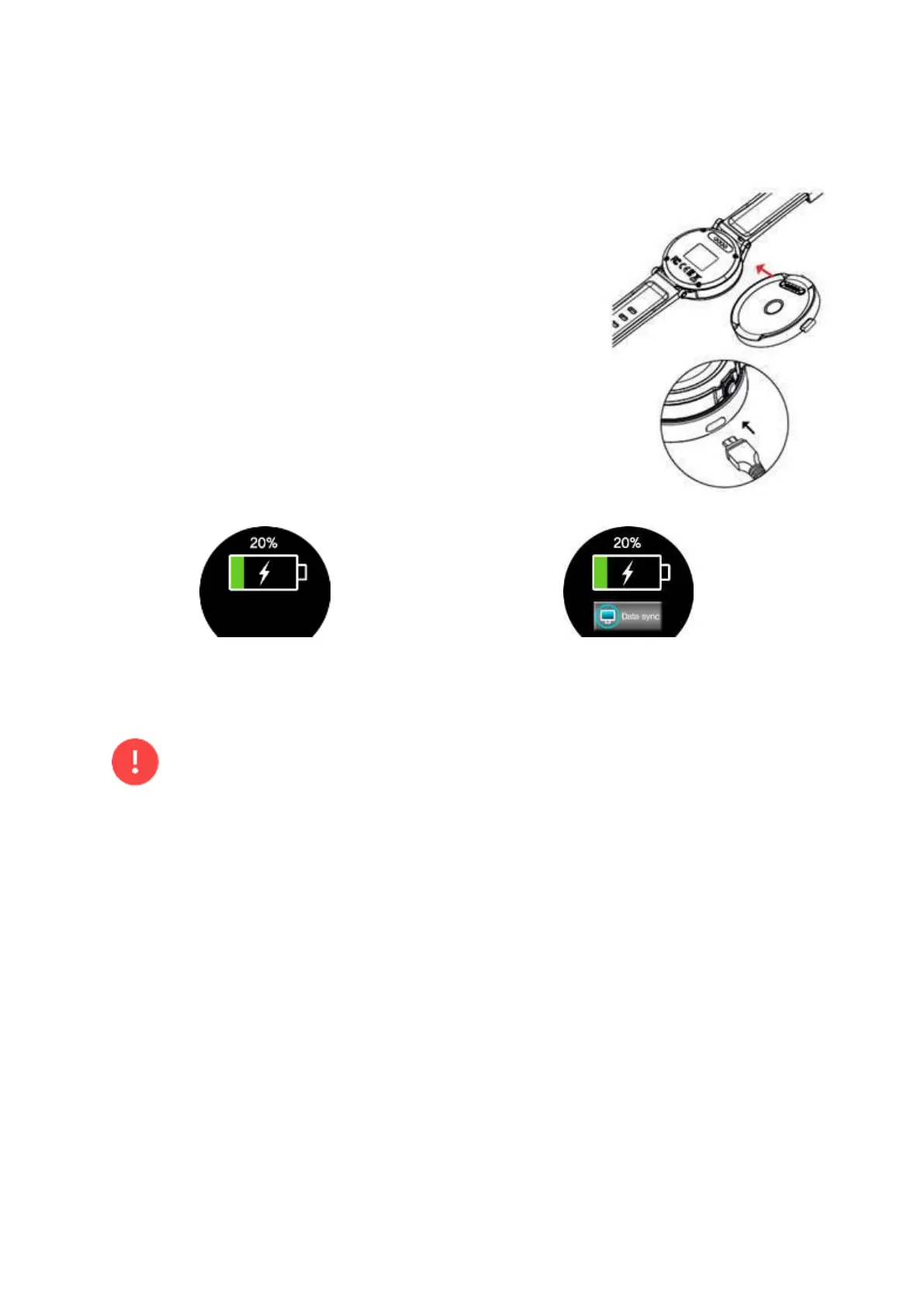
To charge, place the WTX on the charging cradle with the
charging terminals facing each other. Next, connect the
charging cradle with the USB power adapter by the charging
USB cable. Then, plug the USB power adapter into an electric
socket.
After fully charging the WTX, disconnect it from the charging
cradle. Unplug the USB power adapter from the electric socket.
There will be 2 different screens indicating the charge,
according to the power source as below.
In case of using a computer as the power source, “Data sync”
will appear as in Fig.2.2.2 and will only be used to update the
firmware and courses via computer.
Fig.2.2.1. Charging with Wall Charger Fig.2.2.2 Charging with Computer
• Pressing the “Data sync” button should be discouraged during charging. Pressing the
button may result in a slower charge or stop the charging altogether.
• If there is sweat or liquid on the charging terminals, corrosion may occur on the
terminals. Clean the terminals before charging the battery.
• If the battery is completely drained, the WTX cannot be turned on immediately when
the charging cradle is connected. Allow a depleted battery to charge for a few minutes
before turning the WTX on.
• When the battery is charged in a high temperature room such as inside a car during
the summer, the WTX may heat up and it can cause the battery to explode or deform the
WTX.
• Connecting the charger improperly may cause serious damage to the WTX. Any
damage caused by misuse is not covered by the warranty.



 To Next Page